Buy allphone.eu ?
We are moving the project
allphone.eu .
Are you interested in purchasing the domain
allphone.eu ?
domain@kv-gmbh.de · 0541-91531010
Buy allphone.eu ?
Where can I find a good and affordable Thunderbolt 4 Dock?
You can find a good and affordable Thunderbolt 4 Dock at various electronics retailers such as Best Buy, Amazon, or Newegg. These retailers often have a wide selection of Thunderbolt 4 Docks from different brands and at different price points, allowing you to compare and find the best deal. Additionally, you can also check for deals and discounts on these platforms to get a good quality Thunderbolt 4 Dock at an affordable price. **
Why does the Lenovo Thunderbolt 3 Dock Gen2 lose connection?
The Lenovo Thunderbolt 3 Dock Gen2 may lose connection due to various reasons such as a faulty Thunderbolt cable, incompatible drivers or firmware, power fluctuations, or issues with the connected devices. It is also possible that the dock is overheating or experiencing hardware malfunctions. Troubleshooting steps such as updating drivers, checking cable connections, and ensuring proper power supply can help resolve the issue of losing connection with the dock. **

Similar search terms for Razer-Thunderbolt-4-Dock
Top-Angebote
Products related to Razer-Thunderbolt-4-Dock:
-
HP Thunderbolt 4 100W G6 Dock Docking Station - GreyDescription HP Thunderbolt 4 100W G6 Dock is a docking station designed for users who need a practical way to connect compatible equipment through a single desktop accessory. Its grey finish and compact form make it suitable for organised workspace setups. The dock provides two DisplayPort connections, one HDMI connection and one Thunderbolt 4 connection, giving users a range of connection options for supported displays and devices. It has a stated power rating of 100 W and includes a 1000 mm cable for convenient positioning. With dimensions stated as 120 x 120 mm and an item weight of 1.50 kg, this docking station is designed for use at a desk or workstation. An essential addition for users looking to expand their available connections with a dedicated docking station.178,99 £*Shipping: 0,00 £Secure redirect to the provider
-
Belkin Thunderbolt 4 Dock Pro – Single 8K @ 30Hz / Dual 4K Docking Station with 90W Power DeliveryOverview The Belkin Thunderbolt 4 Dock Pro is a high-performance universal docking station designed to transform your laptop into a powerful desktop workstation. Supporting single 8K @ 30Hz or dual 4K displays, this premium Thunderbolt 4 dock delivers ultra-fast data transfer, reliable power delivery up to 90W, and seamless connectivity for modern professionals. Ideal for MacBook Pro, Dell XPS and other Thunderbolt-enabled devices, it provides streamlined cable management and expanded productivity through a single connection. Key Features Thunderbolt 4 Technology – Ultra-fast data transfer up to 40Gbps Single 8K @ 30Hz or Dual 4K Display Support – High-resolution multi-monitor setup 2 × Thunderbolt 4 Ports – Expandable connectivity 2 × HDMI Ports – Flexible display compatibility 90W Power Delivery (PD) – Charge laptops while working Universal Compatibility – Works with MacBook Pro, Dell XPS and other TB4 devices Audio In/Out Ports – Integrated headset and speaker connectivity Compact, Professional Design – Ideal for home or office setups Plug-and-Play Installation – Simple and efficient setup Benefits The Belkin Thunderbolt 4 Dock Pro allows professionals to maximise productivity by connecting multiple displays, peripherals and storage devices through a single Thunderbolt cable. With support for ultra-high-definition resolutions, it is perfect for creative professionals, designers and multitaskers who require detailed visuals and expanded screen space. The integrated 90W Power Delivery ensures your laptop remains fully charged throughout the workday, reducing cable clutter and maintaining a clean desk environment. Thunderbolt 4 technology guarantees stable, high-speed performance for data-intensive tasks, including video editing, large file transfers and high-resolution streaming. Designed for reliability and compatibility, this dock seamlessly integrates with MacBook Pro, Dell XPS and other Thunderbolt-enabled laptops, making it an excellent solution for hybrid work environments. Specifications Table Specification Details Model Belkin Thunderbolt 4 Dock Pro EAN 0745883834712 Display Support Single 8K @ 30Hz / Dual 4K Thunderbolt Ports 2 × Thunderbolt 4 HDMI Ports 2 × HDMI Data Transfer Speed Up to 40Gbps Power Delivery Up to 90W Audio 3.5mm Audio In/Out Compatibility Thunderbolt 4 / Thunderbolt 3 Laptops Supported Devices MacBook Pro, Dell XPS & more Colour Black Installation Plug & Play Dimensions Approx. 200 × 80 × 30 mm Weight Approx. 600g289,00 £*Shipping: 0,00 £Secure redirect to the provider
-
Belkin Thunderbolt 3 Dock Pro 12-Port Docking Station with 0.8m Cable (F4U097vf)Belkin Thunderbolt 3 Dock Pro (model F4U097vf), a 12-port Thunderbolt 3 docking station for connecting displays, USB devices and wired networking to a laptop through a single cable, with upstream charging of the host laptop. Supplied with a 0.8 m (2.6 ft) Thunderbolt 3 cable.107,49 £*Shipping: 0,00 £Secure redirect to the provider
-
Razer Goliathus Mobile Soft Gaming Mouse Mat – BlackOverview: The Razer Goliathus Mobile is a compact and ultra-portable gaming mouse mat designed for gamers on the go. With its micro-textured cloth surface and slim profile, it offers precise tracking and comfort, making it ideal for travel and mobile gaming setups. Product Description: The Razer Goliathus Mobile features a micro-textured cloth surface that provides a balance between speed and control, ensuring accurate mouse movements. Its 1.5 mm thickness makes it lightweight and easy to pack, while the anti-slip rubber base keeps the mat securely in place during intense gaming sessions. The standard black design complements any gaming setup, and its compact size ensures it fits comfortably in most laptop bags. Key Features: Micro-Textured Cloth Surface: Ensures precise tracking for all mouse types. Ultra-Thin Design: 1.5 mm thickness for maximum portability. Anti-Slip Rubber Base: Prevents movement during use. Compact Size: Ideal for travel and mobile gaming setups. Standard Black Design: Matches any gaming or workspace aesthetic.9,99 £*Shipping: 0,00 £Secure redirect to the provider



-
How can one operate a Thunderbolt 3 dock with USB-C?
To operate a Thunderbolt 3 dock with USB-C, you will need a USB-C to Thunderbolt 3 adapter or cable. Connect the Thunderbolt 3 dock to your device using the adapter or cable. Make sure the Thunderbolt 3 dock is powered on and connected to a power source. Your device should recognize the Thunderbolt 3 dock and you can start using the additional ports and features it provides. **
-
Do you have experience with a MacBook USB-C Thunderbolt Dock?
As an AI, I do not have personal experience with using a MacBook USB-C Thunderbolt Dock. However, I have access to a wide range of information and can provide details about its features, compatibility, and user reviews. If you have specific questions or need assistance with setting up or troubleshooting a MacBook USB-C Thunderbolt Dock, feel free to ask and I can provide guidance based on available information. **
-
How can you operate a Thunderbolt 3 dock with USB-C?
To operate a Thunderbolt 3 dock with USB-C, you will need a USB-C to Thunderbolt 3 adapter or cable. This will allow you to connect the USB-C port on your computer to the Thunderbolt 3 dock. Once connected, you can then use the Thunderbolt 3 dock to expand the connectivity options of your computer, such as connecting multiple peripherals, external displays, and charging your device. It's important to ensure that the adapter or cable you use is compatible with both Thunderbolt 3 and USB-C standards to ensure proper functionality. **
-
Can USB-C be used in Thunderbolt 4?
Yes, USB-C can be used in Thunderbolt 4. Thunderbolt 4 uses the USB-C connector, so any device or cable that uses USB-C can be used with Thunderbolt 4. In fact, Thunderbolt 4 is backward compatible with USB-C, meaning that Thunderbolt 4 ports and devices can also support USB-C connections. This makes Thunderbolt 4 a versatile and widely compatible technology for connecting various devices and peripherals. **

How can I connect a Thunderbolt 4 docking station to a laptop without a Thunderbolt port?
To connect a Thunderbolt 4 docking station to a laptop without a Thunderbolt port, you can use a Thunderbolt 4 to USB-C adapter. This adapter will allow you to connect the Thunderbolt 4 docking station to your laptop's USB-C port. Make sure to use a high-quality adapter to ensure proper functionality and compatibility between the docking station and your laptop. Additionally, check the specifications of both your laptop and the docking station to ensure they are compatible with the adapter. **
Is there an eGPU for a Thunderbolt 4 connection?
Yes, there are eGPUs available that are compatible with Thunderbolt 4 connections. Thunderbolt 4 provides high-speed data transfer and power delivery, making it an ideal interface for connecting an eGPU to a laptop or desktop computer. Some eGPU manufacturers have specifically designed their products to be compatible with Thunderbolt 4, offering users the ability to easily enhance their system's graphics performance without needing to open up their computer. These eGPUs can provide a significant boost in graphics capabilities for tasks such as gaming, video editing, and 3D rendering. **
Top-Angebote
Products related to Razer-Thunderbolt-4-Dock:
-
Razer Thunderbolt 4 Dock Chroma - Premium HubDescription The Razer Thunderbolt 4 Dock Chroma is a versatile docking solution designed for users seeking enhanced connectivity options for their devices. This hub is equipped with Thunderbolt 4 technology, offering high-speed data transfer rates and the ability to connect multiple displays, making it ideal for professionals and gamers alike. With a total of 10 ports, including four Thunderbolt 4 ports, a Gigabit Ethernet port, a 3.5 mm audio combo jack, a UHS-II SD card slot, and three USB-A 3.2 Gen 2 ports, it maximises your setup's potential for various scenarios. Additionally, it supports dual 4K or single 8K display output, allowing you to expand your visual workspace significantly. An essential addition for anyone looking to streamline their workspace while ensuring compatibility with both current and legacy devices.188,49 £*Shipping: 0,00 £Secure redirect to the provider
-
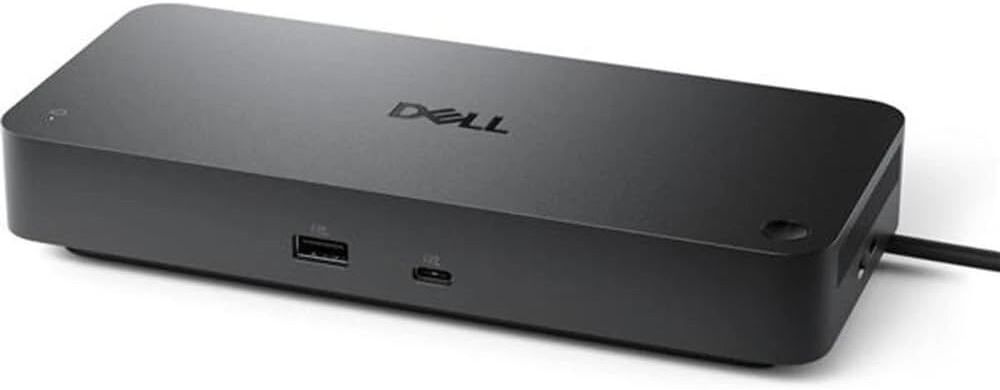
Dell Pro Thunderbolt 4 Smart Dock SD25TB4 USB-C Docking Station, NewOverview Create a cleaner, faster and more powerful workstation with the Dell Pro Thunderbolt 4 Smart Dock SD25TB4. Designed for professionals, hybrid workers, IT teams and high-performance desk setups, this premium USB-C docking station gives you 130W charging for compatible Dell systems, Thunderbolt 4 connectivity, multi-display support, fast USB expansion, 2.5GbE networking and enterprise-friendly management features in one compact hub. Whether you are connecting monitors, peripherals, wired internet, storage drives or accessories, it turns your laptop into a full desktop setup with one simple connection. Key Features & Benefits One-Cable Desk Setup – Connect your laptop to monitors, keyboard, mouse, Ethernet, USB accessories and power through one dock, helping reduce cable clutter and simplify your workspace. Powerful Laptop Charging – Delivers up to 130W power delivery for compatible Dell systems and up to 96W for non-Dell systems, helping keep your laptop charged while you work. Dell lists USB Power Delivery at 130W for Dell systems and 96W for non-Dell systems. Thunderbolt 4 Performance – Thunderbolt 4 connectivity gives you high-speed data, display and power support, making it ideal for modern business laptops and professional workstations. Multi-Display Productivity – Supports multiple external displays for easier multitasking, spreadsheets, dashboards, creative work and office productivity. Dell lists supported configurations including 4 x QHD at 60Hz, 3 x WQHD at 60Hz, 2 x 4K at 60Hz and 1 x 5K WUHD at 60Hz. Wide Video Connectivity – Includes 2 x DisplayPort 1.4, 1 x HDMI 2.1, 1 x USB-C DisplayPort 1.4 multi-function port and 2 x Thunderbolt 4 ports, giving you flexible display and accessory options. Fast Wired Networking – The built-in RJ45 Ethernet port supports 2.5GbE, giving you faster and more stable wired network performance for large downloads, cloud work, video calls and office environments. Plenty of USB Expansion – Connect everyday accessories using multiple USB ports, including 4 x USB-A 3.2 Gen 2 and 1 x USB-C 3.2 Gen 2, ideal for keyboards, mice, storage drives, webcams, headsets and other desk equipment. Smart Management for Business IT – Supports enterprise management features such as MAC address pass-through and Intel AMT over Thunderbolt with selected Intel vPro PCs, helping IT teams manage devices more efficiently. Wi-Fi Management Support – Designed for managed business environments, helping support smoother network control and device administration when used with compatible systems. Eco-Conscious Design – Built with a modern, business-ready design and sustainability-focused positioning, making it suitable for organisations that value performance and responsible purchasing. Why Choose This Product The Dell Pro Thunderbolt 4 Smart Dock SD25TB4 is ideal for users who want a professional docking station that does more than basic connectivity. It combines high-power charging, Thunderbolt 4 speed, flexible display support...269,00 £*Shipping: 0,00 £Secure redirect to the provider
-
HP Thunderbolt 4 100W G6 Dock Docking Station - GreyDescription HP Thunderbolt 4 100W G6 Dock is a docking station designed for users who need a practical way to connect compatible equipment through a single desktop accessory. Its grey finish and compact form make it suitable for organised workspace setups. The dock provides two DisplayPort connections, one HDMI connection and one Thunderbolt 4 connection, giving users a range of connection options for supported displays and devices. It has a stated power rating of 100 W and includes a 1000 mm cable for convenient positioning. With dimensions stated as 120 x 120 mm and an item weight of 1.50 kg, this docking station is designed for use at a desk or workstation. An essential addition for users looking to expand their available connections with a dedicated docking station.178,99 £*Shipping: 0,00 £Secure redirect to the provider
-
Belkin Thunderbolt 4 Dock Pro – Single 8K @ 30Hz / Dual 4K Docking Station with 90W Power DeliveryOverview The Belkin Thunderbolt 4 Dock Pro is a high-performance universal docking station designed to transform your laptop into a powerful desktop workstation. Supporting single 8K @ 30Hz or dual 4K displays, this premium Thunderbolt 4 dock delivers ultra-fast data transfer, reliable power delivery up to 90W, and seamless connectivity for modern professionals. Ideal for MacBook Pro, Dell XPS and other Thunderbolt-enabled devices, it provides streamlined cable management and expanded productivity through a single connection. Key Features Thunderbolt 4 Technology – Ultra-fast data transfer up to 40Gbps Single 8K @ 30Hz or Dual 4K Display Support – High-resolution multi-monitor setup 2 × Thunderbolt 4 Ports – Expandable connectivity 2 × HDMI Ports – Flexible display compatibility 90W Power Delivery (PD) – Charge laptops while working Universal Compatibility – Works with MacBook Pro, Dell XPS and other TB4 devices Audio In/Out Ports – Integrated headset and speaker connectivity Compact, Professional Design – Ideal for home or office setups Plug-and-Play Installation – Simple and efficient setup Benefits The Belkin Thunderbolt 4 Dock Pro allows professionals to maximise productivity by connecting multiple displays, peripherals and storage devices through a single Thunderbolt cable. With support for ultra-high-definition resolutions, it is perfect for creative professionals, designers and multitaskers who require detailed visuals and expanded screen space. The integrated 90W Power Delivery ensures your laptop remains fully charged throughout the workday, reducing cable clutter and maintaining a clean desk environment. Thunderbolt 4 technology guarantees stable, high-speed performance for data-intensive tasks, including video editing, large file transfers and high-resolution streaming. Designed for reliability and compatibility, this dock seamlessly integrates with MacBook Pro, Dell XPS and other Thunderbolt-enabled laptops, making it an excellent solution for hybrid work environments. Specifications Table Specification Details Model Belkin Thunderbolt 4 Dock Pro EAN 0745883834712 Display Support Single 8K @ 30Hz / Dual 4K Thunderbolt Ports 2 × Thunderbolt 4 HDMI Ports 2 × HDMI Data Transfer Speed Up to 40Gbps Power Delivery Up to 90W Audio 3.5mm Audio In/Out Compatibility Thunderbolt 4 / Thunderbolt 3 Laptops Supported Devices MacBook Pro, Dell XPS & more Colour Black Installation Plug & Play Dimensions Approx. 200 × 80 × 30 mm Weight Approx. 600g289,00 £*Shipping: 0,00 £Secure redirect to the provider
-
Where can I find a good and affordable Thunderbolt 4 Dock?
You can find a good and affordable Thunderbolt 4 Dock at various electronics retailers such as Best Buy, Amazon, or Newegg. These retailers often have a wide selection of Thunderbolt 4 Docks from different brands and at different price points, allowing you to compare and find the best deal. Additionally, you can also check for deals and discounts on these platforms to get a good quality Thunderbolt 4 Dock at an affordable price. **
-
Why does the Lenovo Thunderbolt 3 Dock Gen2 lose connection?
The Lenovo Thunderbolt 3 Dock Gen2 may lose connection due to various reasons such as a faulty Thunderbolt cable, incompatible drivers or firmware, power fluctuations, or issues with the connected devices. It is also possible that the dock is overheating or experiencing hardware malfunctions. Troubleshooting steps such as updating drivers, checking cable connections, and ensuring proper power supply can help resolve the issue of losing connection with the dock. **
-
How can one operate a Thunderbolt 3 dock with USB-C?
To operate a Thunderbolt 3 dock with USB-C, you will need a USB-C to Thunderbolt 3 adapter or cable. Connect the Thunderbolt 3 dock to your device using the adapter or cable. Make sure the Thunderbolt 3 dock is powered on and connected to a power source. Your device should recognize the Thunderbolt 3 dock and you can start using the additional ports and features it provides. **
-
Do you have experience with a MacBook USB-C Thunderbolt Dock?
As an AI, I do not have personal experience with using a MacBook USB-C Thunderbolt Dock. However, I have access to a wide range of information and can provide details about its features, compatibility, and user reviews. If you have specific questions or need assistance with setting up or troubleshooting a MacBook USB-C Thunderbolt Dock, feel free to ask and I can provide guidance based on available information. **
Similar search terms for Razer-Thunderbolt-4-Dock
-
Belkin Thunderbolt 3 Dock Pro 12-Port Docking Station with 0.8m Cable (F4U097vf)Belkin Thunderbolt 3 Dock Pro (model F4U097vf), a 12-port Thunderbolt 3 docking station for connecting displays, USB devices and wired networking to a laptop through a single cable, with upstream charging of the host laptop. Supplied with a 0.8 m (2.6 ft) Thunderbolt 3 cable.107,49 £*Shipping: 0,00 £Secure redirect to the provider
-
Razer Goliathus Mobile Soft Gaming Mouse Mat – BlackOverview: The Razer Goliathus Mobile is a compact and ultra-portable gaming mouse mat designed for gamers on the go. With its micro-textured cloth surface and slim profile, it offers precise tracking and comfort, making it ideal for travel and mobile gaming setups. Product Description: The Razer Goliathus Mobile features a micro-textured cloth surface that provides a balance between speed and control, ensuring accurate mouse movements. Its 1.5 mm thickness makes it lightweight and easy to pack, while the anti-slip rubber base keeps the mat securely in place during intense gaming sessions. The standard black design complements any gaming setup, and its compact size ensures it fits comfortably in most laptop bags. Key Features: Micro-Textured Cloth Surface: Ensures precise tracking for all mouse types. Ultra-Thin Design: 1.5 mm thickness for maximum portability. Anti-Slip Rubber Base: Prevents movement during use. Compact Size: Ideal for travel and mobile gaming setups. Standard Black Design: Matches any gaming or workspace aesthetic.9,99 £*Shipping: 0,00 £Secure redirect to the provider
-
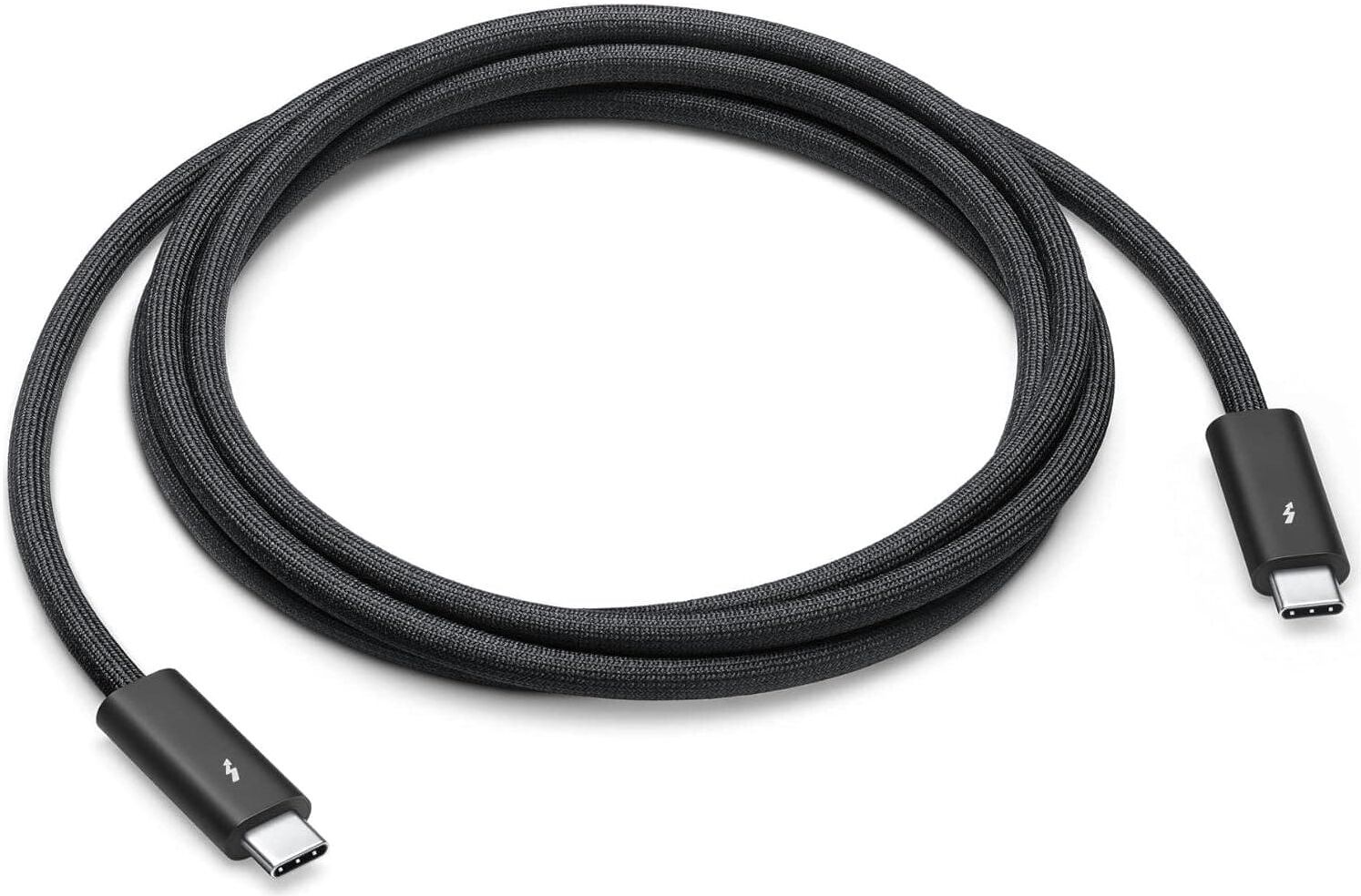
Apple Thunderbolt 4 Pro Cable (1.8m), NewUnlock the full potential of your Apple devices with the Apple Thunderbolt 4 Pro Cable (1.8m) — a premium, high-performance cable built for speed, stability, and flexibility. Whether you're connecting to high-resolution displays, fast external storage, or Thunderbolt docks, this durable braided cable delivers ultra-fast data transfer, powerful charging, and reliable video output. With support for up to 40Gb/s data transfer and up to 100W power delivery, it's the ideal cable for professionals, creatives, and Apple power users who demand top-tier performance with every connection. ✅ Blazing-Fast Data Transfer – Supports up to 40Gb/s for lightning-fast transfers between Thunderbolt 3 and Thunderbolt 4 devices. ✅ 4K & 8K Video Output – Seamlessly connects to high-resolution displays with crisp, ultra-clear visuals. ✅ 100W Power Delivery – Charges your MacBook, iPad Pro, or other compatible devices with fast and safe power delivery. ✅ Compatible with USB-C Devices – Works with Thunderbolt and USB-C ports for versatile usage across Apple and other USB-C devices. ✅ Durable Braided Design – Tough, tangle-free black braided exterior ensures long-lasting performance and flexibility. ✅ Active Cable Technology – Maintains maximum performance over the full 1.8-meter length. ✅ High-Fidelity Audio & Video – Ensures stable, lag-free AV performance for creative professionals. ✅ Apple Certified Original – Built to Apple’s exacting standards for quality and compatibility. ✅ Backward Compatible – Fully supports Thunderbolt 3 and USB 3.1 Gen 2 devices and accessories. ✅ Secure Fit & Solid Build – Strong, reinforced connectors prevent wear and ensure a snug, reliable connection. The Apple Thunderbolt 4 Pro Cable (1.8m) is engineered for professionals and everyday users who need reliable, high-speed connectivity across their Apple ecosystem. Perfect for everything from creative workflows to efficient charging and data syncing, this cable brings durability and performance together in a sleek, Apple-quality package.122,99 £*Shipping: 0,00 £Secure redirect to the provider
-
How can you operate a Thunderbolt 3 dock with USB-C?
To operate a Thunderbolt 3 dock with USB-C, you will need a USB-C to Thunderbolt 3 adapter or cable. This will allow you to connect the USB-C port on your computer to the Thunderbolt 3 dock. Once connected, you can then use the Thunderbolt 3 dock to expand the connectivity options of your computer, such as connecting multiple peripherals, external displays, and charging your device. It's important to ensure that the adapter or cable you use is compatible with both Thunderbolt 3 and USB-C standards to ensure proper functionality. **
-
Can USB-C be used in Thunderbolt 4?
Yes, USB-C can be used in Thunderbolt 4. Thunderbolt 4 uses the USB-C connector, so any device or cable that uses USB-C can be used with Thunderbolt 4. In fact, Thunderbolt 4 is backward compatible with USB-C, meaning that Thunderbolt 4 ports and devices can also support USB-C connections. This makes Thunderbolt 4 a versatile and widely compatible technology for connecting various devices and peripherals. **
-
How can I connect a Thunderbolt 4 docking station to a laptop without a Thunderbolt port?
To connect a Thunderbolt 4 docking station to a laptop without a Thunderbolt port, you can use a Thunderbolt 4 to USB-C adapter. This adapter will allow you to connect the Thunderbolt 4 docking station to your laptop's USB-C port. Make sure to use a high-quality adapter to ensure proper functionality and compatibility between the docking station and your laptop. Additionally, check the specifications of both your laptop and the docking station to ensure they are compatible with the adapter. **
-
Is there an eGPU for a Thunderbolt 4 connection?
Yes, there are eGPUs available that are compatible with Thunderbolt 4 connections. Thunderbolt 4 provides high-speed data transfer and power delivery, making it an ideal interface for connecting an eGPU to a laptop or desktop computer. Some eGPU manufacturers have specifically designed their products to be compatible with Thunderbolt 4, offering users the ability to easily enhance their system's graphics performance without needing to open up their computer. These eGPUs can provide a significant boost in graphics capabilities for tasks such as gaming, video editing, and 3D rendering. **
* All prices are inclusive of VAT and, if applicable, plus shipping costs. The offer information is based on the details provided by the respective shop and is updated through automated processes. Real-time updates do not occur, so deviations can occur in individual cases. ** Note: Parts of this content were created by AI.