Buy allphone.eu ?
We are moving the project
allphone.eu .
Are you interested in purchasing the domain
allphone.eu ?
domain@kv-gmbh.de · 0541-91531010
Buy allphone.eu ?
Does emulated Windows on a mobile device count as a laptop?
Emulated Windows on a mobile device does not count as a laptop. While the emulated Windows environment may provide similar functionality to a laptop, the physical form factor and hardware components of a mobile device are different from those of a laptop. Laptops typically have larger screens, physical keyboards, and more powerful processors compared to mobile devices, which are designed for portability and convenience. **
How can I connect my Asus laptop to a wireless Bluetooth device, such as headphones?
To connect your Asus laptop to a wireless Bluetooth device, such as headphones, you will first need to make sure that your laptop has Bluetooth capability. You can usually do this by checking the settings or looking for a Bluetooth icon on your laptop. Once you have confirmed that your laptop has Bluetooth, turn on the Bluetooth on your headphones and set them to pairing mode. On your laptop, go to the Bluetooth settings, search for available devices, and select your headphones to pair them. Follow any on-screen instructions to complete the pairing process, and once connected, you should be able to use your headphones with your Asus laptop wirelessly. **


Similar search terms for Laptop
Top-Angebote
Products related to Laptop:
-
JoyToys Smart Kids Learning Laptop Educational Laptop Toy For Preschool English Learning & Skill Development blueExperience the joy of watching your child learn through play with this educational laptop toy designed to make every lesson fun and engaging. Perfect for toddlers and preschoolers, this interactive learning computer introduces letters, numbers,...34,97 $*Shipping: 0,00 $Secure redirect to the provider
-
Rare Purchases Multi Function Precision Screwdriver Tool Set, Repair Kit, Laptop, Mobile, Computer Disassembly Multi Function Precision Screwdriver Tool Set, Repair Kit, Laptop, Mobile, Computer DisassemblyThe 132 in 1 MultiFunction Precision Screwdriver Tool Set is the ultimate solution for electronic device repairs. Whether you're working on laptops, mobile phones, or computers, this comprehensive set has everything you need for disassembly and...79,97 $*Shipping: 0,00 $Secure redirect to the provider
-
Drop Dash Deals Mobile C Shaped Side Table With Wheels For Sofa Bed And Laptop Use Mobile C Shaped Side Table With Wheels For Sofa Bed And Laptop UseBring comfort closer without cluttering your space. This 1 pc of smart side table with wheels slides beside your sofa, bed, or favorite chair, giving you an easy spot for coffee, snacks, books, or your laptop. Designed for small homes, apartments,...99,97 $*Shipping: 0,00 $Secure redirect to the provider
-
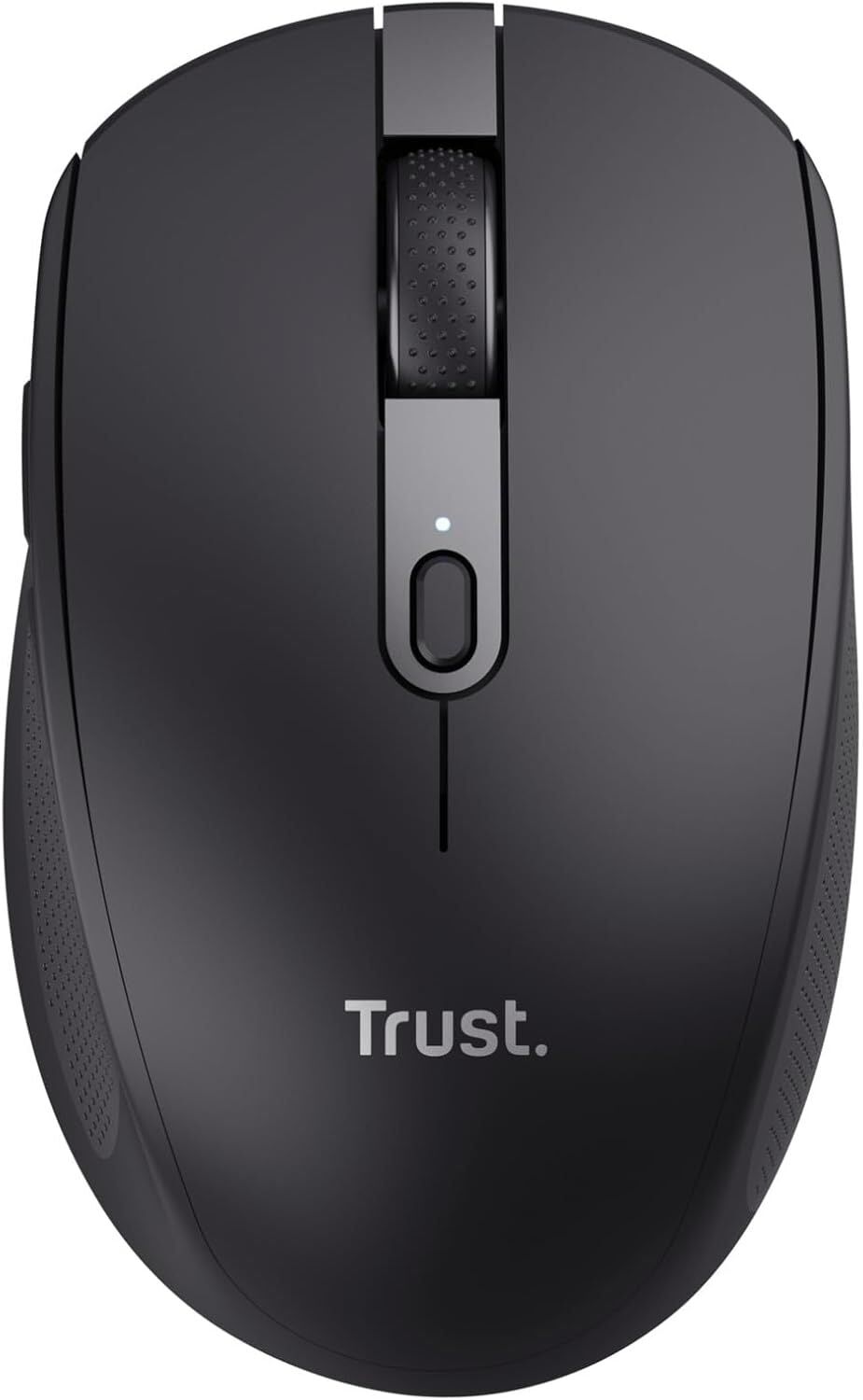
Trust Ozaa Silent Wireless Bluetooth Mouse - Rechargeable, Multi-Device, Compact, 60% Recycled Plastic, for PC/Laptop/Mac/Android - Black, NewExperience seamless multitasking with the Trust Ozaa Silent Wireless Mouse. This compact, multi-device mouse allows you to connect up to three devices simultaneously via Bluetooth and 2.4GHz connectivity. Designed for quiet operation, its silent buttons ensure undisturbed productivity, while the adjustable DPI (800-3200) delivers precise control for any task. Built with sustainability in mind, the Ozaa mouse is made of 60% recycled plastics, making it an eco-friendly choice. Its built-in rechargeable battery offers up to one month of non-stop usage, and you can keep working even while charging. The Ozaa supports a wide range of operating systems, including Windows, iOS, MacOS, Android, and Chrome OS, ensuring compatibility with virtually any device. Multi-device connection: 2x Bluetooth + 1x 2.4GHz wireless receiver Quiet operation with silent mouse buttons Adjustable DPI (800-3200) for precision control Eco-conscious: Made of 60% recycled plastics Long-lasting rechargeable battery: Up to 1-month usage per charge Universal compatibility: Windows, MacOS, iOS, Android, Chrome OS34,99 £*Shipping: 0,00 £Secure redirect to the provider


-
To which laptop can you connect wireless microphones?
You can connect wireless microphones to laptops that have built-in Bluetooth capabilities or laptops that are equipped with a USB Bluetooth adapter. This allows the laptop to communicate wirelessly with the wireless microphones. Additionally, laptops with audio input ports or USB ports can also be used to connect wireless microphone receivers for capturing audio. **
-
To which laptop can wireless microphones be connected?
Wireless microphones can be connected to laptops that have a compatible audio input/output port, such as a 3.5mm audio jack or a USB port. Additionally, laptops that have Bluetooth connectivity can also be used to connect wireless microphones. It is important to check the specifications of both the microphone and the laptop to ensure compatibility before attempting to connect them. **
-
What is digital communication?
Digital communication refers to the exchange of information through electronic devices such as computers, smartphones, and tablets. It involves sending and receiving data in the form of text, images, videos, or audio over digital channels like email, social media, messaging apps, and websites. Digital communication allows for instant and efficient communication between individuals or groups regardless of geographical location, making it a vital aspect of modern-day interactions and business operations. **
-
How do I activate wireless connectivity in Windows 7?
To activate wireless connectivity in Windows 7, you can follow these steps: 1. Click on the Start button and then select Control Panel. 2. In the Control Panel, click on Network and Sharing Center. 3. In the Network and Sharing Center, click on the "Change adapter settings" option on the left-hand side. 4. Right-click on the wireless network connection and select "Enable" from the drop-down menu. Once you have completed these steps, your wireless connectivity should be activated and you should be able to connect to available wireless networks. **

What is a good laptop for studying information technology?
A good laptop for studying information technology should have a fast processor, at least 8GB of RAM, and a solid-state drive for quick data access. It should also have a high-resolution display for coding and graphic design work, and a long battery life for extended study sessions. Additionally, it should have good connectivity options such as USB ports, HDMI, and possibly an SD card slot for transferring data. Some recommended laptops for studying information technology include the Dell XPS 13, MacBook Pro, and Lenovo ThinkPad X1 Carbon. **
Is there also a laptop version of digital tickets?
Yes, there is a laptop version of digital tickets. Many event ticketing platforms and airlines offer the option to access and manage digital tickets through a web browser on a laptop or desktop computer. This allows users to easily view, download, and print their digital tickets from their computer, providing added convenience and flexibility for accessing their tickets. **
Top-Angebote
Products related to Laptop:
-
JoyToys Smart Kids Learning Laptop Educational Laptop Toy For Preschool English Learning & Skill Development blueExperience the joy of watching your child learn through play with this educational laptop toy designed to make every lesson fun and engaging. Perfect for toddlers and preschoolers, this interactive learning computer introduces letters, numbers,...34,97 $*Shipping: 0,00 $Secure redirect to the provider
-
Rare Purchases Multi Function Precision Screwdriver Tool Set, Repair Kit, Laptop, Mobile, Computer Disassembly Multi Function Precision Screwdriver Tool Set, Repair Kit, Laptop, Mobile, Computer DisassemblyThe 132 in 1 MultiFunction Precision Screwdriver Tool Set is the ultimate solution for electronic device repairs. Whether you're working on laptops, mobile phones, or computers, this comprehensive set has everything you need for disassembly and...79,97 $*Shipping: 0,00 $Secure redirect to the provider
-
Does emulated Windows on a mobile device count as a laptop?
Emulated Windows on a mobile device does not count as a laptop. While the emulated Windows environment may provide similar functionality to a laptop, the physical form factor and hardware components of a mobile device are different from those of a laptop. Laptops typically have larger screens, physical keyboards, and more powerful processors compared to mobile devices, which are designed for portability and convenience. **
-
How can I connect my Asus laptop to a wireless Bluetooth device, such as headphones?
To connect your Asus laptop to a wireless Bluetooth device, such as headphones, you will first need to make sure that your laptop has Bluetooth capability. You can usually do this by checking the settings or looking for a Bluetooth icon on your laptop. Once you have confirmed that your laptop has Bluetooth, turn on the Bluetooth on your headphones and set them to pairing mode. On your laptop, go to the Bluetooth settings, search for available devices, and select your headphones to pair them. Follow any on-screen instructions to complete the pairing process, and once connected, you should be able to use your headphones with your Asus laptop wirelessly. **
-
To which laptop can you connect wireless microphones?
You can connect wireless microphones to laptops that have built-in Bluetooth capabilities or laptops that are equipped with a USB Bluetooth adapter. This allows the laptop to communicate wirelessly with the wireless microphones. Additionally, laptops with audio input ports or USB ports can also be used to connect wireless microphone receivers for capturing audio. **
-
To which laptop can wireless microphones be connected?
Wireless microphones can be connected to laptops that have a compatible audio input/output port, such as a 3.5mm audio jack or a USB port. Additionally, laptops that have Bluetooth connectivity can also be used to connect wireless microphones. It is important to check the specifications of both the microphone and the laptop to ensure compatibility before attempting to connect them. **
Similar search terms for Laptop
-
Drop Dash Deals Mobile C Shaped Side Table With Wheels For Sofa Bed And Laptop Use Mobile C Shaped Side Table With Wheels For Sofa Bed And Laptop UseBring comfort closer without cluttering your space. This 1 pc of smart side table with wheels slides beside your sofa, bed, or favorite chair, giving you an easy spot for coffee, snacks, books, or your laptop. Designed for small homes, apartments,...99,97 $*Shipping: 0,00 $Secure redirect to the provider
-
Trust Ozaa Silent Wireless Bluetooth Mouse - Rechargeable, Multi-Device, Compact, 60% Recycled Plastic, for PC/Laptop/Mac/Android - Black, NewExperience seamless multitasking with the Trust Ozaa Silent Wireless Mouse. This compact, multi-device mouse allows you to connect up to three devices simultaneously via Bluetooth and 2.4GHz connectivity. Designed for quiet operation, its silent buttons ensure undisturbed productivity, while the adjustable DPI (800-3200) delivers precise control for any task. Built with sustainability in mind, the Ozaa mouse is made of 60% recycled plastics, making it an eco-friendly choice. Its built-in rechargeable battery offers up to one month of non-stop usage, and you can keep working even while charging. The Ozaa supports a wide range of operating systems, including Windows, iOS, MacOS, Android, and Chrome OS, ensuring compatibility with virtually any device. Multi-device connection: 2x Bluetooth + 1x 2.4GHz wireless receiver Quiet operation with silent mouse buttons Adjustable DPI (800-3200) for precision control Eco-conscious: Made of 60% recycled plastics Long-lasting rechargeable battery: Up to 1-month usage per charge Universal compatibility: Windows, MacOS, iOS, Android, Chrome OS34,99 £*Shipping: 0,00 £Secure redirect to the provider
-
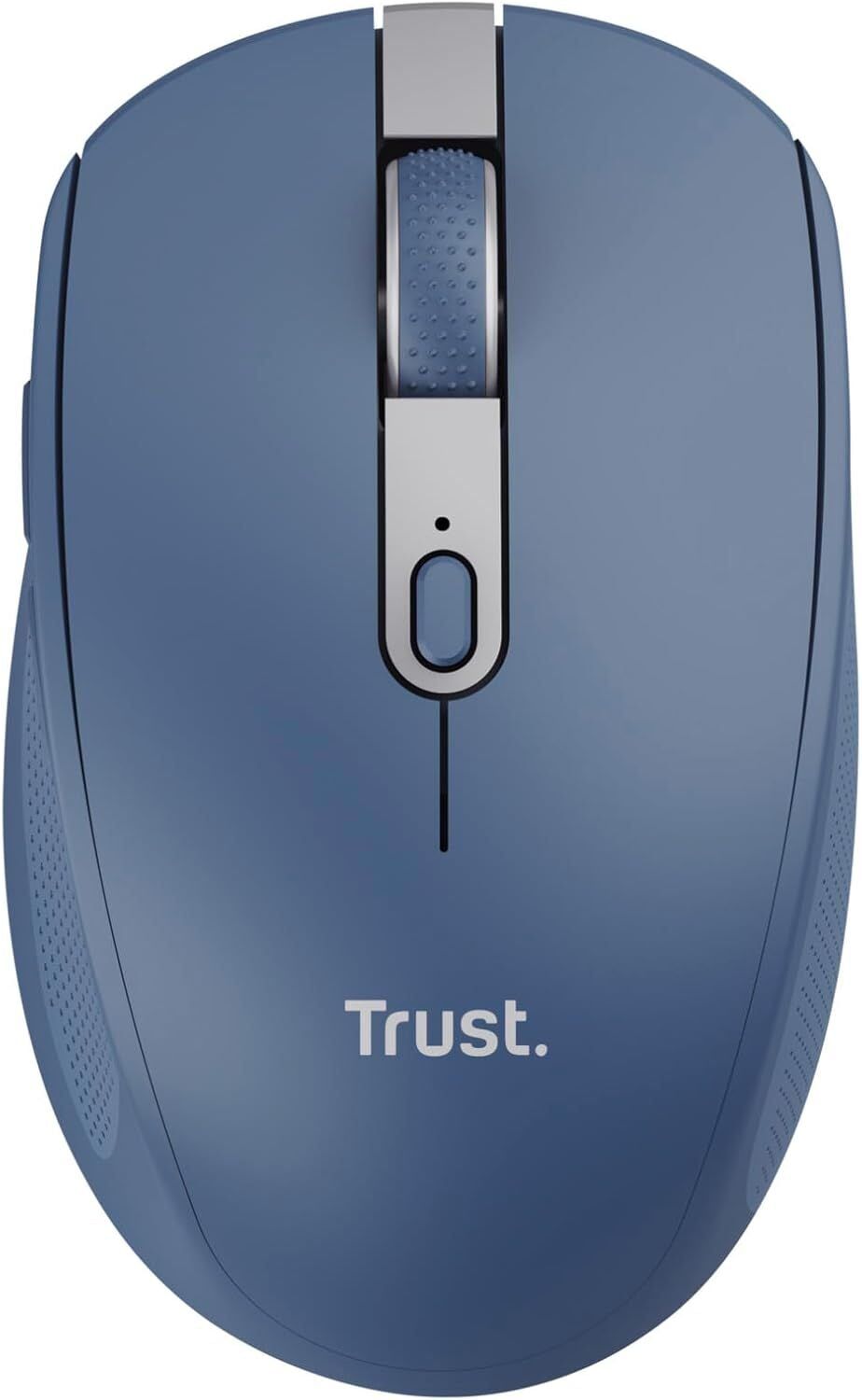
Trust Ozaa Silent Wireless Mouse - Bluetooth & 2.4GHz, Multi-Device, Eco-Friendly, Rechargeable, for Windows, Mac, Android, Laptop & PC - Blue, NewThe Trust Ozaa Compact Multi-Device Wireless Mouse is designed for modern professionals who value versatility, comfort, and sustainability. Seamlessly connect up to three devices using Bluetooth or the 2.4 GHz receiver, and switch effortlessly between them. With silent buttons, adjustable DPI (800-3200), and compatibility across multiple operating systems (Windows, iOS, MacOS, Android, Chrome OS), this mouse enhances productivity without disturbing your surroundings. Made with 60% recycled plastics, it aligns performance with eco-conscious values. The built-in rechargeable battery offers up to one month of uninterrupted usage, keeping you productive wherever you are. Brand: Trust Colour: Blue Connectivity: Bluetooth and 2.4 GHz RF receiver Movement Detection: Optical DPI Range: Adjustable (800-3200) Battery Life: Up to 1 month per charge Recycled Materials: Made from 60% recycled plastics Compatibility: Windows, iOS, iPadOS, MacOS, Android, Chrome OS Multi-Device Connection: Connect and switch between up to three devices with ease. Silent Operation: Quiet mouse buttons ensure disturbance-free usage in any environment. Adjustable DPI: Choose between DPI settings from 800 to 3200 for precise control. Eco-Friendly Design: Built with 60% recycled plastics for sustainable performance. Rechargeable Battery: Up to one month of usage per charge, with the ability to work while charging. Wide Compatibility: Works seamlessly with Windows, MacOS, iOS, Android, and Chrome OS.34,99 £*Shipping: 0,00 £Secure redirect to the provider
-
What is digital communication?
Digital communication refers to the exchange of information through electronic devices such as computers, smartphones, and tablets. It involves sending and receiving data in the form of text, images, videos, or audio over digital channels like email, social media, messaging apps, and websites. Digital communication allows for instant and efficient communication between individuals or groups regardless of geographical location, making it a vital aspect of modern-day interactions and business operations. **
-
How do I activate wireless connectivity in Windows 7?
To activate wireless connectivity in Windows 7, you can follow these steps: 1. Click on the Start button and then select Control Panel. 2. In the Control Panel, click on Network and Sharing Center. 3. In the Network and Sharing Center, click on the "Change adapter settings" option on the left-hand side. 4. Right-click on the wireless network connection and select "Enable" from the drop-down menu. Once you have completed these steps, your wireless connectivity should be activated and you should be able to connect to available wireless networks. **
-
What is a good laptop for studying information technology?
A good laptop for studying information technology should have a fast processor, at least 8GB of RAM, and a solid-state drive for quick data access. It should also have a high-resolution display for coding and graphic design work, and a long battery life for extended study sessions. Additionally, it should have good connectivity options such as USB ports, HDMI, and possibly an SD card slot for transferring data. Some recommended laptops for studying information technology include the Dell XPS 13, MacBook Pro, and Lenovo ThinkPad X1 Carbon. **
-
Is there also a laptop version of digital tickets?
Yes, there is a laptop version of digital tickets. Many event ticketing platforms and airlines offer the option to access and manage digital tickets through a web browser on a laptop or desktop computer. This allows users to easily view, download, and print their digital tickets from their computer, providing added convenience and flexibility for accessing their tickets. **
* All prices are inclusive of VAT and, if applicable, plus shipping costs. The offer information is based on the details provided by the respective shop and is updated through automated processes. Real-time updates do not occur, so deviations can occur in individual cases. ** Note: Parts of this content were created by AI.