Buy allphone.eu ?
We are moving the project
allphone.eu .
Are you interested in purchasing the domain
allphone.eu ?
domain@kv-gmbh.de · 0541-91531010
Buy allphone.eu ?
What is the MAC address of the Smart TV?
The MAC address of a Smart TV is a unique identifier assigned to the device's network interface. It is a 12-character alphanumeric code that is used to identify the device on a network. To find the MAC address of a Smart TV, you can usually locate it in the network settings menu of the TV or on a sticker on the back or bottom of the device. **
What is the MAC address of a smart TV?
The MAC address of a smart TV is a unique identifier assigned to the device's network interface. It is a 12-digit alphanumeric code that is used to identify the TV on a network. The MAC address is typically found in the TV's network settings or on a label on the device itself. It is used by routers and other network devices to route data to and from the smart TV. **


Similar search terms for MAC
Top-Angebote
Products related to MAC:
-
Adobe Photoshop 2020 – Lifetime License for Windows or Mac (1 Device) - MacAdobe Photoshop 2020 Lifetime for Windows or Mac Adobe Photoshop 2020 is a professional photo editing and graphic design software for users who need Photoshop without a monthly subscription. This is a preactivated lifetime version for 1 device. You will not receive a product key or Adobe account. After purchase, you will receive a private download link and installation instructions by email. Please choose the correct version before ordering: Windows or Mac. Mac Compatibility Photoshop 2020 was released before the newest macOS versions and before Apple fully moved to Apple Silicon. For Mac, this version is recommended for Intel-based Mac devices only. It is not compatible with macOS Tahoe or later. Adobe lists Photoshop 27.x as the compatible version for macOS Tahoe, which means older versions like Photoshop 2020 are not suitable for Tahoe users. You can check Adobe’s macOS compatibility information here: Adobe apps compatible with macOS. If your Mac is using macOS Tahoe, newer macOS versions, or Apple Silicon only, please do not order this version. Recommended Mac Requirements Requirement Details Processor Intel-based Mac with 64-bit support macOS Older supported macOS versions only RAM 8 GB recommended Storage Around 4 GB free space, more may be needed during installation Display 1280 × 800 or higher File system Not compatible with case-sensitive volumes Windows Compatibility Photoshop 2020 works on supported 64-bit Windows systems. Requirement Details Operating system Windows 10 64-bit recommended Processor Intel or AMD 64-bit processor, 2 GHz or faster RAM 8 GB recommended Graphics OpenGL 2.0 capable graphics card VRAM 2 GB recommended Storage At least 4 GB free space, more may be needed during installation Display 1280 × 800 or higher Adobe’s current technical requirement pages are for newer Photoshop versions, but they show that modern Photoshop compatibility is tied to newer app versions and newer operating systems: Adobe Photoshop technical requirements. What You Can Do With Photoshop 2020 Edit and retouch photos Remove objects and clean images Create posters, banners, and social media designs Work with layers, masks, and effects Adjust colors, brightness, contrast, and exposure Add and edit text Open and edit PSD files Use professional design and photo editing tools Delivery and Installation After your order, you will receive: Private download link Installation instructions Activation steps Video guide Please follow the instructions carefully. This version is preactivated, so it does not activate using an Adobe serial key or Adobe subscription account. FAQ Do I receive a product key? No. This is a preactivated version. No key is included. Do I need an Adobe account? No. This product does not include or require an Adobe subscription account. Can I use it on Mac Tahoe or newer? No. Photoshop 2020 is not compatible with macOS Tahoe or later. Does it work on Apple Silicon Mac? This version is recommended for Intel-based Mac devices. It is not...14,94 £*Shipping: 0,00 £Secure redirect to the provider
-
Microsoft Office 2021 Professional Plus + McAfee Total Protection 1 Device Bundle (Windows & Mac) - MacMicrosoft Office 2021 Professional Plus + McAfee Total Protection 1 Device Bundle (Windows & Mac) Lifetime Office + 1-Year Premium Security Upgrade your productivity and keep your device protected with this all-in-one software bundle. Get Microsoft Office 2021 Professional Plus with a lifetime license plus McAfee Total Protection for 1 device / 1 year. Whether you're working, studying, or managing your business, this bundle provides the essential productivity tools and advanced security you need at an exceptional value. What's Included Microsoft Office 2021 Professional Plus (Lifetime License) Microsoft Word Microsoft Excel Microsoft PowerPoint Microsoft Outlook Microsoft OneNote Microsoft Access (Windows only) Microsoft Publisher (Windows only) One-time purchase – No monthly or yearly subscription Lifetime license for 1 device Compatible with Windows & Mac* Digital delivery with installation instructions Easy activation *Access and Publisher are available on Windows only. McAfee Total Protection 1 Device License 1-Year Subscription Real-time Antivirus Protection Anti-Malware & Anti-Ransomware Secure Web Browsing Identity & Privacy Protection Password Manager Firewall Protection Automatic Security Updates Compatible with Windows, macOS, Android & iOS System Requirements Microsoft Office 2021 Windows Windows 10 or Windows 11 1.6 GHz or faster dual-core processor 4 GB RAM (64-bit) 4 GB available storage Internet connection for activation Microsoft account required Mac One of the three latest versions of macOS Intel or Apple Silicon (M1, M2, M3) processor 4 GB RAM 10 GB available storage Internet connection for activation Microsoft account required McAfee Total Protection Windows 10 or Windows 11 macOS supported versions Android 10 or later iOS 15 or later Approximately 500 MB available disk space Internet connection required for download, activation, and updates Why Choose This Bundle? Save more by purchasing Office and antivirus together Genuine software with instant digital delivery One-time Office purchase with no recurring fees Premium antivirus protection for one full year Quick and simple installation Secure checkout Fast customer support whenever you need assistance Perfect for students, professionals, home users, and small businesses looking for reliable productivity software and trusted security in one affordable package.16,43 £*Shipping: 0,00 £Secure redirect to the provider
-
CorelDRAW Graphics Suite 2022 (MAC) - Lifetime Licence for 1 Device - English versionCorelDRAW Graphics Suite 2022 (Mac) – Lifetime Licence for 1 Device english This is a version of the software for macOS. This is an earlier version of the software: it CANNOT be updated to the latest version. This is not a subscription or a licence with maintenance. This key must be activated in the client software. Discover the creative power of CorelDRAW Graphics Suite 2022 for Mac, the comprehensive graphics software designed to meet all your design needs. With this lifetime licence for one device, you’ll have unlimited access to professional design tools, vector illustration, page layout, photo editing and much more. Main features: Precision vector design: Create precise vector illustrations using advanced drawing and editing tools. Advanced page layout: Design eye-catching layouts for brochures, leaflets, magazines and other marketing materials. Powerful photo editing: Edit and enhance your photos with Corel PHOTO-PAINT, which is included in the suite. Creative typography: Gain complete control over typography with advanced typographic tools and support for variable fonts. Compatibility: Import and export a wide range of file formats, including AI, PSD, PDF, JPG, PNG, SVG, DWG and many others. Collaboration and feedback: Share your projects online and collaborate with clients and colleagues in real time. Why choose CorelDRAW Graphics Suite 2022 for Mac? CorelDRAW Graphics Suite 2022 for Mac offers a unique combination of professional tools and an intuitive interface, making it the ideal choice for graphic designers, illustrators and creatives of all kinds. The lifetime licence ensures that you’ll always have access to the software at no extra cost, allowing you to focus on your creativity without interruption. Technical specifications: System requirements: macOS 10.15 or later, an Intel or Apple M1 multi-core processor, 4 GB of RAM (8 GB recommended), 4.3 GB of free disk space, a display with a resolution of 1280 x 800 (200% (2560 x 1600) recommended). Multilingual support: Use CorelDRAW Graphics Suite 2022 in your preferred language thanks to its multilingual support. Don’t miss the chance to take your design projects to the next level with CorelDRAW Graphics Suite 2022 for Mac – Lifetime Licence for 1 Device. Order now and turn your ideas into reality!87,99 £*Shipping: 0,00 £Secure redirect to the provider
-
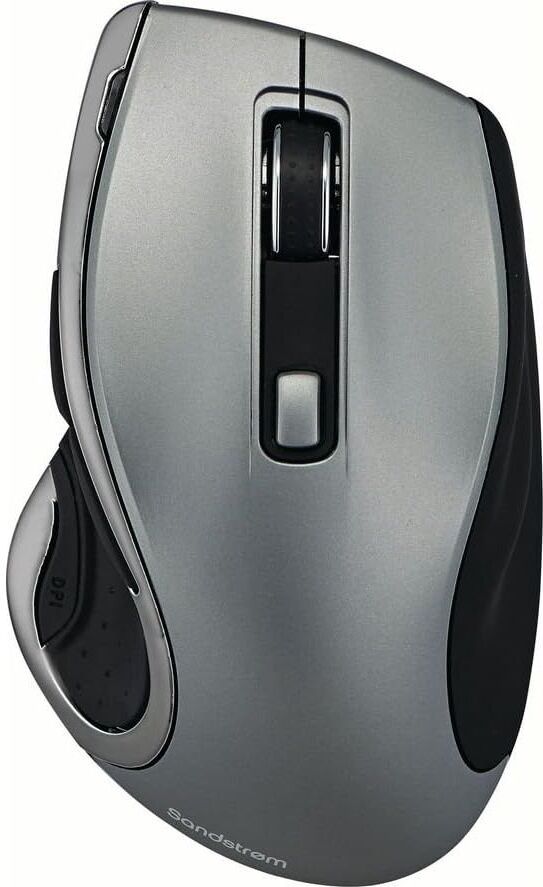
Sandstrom SMWLHYP15 Wireless Bluetrack Mouse – PC/Mac CompatibleOverview: The Sandstrom SMWLHYP15 Wireless Mouse is designed for smooth, accurate control with its Bluetrack/Bluetrace sensor, offering reliable performance on most surfaces. With flexible 2-way connectivity and ergonomic design, it’s ideal for both work and home use. Key Features: Bluetrack/Bluetrace technology – precise tracking on various surfaces Dual connection options – works via radio transfer/USB receiver Compatible with both PC and Mac Comfortable shape for left or right-handed use Compact, lightweight design – easy to carry Product Description: Whether you're working from home or on the go, the Sandstrom SMWLHYP15 Wireless Mouse provides a reliable and responsive experience. With Bluetrack technology, it ensures accurate movement across a wide range of surfaces. Its simple plug-and-play setup, comfortable grip, and compatibility with both Windows and macOS make it a versatile choice for everyday computing.33,00 £*Shipping: 0,00 £Secure redirect to the provider


-
What is a MAC address on a WLAN device?
A MAC address, or Media Access Control address, is a unique identifier assigned to a network interface controller for communications on a WLAN (Wireless Local Area Network) device. It is a 12-digit hexadecimal number that is used to identify a specific device on the network. The MAC address is used for routing data packets to the correct destination within the network and is essential for ensuring that data is transmitted to the correct device. Each device on a WLAN has its own unique MAC address, allowing for efficient and secure communication within the network. **
-
What is a device hint for the MAC address?
A device hint for the MAC address is a clue or indication that helps identify the specific device associated with a particular MAC address. This could include information such as the manufacturer of the device, the type of device (e.g. smartphone, laptop, router), or the network interface card (NIC) vendor. Device hints for MAC addresses can be useful for network administrators and security professionals to track and manage devices on a network, as well as to identify potential security threats or unauthorized devices. **
-
'Mac Games'
Mac Games refer to video games that are specifically designed to be compatible with Apple's Macintosh computers. These games can be downloaded and played on Mac computers, providing entertainment and enjoyment for Mac users. Mac Games cover a wide range of genres, from action and adventure to simulation and strategy, catering to a diverse audience of gamers. With the increasing popularity of Mac computers, the availability and quality of Mac Games have also improved, offering a variety of options for Mac users to choose from. **
-
Mac games
Mac games refer to video games that are specifically designed to be compatible with Apple's Macintosh computers. These games can be downloaded and played on Mac computers, providing entertainment and enjoyment for Mac users. There is a wide variety of Mac games available, ranging from casual puzzle games to more complex and immersive titles. Many popular game developers create versions of their games for Mac users, ensuring that there is a diverse selection of games to choose from. **
Does a Mac PowerPoint presentation work on a Windows device?
Yes, a Mac PowerPoint presentation can work on a Windows device. PowerPoint presentations created on a Mac can be opened and viewed on a Windows device without any issues. However, some formatting or font differences may occur due to the different operating systems, so it's always a good idea to double-check the presentation on a Windows device before a big presentation. **
How can one install mobile games on a Mac?
To install mobile games on a Mac, you can use an Android emulator like Bluestacks or NoxPlayer. These emulators allow you to run Android apps on your Mac, including mobile games. Simply download and install the emulator, then search for the game you want to play in the emulator's app store. Once you find the game, click on the install button and it will be downloaded and ready to play on your Mac. **
Top-Angebote
Products related to MAC:
-
Adobe Photoshop 2020 – Lifetime License for Windows or Mac (1 Device) - MacAdobe Photoshop 2020 Lifetime for Windows or Mac Adobe Photoshop 2020 is a professional photo editing and graphic design software for users who need Photoshop without a monthly subscription. This is a preactivated lifetime version for 1 device. You will not receive a product key or Adobe account. After purchase, you will receive a private download link and installation instructions by email. Please choose the correct version before ordering: Windows or Mac. Mac Compatibility Photoshop 2020 was released before the newest macOS versions and before Apple fully moved to Apple Silicon. For Mac, this version is recommended for Intel-based Mac devices only. It is not compatible with macOS Tahoe or later. Adobe lists Photoshop 27.x as the compatible version for macOS Tahoe, which means older versions like Photoshop 2020 are not suitable for Tahoe users. You can check Adobe’s macOS compatibility information here: Adobe apps compatible with macOS. If your Mac is using macOS Tahoe, newer macOS versions, or Apple Silicon only, please do not order this version. Recommended Mac Requirements Requirement Details Processor Intel-based Mac with 64-bit support macOS Older supported macOS versions only RAM 8 GB recommended Storage Around 4 GB free space, more may be needed during installation Display 1280 × 800 or higher File system Not compatible with case-sensitive volumes Windows Compatibility Photoshop 2020 works on supported 64-bit Windows systems. Requirement Details Operating system Windows 10 64-bit recommended Processor Intel or AMD 64-bit processor, 2 GHz or faster RAM 8 GB recommended Graphics OpenGL 2.0 capable graphics card VRAM 2 GB recommended Storage At least 4 GB free space, more may be needed during installation Display 1280 × 800 or higher Adobe’s current technical requirement pages are for newer Photoshop versions, but they show that modern Photoshop compatibility is tied to newer app versions and newer operating systems: Adobe Photoshop technical requirements. What You Can Do With Photoshop 2020 Edit and retouch photos Remove objects and clean images Create posters, banners, and social media designs Work with layers, masks, and effects Adjust colors, brightness, contrast, and exposure Add and edit text Open and edit PSD files Use professional design and photo editing tools Delivery and Installation After your order, you will receive: Private download link Installation instructions Activation steps Video guide Please follow the instructions carefully. This version is preactivated, so it does not activate using an Adobe serial key or Adobe subscription account. FAQ Do I receive a product key? No. This is a preactivated version. No key is included. Do I need an Adobe account? No. This product does not include or require an Adobe subscription account. Can I use it on Mac Tahoe or newer? No. Photoshop 2020 is not compatible with macOS Tahoe or later. Does it work on Apple Silicon Mac? This version is recommended for Intel-based Mac devices. It is not...14,94 £*Shipping: 0,00 £Secure redirect to the provider
-
Microsoft Office 2021 Professional Plus + McAfee Total Protection 1 Device Bundle (Windows & Mac) - MacMicrosoft Office 2021 Professional Plus + McAfee Total Protection 1 Device Bundle (Windows & Mac) Lifetime Office + 1-Year Premium Security Upgrade your productivity and keep your device protected with this all-in-one software bundle. Get Microsoft Office 2021 Professional Plus with a lifetime license plus McAfee Total Protection for 1 device / 1 year. Whether you're working, studying, or managing your business, this bundle provides the essential productivity tools and advanced security you need at an exceptional value. What's Included Microsoft Office 2021 Professional Plus (Lifetime License) Microsoft Word Microsoft Excel Microsoft PowerPoint Microsoft Outlook Microsoft OneNote Microsoft Access (Windows only) Microsoft Publisher (Windows only) One-time purchase – No monthly or yearly subscription Lifetime license for 1 device Compatible with Windows & Mac* Digital delivery with installation instructions Easy activation *Access and Publisher are available on Windows only. McAfee Total Protection 1 Device License 1-Year Subscription Real-time Antivirus Protection Anti-Malware & Anti-Ransomware Secure Web Browsing Identity & Privacy Protection Password Manager Firewall Protection Automatic Security Updates Compatible with Windows, macOS, Android & iOS System Requirements Microsoft Office 2021 Windows Windows 10 or Windows 11 1.6 GHz or faster dual-core processor 4 GB RAM (64-bit) 4 GB available storage Internet connection for activation Microsoft account required Mac One of the three latest versions of macOS Intel or Apple Silicon (M1, M2, M3) processor 4 GB RAM 10 GB available storage Internet connection for activation Microsoft account required McAfee Total Protection Windows 10 or Windows 11 macOS supported versions Android 10 or later iOS 15 or later Approximately 500 MB available disk space Internet connection required for download, activation, and updates Why Choose This Bundle? Save more by purchasing Office and antivirus together Genuine software with instant digital delivery One-time Office purchase with no recurring fees Premium antivirus protection for one full year Quick and simple installation Secure checkout Fast customer support whenever you need assistance Perfect for students, professionals, home users, and small businesses looking for reliable productivity software and trusted security in one affordable package.16,43 £*Shipping: 0,00 £Secure redirect to the provider
-
What is the MAC address of the Smart TV?
The MAC address of a Smart TV is a unique identifier assigned to the device's network interface. It is a 12-character alphanumeric code that is used to identify the device on a network. To find the MAC address of a Smart TV, you can usually locate it in the network settings menu of the TV or on a sticker on the back or bottom of the device. **
-
What is the MAC address of a smart TV?
The MAC address of a smart TV is a unique identifier assigned to the device's network interface. It is a 12-digit alphanumeric code that is used to identify the TV on a network. The MAC address is typically found in the TV's network settings or on a label on the device itself. It is used by routers and other network devices to route data to and from the smart TV. **
-
What is a MAC address on a WLAN device?
A MAC address, or Media Access Control address, is a unique identifier assigned to a network interface controller for communications on a WLAN (Wireless Local Area Network) device. It is a 12-digit hexadecimal number that is used to identify a specific device on the network. The MAC address is used for routing data packets to the correct destination within the network and is essential for ensuring that data is transmitted to the correct device. Each device on a WLAN has its own unique MAC address, allowing for efficient and secure communication within the network. **
-
What is a device hint for the MAC address?
A device hint for the MAC address is a clue or indication that helps identify the specific device associated with a particular MAC address. This could include information such as the manufacturer of the device, the type of device (e.g. smartphone, laptop, router), or the network interface card (NIC) vendor. Device hints for MAC addresses can be useful for network administrators and security professionals to track and manage devices on a network, as well as to identify potential security threats or unauthorized devices. **
Similar search terms for MAC
-
CorelDRAW Graphics Suite 2022 (MAC) - Lifetime Licence for 1 Device - English versionCorelDRAW Graphics Suite 2022 (Mac) – Lifetime Licence for 1 Device english This is a version of the software for macOS. This is an earlier version of the software: it CANNOT be updated to the latest version. This is not a subscription or a licence with maintenance. This key must be activated in the client software. Discover the creative power of CorelDRAW Graphics Suite 2022 for Mac, the comprehensive graphics software designed to meet all your design needs. With this lifetime licence for one device, you’ll have unlimited access to professional design tools, vector illustration, page layout, photo editing and much more. Main features: Precision vector design: Create precise vector illustrations using advanced drawing and editing tools. Advanced page layout: Design eye-catching layouts for brochures, leaflets, magazines and other marketing materials. Powerful photo editing: Edit and enhance your photos with Corel PHOTO-PAINT, which is included in the suite. Creative typography: Gain complete control over typography with advanced typographic tools and support for variable fonts. Compatibility: Import and export a wide range of file formats, including AI, PSD, PDF, JPG, PNG, SVG, DWG and many others. Collaboration and feedback: Share your projects online and collaborate with clients and colleagues in real time. Why choose CorelDRAW Graphics Suite 2022 for Mac? CorelDRAW Graphics Suite 2022 for Mac offers a unique combination of professional tools and an intuitive interface, making it the ideal choice for graphic designers, illustrators and creatives of all kinds. The lifetime licence ensures that you’ll always have access to the software at no extra cost, allowing you to focus on your creativity without interruption. Technical specifications: System requirements: macOS 10.15 or later, an Intel or Apple M1 multi-core processor, 4 GB of RAM (8 GB recommended), 4.3 GB of free disk space, a display with a resolution of 1280 x 800 (200% (2560 x 1600) recommended). Multilingual support: Use CorelDRAW Graphics Suite 2022 in your preferred language thanks to its multilingual support. Don’t miss the chance to take your design projects to the next level with CorelDRAW Graphics Suite 2022 for Mac – Lifetime Licence for 1 Device. Order now and turn your ideas into reality!87,99 £*Shipping: 0,00 £Secure redirect to the provider
-
Sandstrom SMWLHYP15 Wireless Bluetrack Mouse – PC/Mac CompatibleOverview: The Sandstrom SMWLHYP15 Wireless Mouse is designed for smooth, accurate control with its Bluetrack/Bluetrace sensor, offering reliable performance on most surfaces. With flexible 2-way connectivity and ergonomic design, it’s ideal for both work and home use. Key Features: Bluetrack/Bluetrace technology – precise tracking on various surfaces Dual connection options – works via radio transfer/USB receiver Compatible with both PC and Mac Comfortable shape for left or right-handed use Compact, lightweight design – easy to carry Product Description: Whether you're working from home or on the go, the Sandstrom SMWLHYP15 Wireless Mouse provides a reliable and responsive experience. With Bluetrack technology, it ensures accurate movement across a wide range of surfaces. Its simple plug-and-play setup, comfortable grip, and compatibility with both Windows and macOS make it a versatile choice for everyday computing.33,00 £*Shipping: 0,00 £Secure redirect to the provider
-
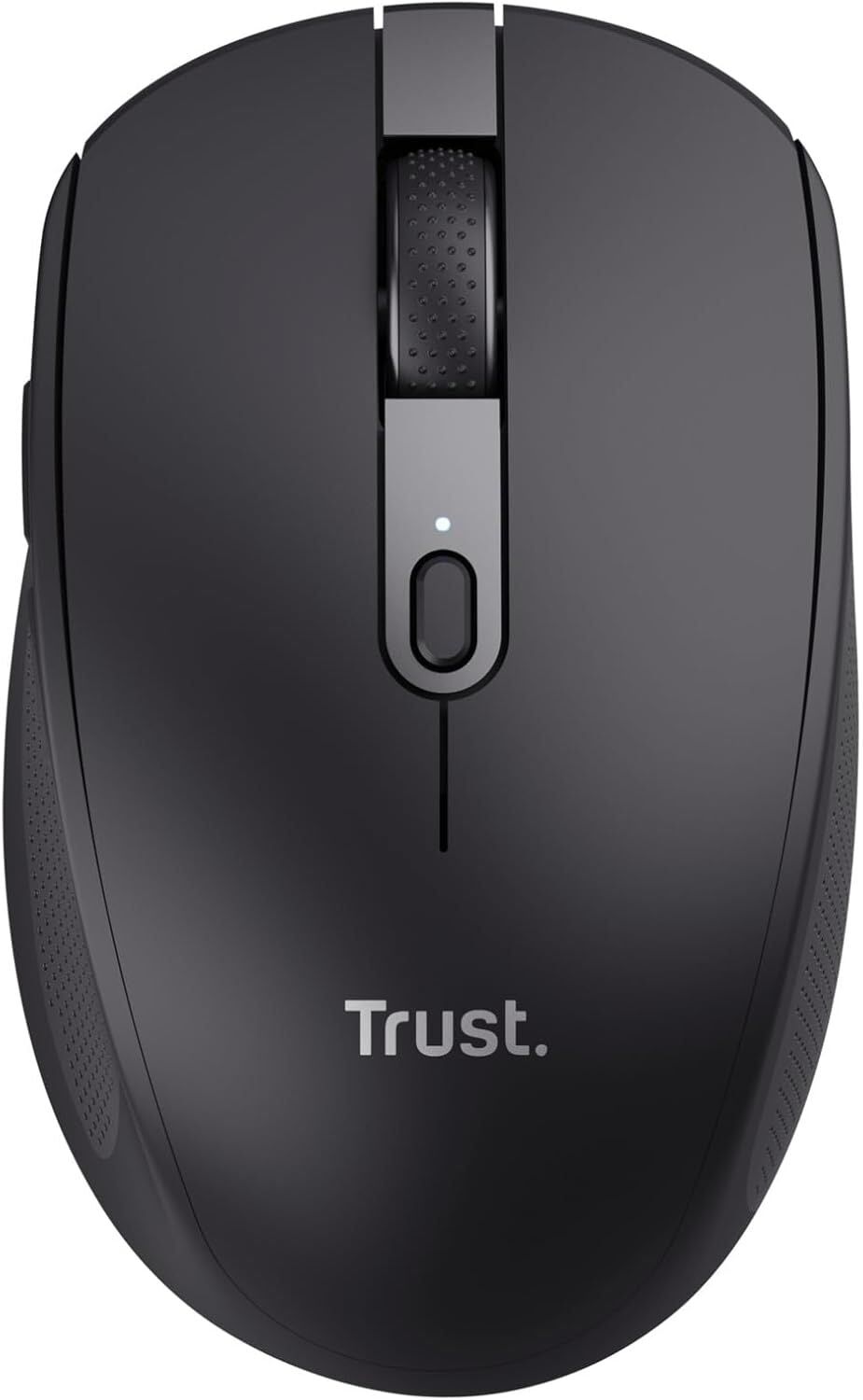
Trust Ozaa Silent Wireless Bluetooth Mouse - Rechargeable, Multi-Device, Compact, 60% Recycled Plastic, for PC/Laptop/Mac/Android - Black, NewExperience seamless multitasking with the Trust Ozaa Silent Wireless Mouse. This compact, multi-device mouse allows you to connect up to three devices simultaneously via Bluetooth and 2.4GHz connectivity. Designed for quiet operation, its silent buttons ensure undisturbed productivity, while the adjustable DPI (800-3200) delivers precise control for any task. Built with sustainability in mind, the Ozaa mouse is made of 60% recycled plastics, making it an eco-friendly choice. Its built-in rechargeable battery offers up to one month of non-stop usage, and you can keep working even while charging. The Ozaa supports a wide range of operating systems, including Windows, iOS, MacOS, Android, and Chrome OS, ensuring compatibility with virtually any device. Multi-device connection: 2x Bluetooth + 1x 2.4GHz wireless receiver Quiet operation with silent mouse buttons Adjustable DPI (800-3200) for precision control Eco-conscious: Made of 60% recycled plastics Long-lasting rechargeable battery: Up to 1-month usage per charge Universal compatibility: Windows, MacOS, iOS, Android, Chrome OS34,99 £*Shipping: 0,00 £Secure redirect to the provider
-
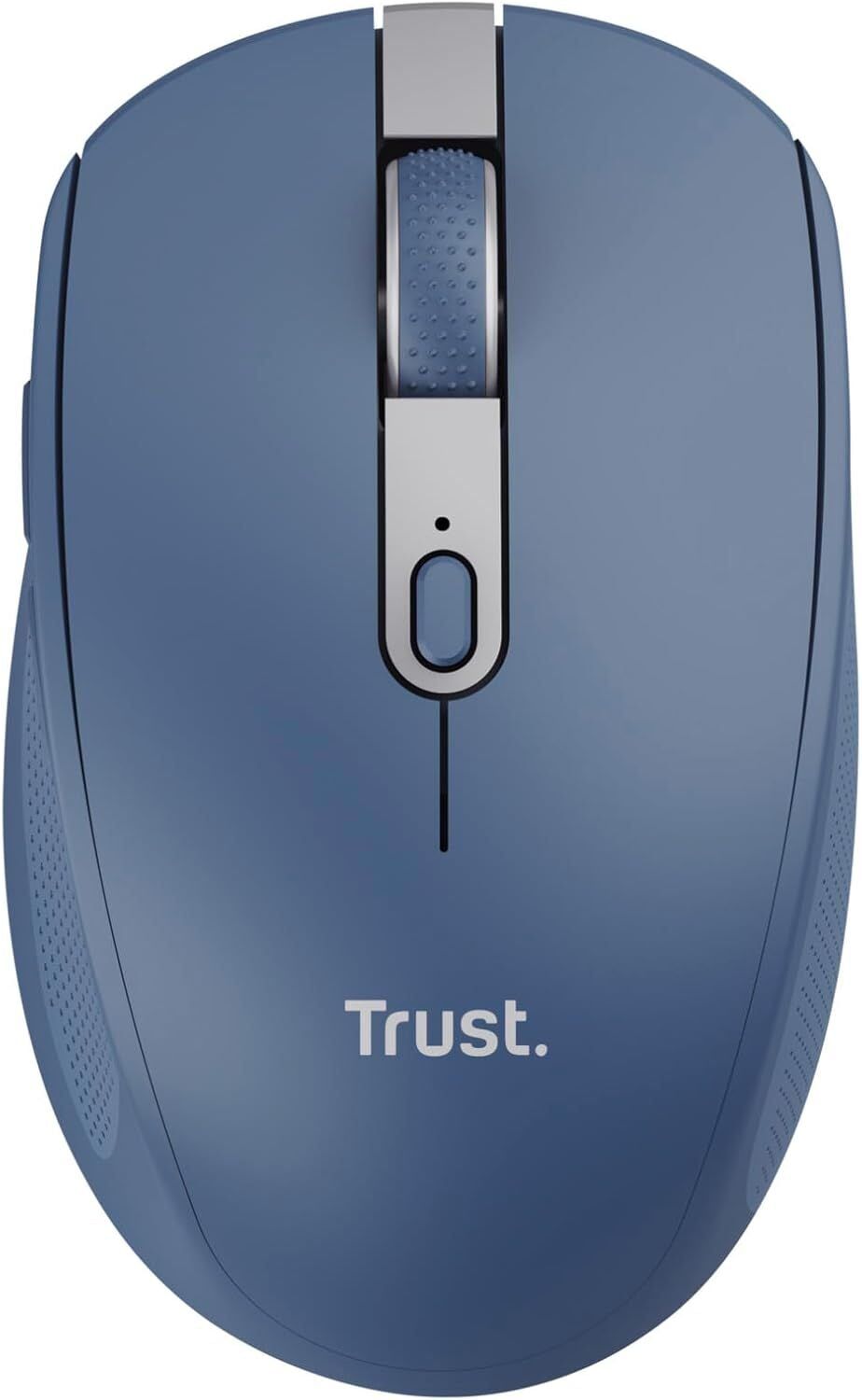
Trust Ozaa Silent Wireless Mouse - Bluetooth & 2.4GHz, Multi-Device, Eco-Friendly, Rechargeable, for Windows, Mac, Android, Laptop & PC - Blue, NewThe Trust Ozaa Compact Multi-Device Wireless Mouse is designed for modern professionals who value versatility, comfort, and sustainability. Seamlessly connect up to three devices using Bluetooth or the 2.4 GHz receiver, and switch effortlessly between them. With silent buttons, adjustable DPI (800-3200), and compatibility across multiple operating systems (Windows, iOS, MacOS, Android, Chrome OS), this mouse enhances productivity without disturbing your surroundings. Made with 60% recycled plastics, it aligns performance with eco-conscious values. The built-in rechargeable battery offers up to one month of uninterrupted usage, keeping you productive wherever you are. Brand: Trust Colour: Blue Connectivity: Bluetooth and 2.4 GHz RF receiver Movement Detection: Optical DPI Range: Adjustable (800-3200) Battery Life: Up to 1 month per charge Recycled Materials: Made from 60% recycled plastics Compatibility: Windows, iOS, iPadOS, MacOS, Android, Chrome OS Multi-Device Connection: Connect and switch between up to three devices with ease. Silent Operation: Quiet mouse buttons ensure disturbance-free usage in any environment. Adjustable DPI: Choose between DPI settings from 800 to 3200 for precise control. Eco-Friendly Design: Built with 60% recycled plastics for sustainable performance. Rechargeable Battery: Up to one month of usage per charge, with the ability to work while charging. Wide Compatibility: Works seamlessly with Windows, MacOS, iOS, Android, and Chrome OS.34,99 £*Shipping: 0,00 £Secure redirect to the provider
-
'Mac Games'
Mac Games refer to video games that are specifically designed to be compatible with Apple's Macintosh computers. These games can be downloaded and played on Mac computers, providing entertainment and enjoyment for Mac users. Mac Games cover a wide range of genres, from action and adventure to simulation and strategy, catering to a diverse audience of gamers. With the increasing popularity of Mac computers, the availability and quality of Mac Games have also improved, offering a variety of options for Mac users to choose from. **
-
Mac games
Mac games refer to video games that are specifically designed to be compatible with Apple's Macintosh computers. These games can be downloaded and played on Mac computers, providing entertainment and enjoyment for Mac users. There is a wide variety of Mac games available, ranging from casual puzzle games to more complex and immersive titles. Many popular game developers create versions of their games for Mac users, ensuring that there is a diverse selection of games to choose from. **
-
Does a Mac PowerPoint presentation work on a Windows device?
Yes, a Mac PowerPoint presentation can work on a Windows device. PowerPoint presentations created on a Mac can be opened and viewed on a Windows device without any issues. However, some formatting or font differences may occur due to the different operating systems, so it's always a good idea to double-check the presentation on a Windows device before a big presentation. **
-
How can one install mobile games on a Mac?
To install mobile games on a Mac, you can use an Android emulator like Bluestacks or NoxPlayer. These emulators allow you to run Android apps on your Mac, including mobile games. Simply download and install the emulator, then search for the game you want to play in the emulator's app store. Once you find the game, click on the install button and it will be downloaded and ready to play on your Mac. **
* All prices are inclusive of VAT and, if applicable, plus shipping costs. The offer information is based on the details provided by the respective shop and is updated through automated processes. Real-time updates do not occur, so deviations can occur in individual cases. ** Note: Parts of this content were created by AI.