Buy allphone.eu ?
We are moving the project
allphone.eu .
Are you interested in purchasing the domain
allphone.eu ?
domain@kv-gmbh.de · 0541-91531010
Buy allphone.eu ?
What is network technology 3?
Network technology 3 refers to the third generation of networking technologies, which includes advancements such as faster data transfer speeds, improved security features, and more efficient use of network resources. This generation of technology also includes the development of new protocols and standards to support the increasing demands of modern networks, such as the transition to IPv6 and the implementation of Quality of Service (QoS) capabilities. Overall, network technology 3 represents a significant step forward in the evolution of networking infrastructure, enabling more reliable and high-performance communication across various devices and systems. **
What is a wireless network adapter?
A wireless network adapter is a hardware device that allows a computer or other device to connect to a wireless network. It enables the device to communicate with the wireless router or access point, allowing it to access the internet or other resources on the network. Wireless network adapters can be built into a device, such as a laptop or smartphone, or they can be added externally via a USB or PCIe adapter. These adapters use radio frequency signals to transmit and receive data, providing a convenient and flexible way to connect to a network without the need for physical cables. **


Similar search terms for Network
Top-Angebote
Products related to Network:
-
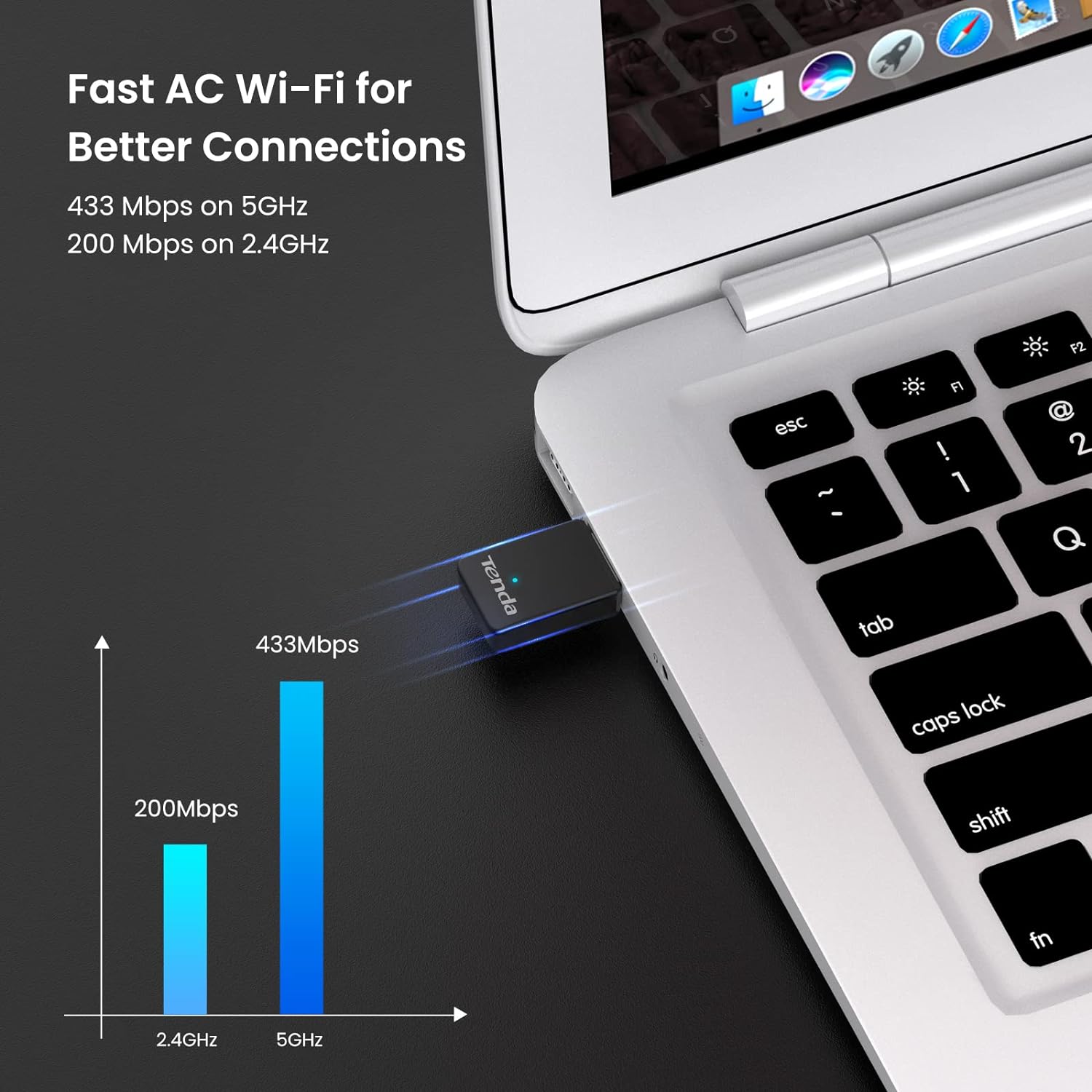
Tenda U9 Wireless USB Network Interface Card - Dongle - 433MbpsU9 is an 11ac dual band Wi-Fi Adapter. 5GHz wireless speed of U9 can be up to 433Mbps and 2.4 GHz can be up to 200Mbps. The advanced technology MU-MIMO has been used on U9 which can improve data transfer efficient and provide a smoother streaming. With internal drive, can automatically complete installation once plugged into your computer.With a compact and mini designed, U9 has no effect on usage of neighboring ports. U9 also Compatible with Windows (XP/7/8/8.1/10), can satisfy with various user requirements. Fast AC Wi-Fi for HD Streaming U9 come with the next generation Wi-Fi standard -Fast WiFi technology - 802.11ac, the transfer rate is 3 times faster than wireless N. Selectable dual 5 GHz (433 Mbps) and 2.4 GHz (200 Mbps) bands making it ideal for HD video streaming Auto-Install, Configuration-free With internal drive, U9 can automatically complete installation once plugged into your computer, releasing you from troublesome configuration, and installation using CD or drive. With MU-MIMO Technology U9 come with 11ac MU-MIMO (Multiple User - Multiple Input Multiple Output) technology, use with the AP which supports MU-MIMO, communicate with multiple devices simultaneously on U9 is available, so the transmission performance has been significantly improved. Miniature Design With compact and sleek design, it's smaller than most 11ac Wi-Fi USB adapters available and easy to carry. Users can connect the mini adapter to any USB port and has no effect on usage of neighboring ports. Compatible with various operating systems U9 is compatible with Windows XP, Windows 7, Windows 8, Windows 8.1 and Windows 10 etc., satisfying wireless internet connection demands of desktop computers, notebooks and other devices. Specifications Interface USB2.0 Dimensions 36.8mm*18.5mm*7.6mm(L x W x H) Antenna Internal PIFA Antenna Wireless Standards IEEE802.11b,IEEE 802.11g, IEEE 802.11n, IEEE 802.11a,IEEE 802.11ac Frequency 5 GHz 2.4 GHz Signal Rate 11ac: Up to 433Mbps 11b: Up to 200Mbps Transmit Power15,00 £*Shipping: 0,00 £Secure redirect to the provider
-
Hikvision 8MP Smart Hybrid Light with ColorVu Fixed Bullet Network CameraHikAI-ISP for excellent noise reduction effect 24/7 colorful imaging via ColorVu technology Scene-adaptive WDR Focus on Person and Vehicle classification based on deep learning Built-in arrayed dual-microphone for real-time high quality audio security Provide real-time security via built-in two-way audio Anti-corrosion design, providing reliability and longevity compared to standard (NEMA4X) Smart Hybrid Light: Integrates IR and White lights, 3 supplemental lighting modes Audio and alarm interface available Water and dust resistant (IP67) Active strobe light and audio alarm to warn intruders off334,99 £*Shipping: 0,00 £Secure redirect to the provider
-
Hikvision 8MP Smart Hybrid Light with ColorVu Fixed Turret Network CameraHikAI-ISP for excellent noise reduction effect 24/7 colorful imaging via ColorVu technology Scene-adaptive WDR Focus on Person and Vehicle classification based on deep learning Built-in arrayed dual-microphone for real-time high quality audio security Anti-corrosion design, providing reliability and longevity compared to standard (NEMA4X) Smart Hybrid Light: Integrates IR and White lights, 3 supplemental lighting modes Water and dust resistant (IP67)271,49 £*Shipping: 0,00 £Secure redirect to the provider
-
Hikvision 4MP Smart Hybrid Light with ColorVu Fixed Turret Network CameraKey Features Hikvision ColorVu technology provides 24/7 vivid colourful images with F1.0 advanced lenses, high performance sensors and friendly lighting. F1.0 Super-aperture collects more light to produce brighter images. Advanced sensor technology can vastly improve the utilisation of available light. Features HikAI-ISP for excellent noise reduction effect 24/7 colorful imaging via ColorVu technology Scene-adaptive WDR Focus on Person and Vehicle classification based on deep learning Built-in arrayed dual-microphone for real-time high quality audio security Anti-corrosion design, providing reliability and longevity compared to standard (NEMA4X) Smart Hybrid Light: Integrates IR and White lights, 3 supplemental lighting modes Water and dust resistant (IP67)183,99 £*Shipping: 0,00 £Secure redirect to the provider


-
How can one understand network technology?
One can understand network technology by learning about the different types of networks, such as local area networks (LANs) and wide area networks (WANs), and how they operate. It is important to understand the basics of networking protocols, such as TCP/IP, and how data is transmitted across networks. Additionally, learning about network hardware, such as routers, switches, and firewalls, can provide insight into how networks are built and managed. Finally, staying updated on the latest trends and advancements in network technology can help in understanding the ever-evolving field of networking. **
-
What are the differences between routing, forwarding, switching, and bridging in network and communication technology?
Routing involves determining the best path for data packets to travel from the source to the destination network. Forwarding is the process of sending data packets from one network device to another based on the destination address. Switching involves directing data packets within a single network based on MAC addresses. Bridging connects two different network segments at the data link layer, allowing communication between devices on separate networks. Each of these processes plays a crucial role in ensuring efficient and reliable communication within a network. **
-
How does notification work in network technology?
Notification in network technology works by sending a message or signal from one device to another to inform the receiving device about a specific event or update. This can be done through various communication protocols such as TCP/IP, HTTP, or MQTT. When a device needs to notify another device, it sends a notification message containing the relevant information, and the receiving device processes the message and takes appropriate action based on the notification. This process allows for real-time communication and updates between devices in a network. **
-
What is the network technology for the network ID and the host ID?
The network technology for the network ID and the host ID is based on the Internet Protocol (IP) addressing system. In this system, the network ID is used to identify the specific network that a device is connected to, while the host ID is used to identify the specific device within that network. This addressing system allows for the routing of data packets to the correct destination on the network. The network ID and host ID are used in conjunction with subnet masks to determine the boundaries of the network and the individual devices within it. **


How can I fix the network connectivity problem on this computer?
To fix a network connectivity problem on a computer, you can start by checking the physical connections such as cables and ensuring they are properly plugged in. Then, you can troubleshoot the network adapter by disabling and re-enabling it or updating its drivers. You can also try restarting the router or modem, and if that doesn't work, you can reset the network settings on the computer. If the issue persists, you may need to contact your internet service provider for further assistance. **
Which mobile network is available?
The availability of mobile networks depends on the location and the specific coverage of each network provider. In general, popular mobile network providers such as Verizon, AT&T, T-Mobile, and Sprint are widely available in the United States. However, it is important to check the coverage maps and inquire with the specific providers to determine which mobile network is available in a particular area. **
Top-Angebote
Products related to Network:
-
Tenda U9 Wireless USB Network Interface Card - Dongle - 433MbpsU9 is an 11ac dual band Wi-Fi Adapter. 5GHz wireless speed of U9 can be up to 433Mbps and 2.4 GHz can be up to 200Mbps. The advanced technology MU-MIMO has been used on U9 which can improve data transfer efficient and provide a smoother streaming. With internal drive, can automatically complete installation once plugged into your computer.With a compact and mini designed, U9 has no effect on usage of neighboring ports. U9 also Compatible with Windows (XP/7/8/8.1/10), can satisfy with various user requirements. Fast AC Wi-Fi for HD Streaming U9 come with the next generation Wi-Fi standard -Fast WiFi technology - 802.11ac, the transfer rate is 3 times faster than wireless N. Selectable dual 5 GHz (433 Mbps) and 2.4 GHz (200 Mbps) bands making it ideal for HD video streaming Auto-Install, Configuration-free With internal drive, U9 can automatically complete installation once plugged into your computer, releasing you from troublesome configuration, and installation using CD or drive. With MU-MIMO Technology U9 come with 11ac MU-MIMO (Multiple User - Multiple Input Multiple Output) technology, use with the AP which supports MU-MIMO, communicate with multiple devices simultaneously on U9 is available, so the transmission performance has been significantly improved. Miniature Design With compact and sleek design, it's smaller than most 11ac Wi-Fi USB adapters available and easy to carry. Users can connect the mini adapter to any USB port and has no effect on usage of neighboring ports. Compatible with various operating systems U9 is compatible with Windows XP, Windows 7, Windows 8, Windows 8.1 and Windows 10 etc., satisfying wireless internet connection demands of desktop computers, notebooks and other devices. Specifications Interface USB2.0 Dimensions 36.8mm*18.5mm*7.6mm(L x W x H) Antenna Internal PIFA Antenna Wireless Standards IEEE802.11b,IEEE 802.11g, IEEE 802.11n, IEEE 802.11a,IEEE 802.11ac Frequency 5 GHz 2.4 GHz Signal Rate 11ac: Up to 433Mbps 11b: Up to 200Mbps Transmit Power15,00 £*Shipping: 0,00 £Secure redirect to the provider
-
Hikvision 8MP Smart Hybrid Light with ColorVu Fixed Bullet Network CameraHikAI-ISP for excellent noise reduction effect 24/7 colorful imaging via ColorVu technology Scene-adaptive WDR Focus on Person and Vehicle classification based on deep learning Built-in arrayed dual-microphone for real-time high quality audio security Provide real-time security via built-in two-way audio Anti-corrosion design, providing reliability and longevity compared to standard (NEMA4X) Smart Hybrid Light: Integrates IR and White lights, 3 supplemental lighting modes Audio and alarm interface available Water and dust resistant (IP67) Active strobe light and audio alarm to warn intruders off334,99 £*Shipping: 0,00 £Secure redirect to the provider
-
What is network technology 3?
Network technology 3 refers to the third generation of networking technologies, which includes advancements such as faster data transfer speeds, improved security features, and more efficient use of network resources. This generation of technology also includes the development of new protocols and standards to support the increasing demands of modern networks, such as the transition to IPv6 and the implementation of Quality of Service (QoS) capabilities. Overall, network technology 3 represents a significant step forward in the evolution of networking infrastructure, enabling more reliable and high-performance communication across various devices and systems. **
-
What is a wireless network adapter?
A wireless network adapter is a hardware device that allows a computer or other device to connect to a wireless network. It enables the device to communicate with the wireless router or access point, allowing it to access the internet or other resources on the network. Wireless network adapters can be built into a device, such as a laptop or smartphone, or they can be added externally via a USB or PCIe adapter. These adapters use radio frequency signals to transmit and receive data, providing a convenient and flexible way to connect to a network without the need for physical cables. **
-
How can one understand network technology?
One can understand network technology by learning about the different types of networks, such as local area networks (LANs) and wide area networks (WANs), and how they operate. It is important to understand the basics of networking protocols, such as TCP/IP, and how data is transmitted across networks. Additionally, learning about network hardware, such as routers, switches, and firewalls, can provide insight into how networks are built and managed. Finally, staying updated on the latest trends and advancements in network technology can help in understanding the ever-evolving field of networking. **
-
What are the differences between routing, forwarding, switching, and bridging in network and communication technology?
Routing involves determining the best path for data packets to travel from the source to the destination network. Forwarding is the process of sending data packets from one network device to another based on the destination address. Switching involves directing data packets within a single network based on MAC addresses. Bridging connects two different network segments at the data link layer, allowing communication between devices on separate networks. Each of these processes plays a crucial role in ensuring efficient and reliable communication within a network. **
Similar search terms for Network
-
Hikvision 8MP Smart Hybrid Light with ColorVu Fixed Turret Network CameraHikAI-ISP for excellent noise reduction effect 24/7 colorful imaging via ColorVu technology Scene-adaptive WDR Focus on Person and Vehicle classification based on deep learning Built-in arrayed dual-microphone for real-time high quality audio security Anti-corrosion design, providing reliability and longevity compared to standard (NEMA4X) Smart Hybrid Light: Integrates IR and White lights, 3 supplemental lighting modes Water and dust resistant (IP67)271,49 £*Shipping: 0,00 £Secure redirect to the provider
-
Hikvision 4MP Smart Hybrid Light with ColorVu Fixed Turret Network CameraKey Features Hikvision ColorVu technology provides 24/7 vivid colourful images with F1.0 advanced lenses, high performance sensors and friendly lighting. F1.0 Super-aperture collects more light to produce brighter images. Advanced sensor technology can vastly improve the utilisation of available light. Features HikAI-ISP for excellent noise reduction effect 24/7 colorful imaging via ColorVu technology Scene-adaptive WDR Focus on Person and Vehicle classification based on deep learning Built-in arrayed dual-microphone for real-time high quality audio security Anti-corrosion design, providing reliability and longevity compared to standard (NEMA4X) Smart Hybrid Light: Integrates IR and White lights, 3 supplemental lighting modes Water and dust resistant (IP67)183,99 £*Shipping: 0,00 £Secure redirect to the provider
-
Hikvision 4MP Smart Hybrid Light with ColorVu Fixed Bullet Network CameraHikAI-ISP for excellent noise reduction effect 24/7 colorful imaging via ColorVu technology Scene-adaptive WDR Focus on Person and Vehicle classification based on deep learning Anti-corrosion design, providing reliability and longevity compared to standard (NEMA4X) Smart Hybrid Light: Integrates IR and White lights, 3 supplemental lighting modes Water and dust resistant (IP67)242,99 £*Shipping: 0,00 £Secure redirect to the provider
-
Hikvision 8MP Smart Hybrid Light with ColorVu Fixed Turret Network CameraHikAI-ISP for excellent noise reduction effect 24/7 colorful imaging via ColorVu technology Scene-adaptive WDR Focus on Person and Vehicle classification based on deep learning Built-in arrayed dual-microphone for real-time high quality audio security Provide real-time security via built-in two-way audio Anti-corrosion design, providing reliability and longevity compared to standard (NEMA4X) Smart Hybrid Light: Integrates IR and White lights, 3 supplemental lighting modes Water and dust resistant (IP67) Audio and alarm interface available Active strobe light and audio alarm to warn intruders off280,49 £*Shipping: 0,00 £Secure redirect to the provider
-
How does notification work in network technology?
Notification in network technology works by sending a message or signal from one device to another to inform the receiving device about a specific event or update. This can be done through various communication protocols such as TCP/IP, HTTP, or MQTT. When a device needs to notify another device, it sends a notification message containing the relevant information, and the receiving device processes the message and takes appropriate action based on the notification. This process allows for real-time communication and updates between devices in a network. **
-
What is the network technology for the network ID and the host ID?
The network technology for the network ID and the host ID is based on the Internet Protocol (IP) addressing system. In this system, the network ID is used to identify the specific network that a device is connected to, while the host ID is used to identify the specific device within that network. This addressing system allows for the routing of data packets to the correct destination on the network. The network ID and host ID are used in conjunction with subnet masks to determine the boundaries of the network and the individual devices within it. **
-
How can I fix the network connectivity problem on this computer?
To fix a network connectivity problem on a computer, you can start by checking the physical connections such as cables and ensuring they are properly plugged in. Then, you can troubleshoot the network adapter by disabling and re-enabling it or updating its drivers. You can also try restarting the router or modem, and if that doesn't work, you can reset the network settings on the computer. If the issue persists, you may need to contact your internet service provider for further assistance. **
-
Which mobile network is available?
The availability of mobile networks depends on the location and the specific coverage of each network provider. In general, popular mobile network providers such as Verizon, AT&T, T-Mobile, and Sprint are widely available in the United States. However, it is important to check the coverage maps and inquire with the specific providers to determine which mobile network is available in a particular area. **
* All prices are inclusive of VAT and, if applicable, plus shipping costs. The offer information is based on the details provided by the respective shop and is updated through automated processes. Real-time updates do not occur, so deviations can occur in individual cases. ** Note: Parts of this content were created by AI.