Buy allphone.eu ?
We are moving the project
allphone.eu .
Are you interested in purchasing the domain
allphone.eu ?
domain@kv-gmbh.de · 0541-91531010
Buy allphone.eu ?
Why is the Arduino ESP32 glowing red?
The Arduino ESP32 glowing red could indicate an error or issue with the board. It may be overheating due to excessive power consumption or a short circuit. It is important to immediately disconnect power and investigate the cause of the red glow to prevent damage to the board or other components. **
How can one implement serial communication between an ESP32 and a Raspberry Pi using Java?
To implement serial communication between an ESP32 and a Raspberry Pi using Java, you can use the RXTX library. First, you need to connect the ESP32 to the Raspberry Pi via a USB cable. Then, you can use the RXTX library to establish a serial connection on both devices. You can write Java code on the Raspberry Pi to send data to the ESP32 and receive data from it. Similarly, you can write Java code on the ESP32 to send data to the Raspberry Pi and receive data from it. **


Similar search terms for ESP32
Top-Angebote
Products related to ESP32:
-
Steelplay MetalTech Radian Wireless Gaming Headset - Wireless and Wired Connectivity, Detachable Microphone, Volume ControlsThe Steelplay MetalTech Radian wireless gaming headset offers flexible audio for gaming and everyday entertainment. It's designed for use across consoles, computers, and compatible mobile devices. You can connect wirelessly through the supplied low-latency USB-C dongle or use the detachable 3.5 mm braided cable for a wired connection. The headset features a comfortable, adaptable design with soft ear cushions and an adjustable padded headband for a secure fit during longer gaming, music, and film sessions. The detachable boom microphone supports in-game chat and can be removed when not required. Key features include wireless and wired connectivity, a supplied USB-C dongle for compatible devices, a detachable microphone for flexible voice chat, integrated volume and microphone controls, and a detachable 2 m braided 3.5 mm audio cable. The headset also includes a 1.5 m braided USB-C charging cable and is compatible with PS5, PS4, Nintendo Switch, PC, Mac, and compatible Android or iOS devices using the supplied dongle.26,99 £*Shipping: 3,95 £Secure redirect to the provider
-
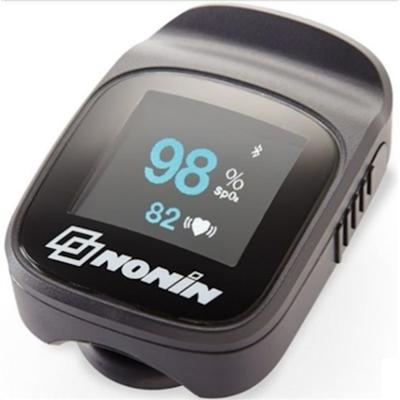
Nonin Medical NoninConnect™ Finger Pulse Oximeter with Bluetooth® Smart Wireless Technology""" NoninConnect™ Finger Pulse Oximeter with Bluetooth® Smart Wireless Technology for Clinicians and Patients — Nonin TruO2® OTC 3250 (OTC, No Prescription Required) The NoninConnect™ finger pulse oximeter is an over-the-counter (OTC) device , made..."299,00 $*Shipping: 0,00 $Secure redirect to the provider
-
The Handy Homestead DIY Wooden Walkie Talkie Kit For Kids STEM Building Wireless Communication Toy DIY Wooden Walkie Talkie Kit For Kids STEM Building Wireless Communication ToySpark your childs I built this! moment with a handson project that turns curiosity into real play. This 2pcs DIY wooden walkie talkie kit lets kids assemble two working communication toys while exploring basic electronics, sound, and signal...54,97 $*Shipping: 0,00 $Secure redirect to the provider
-
On Spot Shop DC Wireless Remote Control Switch With Relay Output, RF Transmitter And Receiver For LED Lighting & Smart Device device With 1 RemoteReliable Control for Lighting & Automation Experience seamless control with the DC12V 8CH 8 Channel Wireless Remote Control LED Light Switch Relay Output Radio RF Transmitter and 315433 MHz Receiver. Designed for convenience, this system allows you...39,97 $*Shipping: 0,00 $Secure redirect to the provider



-
Can someone help me with the ESP32 pushbuttons?
Yes, I can help you with the ESP32 pushbuttons. To use pushbuttons with the ESP32, you will need to connect them to the GPIO pins on the board. You can then use the Arduino IDE or ESP-IDF to program the ESP32 to detect when the pushbuttons are pressed and take appropriate actions. If you need further assistance or code examples, feel free to ask. **
-
What is the project for Lasertag with ESP32?
The project for Lasertag with ESP32 involves creating a system for playing lasertag using ESP32 microcontrollers. The ESP32 microcontrollers will be used to create a wireless communication network between the players' lasertag guns and a central game control unit. The system will track hits and scores, and provide real-time feedback to the players. Additionally, the ESP32 microcontrollers will be used to implement various game modes and features to enhance the lasertag experience. **
-
Why does the Arduino ESP32 light up red?
The Arduino ESP32 lights up red because the onboard LED is typically programmed to turn on when the board is powered up. This serves as a visual indicator that the board is receiving power and is functioning properly. The red LED can also be programmed to indicate different states or events during the operation of the board, providing feedback to the user. **
-
Can an ESP32 be connected to the USB port?
Yes, an ESP32 can be connected to a USB port. The ESP32 has a built-in USB interface that can be used for programming and communication with a computer. By connecting the ESP32 to a computer via USB, you can upload code, debug, and interact with the device using serial communication. Additionally, the USB port can also be used to power the ESP32 board. **


Can a 230V motor be operated with an ESP32?
Yes, a 230V motor can be operated with an ESP32, but additional components such as relays or motor drivers will be required to control the high voltage. The ESP32 itself operates at 3.3V, so it cannot directly control a 230V motor. By using relays or motor drivers, the ESP32 can send signals to control the motor's operation safely. It is important to follow proper safety precautions and consult with an expert when working with high voltage equipment. **
How can I use the ESP32 for TV output?
To use the ESP32 for TV output, you can connect the ESP32 to a TV using an HDMI adapter or composite video output. You will need to write code to generate the video signal and display the desired content on the TV screen. There are libraries available that can help you generate video signals and display graphics on a TV using the ESP32. Additionally, you may need to adjust the resolution and refresh rate settings to ensure compatibility with the TV. **
Top-Angebote
Products related to ESP32:
-
Steelplay MetalTech Radian Wireless Gaming Headset - Wireless and Wired Connectivity, Detachable Microphone, Volume ControlsThe Steelplay MetalTech Radian wireless gaming headset offers flexible audio for gaming and everyday entertainment. It's designed for use across consoles, computers, and compatible mobile devices. You can connect wirelessly through the supplied low-latency USB-C dongle or use the detachable 3.5 mm braided cable for a wired connection. The headset features a comfortable, adaptable design with soft ear cushions and an adjustable padded headband for a secure fit during longer gaming, music, and film sessions. The detachable boom microphone supports in-game chat and can be removed when not required. Key features include wireless and wired connectivity, a supplied USB-C dongle for compatible devices, a detachable microphone for flexible voice chat, integrated volume and microphone controls, and a detachable 2 m braided 3.5 mm audio cable. The headset also includes a 1.5 m braided USB-C charging cable and is compatible with PS5, PS4, Nintendo Switch, PC, Mac, and compatible Android or iOS devices using the supplied dongle.26,99 £*Shipping: 3,95 £Secure redirect to the provider
-
Nonin Medical NoninConnect™ Finger Pulse Oximeter with Bluetooth® Smart Wireless Technology""" NoninConnect™ Finger Pulse Oximeter with Bluetooth® Smart Wireless Technology for Clinicians and Patients — Nonin TruO2® OTC 3250 (OTC, No Prescription Required) The NoninConnect™ finger pulse oximeter is an over-the-counter (OTC) device , made..."299,00 $*Shipping: 0,00 $Secure redirect to the provider
-
Why is the Arduino ESP32 glowing red?
The Arduino ESP32 glowing red could indicate an error or issue with the board. It may be overheating due to excessive power consumption or a short circuit. It is important to immediately disconnect power and investigate the cause of the red glow to prevent damage to the board or other components. **
-
How can one implement serial communication between an ESP32 and a Raspberry Pi using Java?
To implement serial communication between an ESP32 and a Raspberry Pi using Java, you can use the RXTX library. First, you need to connect the ESP32 to the Raspberry Pi via a USB cable. Then, you can use the RXTX library to establish a serial connection on both devices. You can write Java code on the Raspberry Pi to send data to the ESP32 and receive data from it. Similarly, you can write Java code on the ESP32 to send data to the Raspberry Pi and receive data from it. **
-
Can someone help me with the ESP32 pushbuttons?
Yes, I can help you with the ESP32 pushbuttons. To use pushbuttons with the ESP32, you will need to connect them to the GPIO pins on the board. You can then use the Arduino IDE or ESP-IDF to program the ESP32 to detect when the pushbuttons are pressed and take appropriate actions. If you need further assistance or code examples, feel free to ask. **
-
What is the project for Lasertag with ESP32?
The project for Lasertag with ESP32 involves creating a system for playing lasertag using ESP32 microcontrollers. The ESP32 microcontrollers will be used to create a wireless communication network between the players' lasertag guns and a central game control unit. The system will track hits and scores, and provide real-time feedback to the players. Additionally, the ESP32 microcontrollers will be used to implement various game modes and features to enhance the lasertag experience. **
Similar search terms for ESP32
-
The Handy Homestead DIY Wooden Walkie Talkie Kit For Kids STEM Building Wireless Communication Toy DIY Wooden Walkie Talkie Kit For Kids STEM Building Wireless Communication ToySpark your childs I built this! moment with a handson project that turns curiosity into real play. This 2pcs DIY wooden walkie talkie kit lets kids assemble two working communication toys while exploring basic electronics, sound, and signal...54,97 $*Shipping: 0,00 $Secure redirect to the provider
-
On Spot Shop DC Wireless Remote Control Switch With Relay Output, RF Transmitter And Receiver For LED Lighting & Smart Device device With 1 RemoteReliable Control for Lighting & Automation Experience seamless control with the DC12V 8CH 8 Channel Wireless Remote Control LED Light Switch Relay Output Radio RF Transmitter and 315433 MHz Receiver. Designed for convenience, this system allows you...39,97 $*Shipping: 0,00 $Secure redirect to the provider
-
NextBase IQ 4K Smart Dash Cam – Latest December Update, Inbuilt Cabin Car Cam, 4G ConnectivityOverview: The Nextbase IQ 4K Smart Dash Cam combines ultra-high-definition recording with advanced safety and convenience features. With the latest December update, it offers enhanced live view capabilities, smart parking mode, witness mode, SOS response, and voice control. Equipped with inbuilt cabin camera and 4G connectivity, this dash cam ensures comprehensive vehicle and passenger monitoring, delivering peace of mind on every journey. Product Description: Capture every detail on the road with the Nextbase IQ 4K Smart Dash Cam. The 4K ultra HD recording provides crystal-clear video footage of your surroundings, while the inbuilt cabin camera monitors the interior of your vehicle. Stay connected with 4G for live viewing, instant notifications, and SOS emergency response. Smart parking mode protects your vehicle while parked, and witness mode offers crucial video evidence in the event of an incident. Voice control allows hands-free operation, making it safer and easier to use. The latest software update further improves performance and user experience. Key Features: Ultra-high-definition 4K recording for clear, detailed footage Inbuilt cabin camera for interior monitoring 4G connectivity for live view and instant notifications Smart parking mode to monitor your vehicle while parked Witness mode for capturing crucial incident evidence SOS response feature for emergency assistance Voice control for hands-free operation Latest December software update with enhanced features399,00 £*Shipping: 0,00 £Secure redirect to the provider
-
Tools, Home & Hobby Automatic Pasta Maker Machine With Shapes & Smart Kneading Technology Automatic Pasta Maker Machine With Shapes & Smart Kneading TechnologyBring the joy of fresh, restaurantstyle pasta into your kitchen with this automatic pasta maker designed for busy families, home cooks, and pasta lovers alike. With intelligent onetouch operation and authentic kneading technology, this electric...174,97 $*Shipping: 0,00 $Secure redirect to the provider
-
Why does the Arduino ESP32 light up red?
The Arduino ESP32 lights up red because the onboard LED is typically programmed to turn on when the board is powered up. This serves as a visual indicator that the board is receiving power and is functioning properly. The red LED can also be programmed to indicate different states or events during the operation of the board, providing feedback to the user. **
-
Can an ESP32 be connected to the USB port?
Yes, an ESP32 can be connected to a USB port. The ESP32 has a built-in USB interface that can be used for programming and communication with a computer. By connecting the ESP32 to a computer via USB, you can upload code, debug, and interact with the device using serial communication. Additionally, the USB port can also be used to power the ESP32 board. **
-
Can a 230V motor be operated with an ESP32?
Yes, a 230V motor can be operated with an ESP32, but additional components such as relays or motor drivers will be required to control the high voltage. The ESP32 itself operates at 3.3V, so it cannot directly control a 230V motor. By using relays or motor drivers, the ESP32 can send signals to control the motor's operation safely. It is important to follow proper safety precautions and consult with an expert when working with high voltage equipment. **
-
How can I use the ESP32 for TV output?
To use the ESP32 for TV output, you can connect the ESP32 to a TV using an HDMI adapter or composite video output. You will need to write code to generate the video signal and display the desired content on the TV screen. There are libraries available that can help you generate video signals and display graphics on a TV using the ESP32. Additionally, you may need to adjust the resolution and refresh rate settings to ensure compatibility with the TV. **
* All prices are inclusive of VAT and, if applicable, plus shipping costs. The offer information is based on the details provided by the respective shop and is updated through automated processes. Real-time updates do not occur, so deviations can occur in individual cases. ** Note: Parts of this content were created by AI.