Buy allphone.eu ?
We are moving the project
allphone.eu .
Are you interested in purchasing the domain
allphone.eu ?
domain@kv-gmbh.de · 0541-91531010
Buy allphone.eu ?
How do you clean a trackball mouse?
To clean a trackball mouse, start by removing the trackball from the mouse. Use a soft cloth or cotton swab dampened with rubbing alcohol to gently clean the trackball and the inside of the mouse where the trackball sits. You can also use compressed air to blow out any dust or debris that may be stuck inside. Once everything is clean and dry, reassemble the trackball mouse and it should be good to go. **
What is a trackball in the MacBook?
A trackball in the MacBook is a small, stationary ball located at the top of the keyboard, which can be used to move the cursor on the screen. By rolling the trackball with your finger, you can control the movement of the cursor, similar to using a traditional mouse. The trackball provides an alternative method for navigating and interacting with the MacBook, particularly for users who may find it more comfortable or convenient than using a trackpad or mouse. **


Similar search terms for Trackball
Top-Angebote
Products related to Trackball:
-
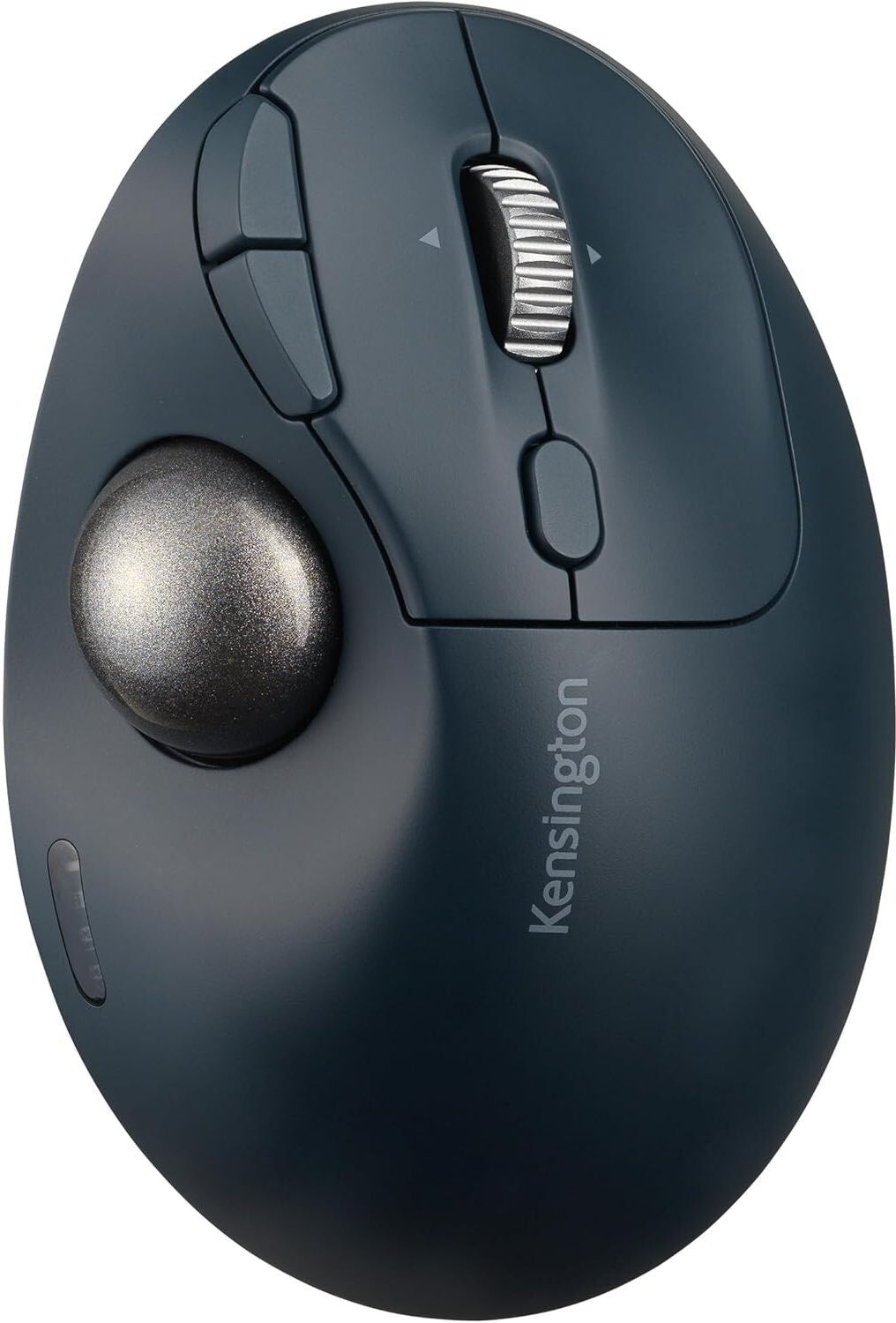
Kensington Pro Fit Ergo TB550 Rechargeable Bluetooth Trackball Mouse, 34mm Thumb Control, 4D Scroll Wheel, 51% Recycled Plastic (K72196WW), NewThe Kensington Pro Fit Ergo TB550 is a premium ergonomic trackball mouse designed for comfort, precision, and sustainability. Its thumb-operated 34mm trackball and multi-directional 4D scroll wheel provide smooth and effortless navigation, reducing wrist strain during extended use. Offering dual connectivity via Bluetooth or 2.4GHz wireless, it ensures reliable performance across various devices. Crafted from 51% recycled plastic, this eco-conscious trackball mouse supports sustainable practices while delivering a professional-grade experience. With its rechargeable battery, the TB550 eliminates the need for disposable batteries, making it ideal for both work and home environments. Model: Kensington Pro Fit Ergo TB550 (K72196WW) Trackball Size: 34mm thumb-operated design Connectivity: Bluetooth and 2.4GHz wireless Special Features: Rechargeable, Multi-Directional 4D Scroll Wheel Material: Made from 51% recycled plastic Battery: Rechargeable battery with extended usage time Compatibility: Works with Windows, macOS, and ChromeOS Ergonomic Design: Thumb-operated 34mm trackball reduces wrist strain for all-day comfort. Multi-Directional Navigation: 4D scroll wheel for precise scrolling and navigation. Eco-Friendly Construction: Made from 51% recycled plastic for a sustainable choice. Dual Connectivity: Bluetooth and 2.4GHz wireless options for flexibility. Rechargeable Battery: Long-lasting battery eliminates the need for disposable batteries. Wide Compatibility: Seamless integration with Windows, macOS, and ChromeOS devices. Compact and Durable: Designed for professional use, combining style and functionality.39,89 £*Shipping: 0,00 £Secure redirect to the provider
-
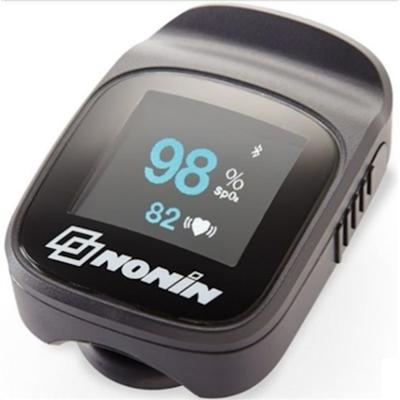
Nonin Medical NoninConnect™ Finger Pulse Oximeter with Bluetooth® Smart Wireless Technology""" NoninConnect™ Finger Pulse Oximeter with Bluetooth® Smart Wireless Technology for Clinicians and Patients — Nonin TruO2® OTC 3250 (OTC, No Prescription Required) The NoninConnect™ finger pulse oximeter is an over-the-counter (OTC) device , made..."299,00 $*Shipping: 0,00 $Secure redirect to the provider
-
The Handy Homestead DIY Wooden Walkie Talkie Kit For Kids STEM Building Wireless Communication Toy DIY Wooden Walkie Talkie Kit For Kids STEM Building Wireless Communication ToySpark your childs I built this! moment with a handson project that turns curiosity into real play. This 2pcs DIY wooden walkie talkie kit lets kids assemble two working communication toys while exploring basic electronics, sound, and signal...54,97 $*Shipping: 0,00 $Secure redirect to the provider
-
Steelplay MetalTech Radian Wireless Gaming Headset - Wireless and Wired Connectivity, Detachable Microphone, Volume ControlsThe Steelplay MetalTech Radian wireless gaming headset offers flexible audio for gaming and everyday entertainment. It's designed for use across consoles, computers, and compatible mobile devices. You can connect wirelessly through the supplied low-latency USB-C dongle or use the detachable 3.5 mm braided cable for a wired connection. The headset features a comfortable, adaptable design with soft ear cushions and an adjustable padded headband for a secure fit during longer gaming, music, and film sessions. The detachable boom microphone supports in-game chat and can be removed when not required. Key features include wireless and wired connectivity, a supplied USB-C dongle for compatible devices, a detachable microphone for flexible voice chat, integrated volume and microphone controls, and a detachable 2 m braided 3.5 mm audio cable. The headset also includes a 1.5 m braided USB-C charging cable and is compatible with PS5, PS4, Nintendo Switch, PC, Mac, and compatible Android or iOS devices using the supplied dongle.26,99 £*Shipping: 3,95 £Secure redirect to the provider


-
Why are there no more trackball mice?
Trackball mice have become less popular due to the rise of optical and laser mice, which offer more precise tracking and require less maintenance. These newer technologies also provide a smoother and more responsive user experience compared to trackball mice. Additionally, trackball mice can be less ergonomic and may cause discomfort or strain with prolonged use. As a result, many manufacturers have shifted their focus to developing and producing optical and laser mice, leading to the decline of trackball mice in the market. **
-
Is the Logitech Ergo M575 trackball mouse recommended?
Yes, the Logitech Ergo M575 trackball mouse is recommended for those who prefer a more ergonomic and comfortable mouse design. Its trackball design allows for precise cursor control without the need to move the mouse around, reducing strain on the wrist and arm. Additionally, it offers customizable buttons and a long battery life, making it a convenient and efficient option for both work and leisure use. **
-
What is digital communication?
Digital communication refers to the exchange of information through electronic devices such as computers, smartphones, and tablets. It involves sending and receiving data in the form of text, images, videos, or audio over digital channels like email, social media, messaging apps, and websites. Digital communication allows for instant and efficient communication between individuals or groups regardless of geographical location, making it a vital aspect of modern-day interactions and business operations. **
-
How do I activate wireless connectivity in Windows 7?
To activate wireless connectivity in Windows 7, you can follow these steps: 1. Click on the Start button and then select Control Panel. 2. In the Control Panel, click on Network and Sharing Center. 3. In the Network and Sharing Center, click on the "Change adapter settings" option on the left-hand side. 4. Right-click on the wireless network connection and select "Enable" from the drop-down menu. Once you have completed these steps, your wireless connectivity should be activated and you should be able to connect to available wireless networks. **


Is the wireless communication WLAN disabled?
To determine if the wireless communication WLAN is disabled, you can check the settings on your device. Look for the WLAN or Wi-Fi settings and see if the option is turned off or disabled. Additionally, you can also check the physical hardware of your device to see if there is a manual switch or button to enable or disable the WLAN. If the WLAN is disabled, you can enable it through the settings or by using the physical switch or button. **
What is Digital Technology 2?
Digital Technology 2 is a course that builds upon the foundational concepts introduced in Digital Technology 1. It delves deeper into topics such as programming, web development, data analysis, and cybersecurity. Students will further develop their skills in using digital tools and technologies to solve real-world problems and gain a more advanced understanding of how technology impacts society. The course aims to prepare students for a career in the rapidly evolving field of digital technology. **
Top-Angebote
Products related to Trackball:
-
Logitech ERGO M575S Wireless Trackball Mouse, Wireless Ergonomic Mouse With Bluetooth and Encrypted Dongle, Comfortable Thumb Control, Precise and Smooth Tracking, for PC/Mac - GraphiteThe Logitech ERGO M575S Wireless Trackball Mouse in Graphite offers ergonomic comfort, thumb-controlled precision, and dual wireless connectivity with Bluetooth and USB dongle, designed for smooth, efficient control on PC and Mac. Overview: The Logitech ERGO M575S is built for long-lasting comfort and efficiency. Its sculpted ergonomic shape reduces hand and arm movement, while the trackball thumb control delivers accurate, smooth tracking without the need to move your wrist. With Bluetooth Low Energy or USB dongle connectivity, it provides secure, reliable wireless performance. Offering up to 24 months of battery life on a single AA battery and optimised for both PC and Mac, it’s perfect for home, office, and multi-device use. Key Features: Ergonomic Trackball Design – Comfortable thumb control reduces wrist and arm strain. Wireless Connectivity – Choose between Bluetooth Low Energy or USB dongle. Encrypted Wireless – Secure, stable connection with Logitech Unifying technology. Precise Tracking – Smooth and accurate cursor control on any surface. 24-Month Battery Life – Long-lasting power with a single AA battery. Compact & Space-Saving – Great for small desks, no need to move the mouse around. Cross-Platform Compatibility – Works with PC, Mac, and Chromebook. Graphite Finish – Sleek, professional look. Product Description: The Logitech ERGO M575S Wireless Trackball Mouse (Graphite) is designed to maximise comfort and efficiency while reducing wrist strain. Its sculpted ergonomic design fits naturally in the hand, and the thumb-controlled trackball provides precise, smooth cursor movement without requiring desk space. With dual wireless connectivity via Bluetooth or the included USB dongle, it ensures flexible and secure performance across devices. Enjoy up to 24 months of battery life on a single AA battery, making it an energy-efficient choice. Compatible with PC, Mac, and Chromebook, the M575S is perfect for work, home, and multi-device setups.38,97 £*Shipping: 0,00 £Secure redirect to the provider
-
Kensington Pro Fit Ergo TB550 Rechargeable Bluetooth Trackball Mouse, 34mm Thumb Control, 4D Scroll Wheel, 51% Recycled Plastic (K72196WW), NewThe Kensington Pro Fit Ergo TB550 is a premium ergonomic trackball mouse designed for comfort, precision, and sustainability. Its thumb-operated 34mm trackball and multi-directional 4D scroll wheel provide smooth and effortless navigation, reducing wrist strain during extended use. Offering dual connectivity via Bluetooth or 2.4GHz wireless, it ensures reliable performance across various devices. Crafted from 51% recycled plastic, this eco-conscious trackball mouse supports sustainable practices while delivering a professional-grade experience. With its rechargeable battery, the TB550 eliminates the need for disposable batteries, making it ideal for both work and home environments. Model: Kensington Pro Fit Ergo TB550 (K72196WW) Trackball Size: 34mm thumb-operated design Connectivity: Bluetooth and 2.4GHz wireless Special Features: Rechargeable, Multi-Directional 4D Scroll Wheel Material: Made from 51% recycled plastic Battery: Rechargeable battery with extended usage time Compatibility: Works with Windows, macOS, and ChromeOS Ergonomic Design: Thumb-operated 34mm trackball reduces wrist strain for all-day comfort. Multi-Directional Navigation: 4D scroll wheel for precise scrolling and navigation. Eco-Friendly Construction: Made from 51% recycled plastic for a sustainable choice. Dual Connectivity: Bluetooth and 2.4GHz wireless options for flexibility. Rechargeable Battery: Long-lasting battery eliminates the need for disposable batteries. Wide Compatibility: Seamless integration with Windows, macOS, and ChromeOS devices. Compact and Durable: Designed for professional use, combining style and functionality.39,89 £*Shipping: 0,00 £Secure redirect to the provider
-
Nonin Medical NoninConnect™ Finger Pulse Oximeter with Bluetooth® Smart Wireless Technology""" NoninConnect™ Finger Pulse Oximeter with Bluetooth® Smart Wireless Technology for Clinicians and Patients — Nonin TruO2® OTC 3250 (OTC, No Prescription Required) The NoninConnect™ finger pulse oximeter is an over-the-counter (OTC) device , made..."299,00 $*Shipping: 0,00 $Secure redirect to the provider
-
How do you clean a trackball mouse?
To clean a trackball mouse, start by removing the trackball from the mouse. Use a soft cloth or cotton swab dampened with rubbing alcohol to gently clean the trackball and the inside of the mouse where the trackball sits. You can also use compressed air to blow out any dust or debris that may be stuck inside. Once everything is clean and dry, reassemble the trackball mouse and it should be good to go. **
-
What is a trackball in the MacBook?
A trackball in the MacBook is a small, stationary ball located at the top of the keyboard, which can be used to move the cursor on the screen. By rolling the trackball with your finger, you can control the movement of the cursor, similar to using a traditional mouse. The trackball provides an alternative method for navigating and interacting with the MacBook, particularly for users who may find it more comfortable or convenient than using a trackpad or mouse. **
-
Why are there no more trackball mice?
Trackball mice have become less popular due to the rise of optical and laser mice, which offer more precise tracking and require less maintenance. These newer technologies also provide a smoother and more responsive user experience compared to trackball mice. Additionally, trackball mice can be less ergonomic and may cause discomfort or strain with prolonged use. As a result, many manufacturers have shifted their focus to developing and producing optical and laser mice, leading to the decline of trackball mice in the market. **
-
Is the Logitech Ergo M575 trackball mouse recommended?
Yes, the Logitech Ergo M575 trackball mouse is recommended for those who prefer a more ergonomic and comfortable mouse design. Its trackball design allows for precise cursor control without the need to move the mouse around, reducing strain on the wrist and arm. Additionally, it offers customizable buttons and a long battery life, making it a convenient and efficient option for both work and leisure use. **
Similar search terms for Trackball
-
The Handy Homestead DIY Wooden Walkie Talkie Kit For Kids STEM Building Wireless Communication Toy DIY Wooden Walkie Talkie Kit For Kids STEM Building Wireless Communication ToySpark your childs I built this! moment with a handson project that turns curiosity into real play. This 2pcs DIY wooden walkie talkie kit lets kids assemble two working communication toys while exploring basic electronics, sound, and signal...54,97 $*Shipping: 0,00 $Secure redirect to the provider
-
Steelplay MetalTech Radian Wireless Gaming Headset - Wireless and Wired Connectivity, Detachable Microphone, Volume ControlsThe Steelplay MetalTech Radian wireless gaming headset offers flexible audio for gaming and everyday entertainment. It's designed for use across consoles, computers, and compatible mobile devices. You can connect wirelessly through the supplied low-latency USB-C dongle or use the detachable 3.5 mm braided cable for a wired connection. The headset features a comfortable, adaptable design with soft ear cushions and an adjustable padded headband for a secure fit during longer gaming, music, and film sessions. The detachable boom microphone supports in-game chat and can be removed when not required. Key features include wireless and wired connectivity, a supplied USB-C dongle for compatible devices, a detachable microphone for flexible voice chat, integrated volume and microphone controls, and a detachable 2 m braided 3.5 mm audio cable. The headset also includes a 1.5 m braided USB-C charging cable and is compatible with PS5, PS4, Nintendo Switch, PC, Mac, and compatible Android or iOS devices using the supplied dongle.26,99 £*Shipping: 3,95 £Secure redirect to the provider
-
On Spot Shop DC Wireless Remote Control Switch With Relay Output, RF Transmitter And Receiver For LED Lighting & Smart Device device With 1 RemoteReliable Control for Lighting & Automation Experience seamless control with the DC12V 8CH 8 Channel Wireless Remote Control LED Light Switch Relay Output Radio RF Transmitter and 315433 MHz Receiver. Designed for convenience, this system allows you...39,97 $*Shipping: 0,00 $Secure redirect to the provider
-
NENO Beauty Algo device for facial firming and contouring using EMS and RF technology 1 pcNENO Beauty Algo, 1 pc, Facial lifting devices for Women, Do you want to take your regular skincare routine to the next level? You don’t have to go to a beauty salon immediately; the NENO Beauty Algo device enables you to get a professional facial as if it had been done by a beauty therapist, in the comfort of your home. It helps improve the appearance of your skin, boosting its vitality and natural beauty. Use it to create a little personal beauty ritual of your own to look forward to every day. Characteristics: massages the face gently promotes the absorption of beauty products enhances blood circulation in the skin improves skin quality promotes collagen production effectively smooths wrinkles and fine lines a non-invasive skincare method restores skin elasticity USB charging cable included suitable for everyday use visibly rejuvenates skin smooths wrinkles and tightens the skin in general gently tightens skin restores skin firmness and leaves it tight stimulates elastin production the ergonomic design ensures a comfortable grip and full control of the device low noise level lightweight design revitalises revitalises and slows down the skin ageing process How to use: Follow the instructions for use included.150,45 £*Shipping: 3,99 £Secure redirect to the provider
-
What is digital communication?
Digital communication refers to the exchange of information through electronic devices such as computers, smartphones, and tablets. It involves sending and receiving data in the form of text, images, videos, or audio over digital channels like email, social media, messaging apps, and websites. Digital communication allows for instant and efficient communication between individuals or groups regardless of geographical location, making it a vital aspect of modern-day interactions and business operations. **
-
How do I activate wireless connectivity in Windows 7?
To activate wireless connectivity in Windows 7, you can follow these steps: 1. Click on the Start button and then select Control Panel. 2. In the Control Panel, click on Network and Sharing Center. 3. In the Network and Sharing Center, click on the "Change adapter settings" option on the left-hand side. 4. Right-click on the wireless network connection and select "Enable" from the drop-down menu. Once you have completed these steps, your wireless connectivity should be activated and you should be able to connect to available wireless networks. **
-
Is the wireless communication WLAN disabled?
To determine if the wireless communication WLAN is disabled, you can check the settings on your device. Look for the WLAN or Wi-Fi settings and see if the option is turned off or disabled. Additionally, you can also check the physical hardware of your device to see if there is a manual switch or button to enable or disable the WLAN. If the WLAN is disabled, you can enable it through the settings or by using the physical switch or button. **
-
What is Digital Technology 2?
Digital Technology 2 is a course that builds upon the foundational concepts introduced in Digital Technology 1. It delves deeper into topics such as programming, web development, data analysis, and cybersecurity. Students will further develop their skills in using digital tools and technologies to solve real-world problems and gain a more advanced understanding of how technology impacts society. The course aims to prepare students for a career in the rapidly evolving field of digital technology. **
* All prices are inclusive of VAT and, if applicable, plus shipping costs. The offer information is based on the details provided by the respective shop and is updated through automated processes. Real-time updates do not occur, so deviations can occur in individual cases. ** Note: Parts of this content were created by AI.