Buy allphone.eu ?
We are moving the project
allphone.eu .
Are you interested in purchasing the domain
allphone.eu ?
domain@kv-gmbh.de · 0541-91531010
Buy allphone.eu ?
Has the mobile phone battery swollen?
I'm sorry, but as an AI text-based model, I do not have the capability to physically inspect the mobile phone battery for swelling. It is recommended to visually inspect the battery for any signs of swelling such as a bulging appearance or difficulty fitting into the phone. If you suspect that the battery has swollen, it is important to stop using the device immediately and seek professional help to safely replace the battery. **
How do I remove a swollen mobile phone battery?
To remove a swollen mobile phone battery, you should first power off the device if possible. Then, carefully remove the back cover of the phone and locate the battery. Use a plastic tool or your fingers to gently pry the battery out of its compartment. Be extremely cautious not to puncture or damage the swollen battery, as it can be a safety hazard. Once the battery is removed, dispose of it properly at a designated recycling center. **


Similar search terms for Swollen
Top-Angebote
Products related to Swollen:
-
SWISSTEN 22071510 Charger Device, mobile communicationPlug Type: Schuko; Connectors/Plugs: USB type-C, USB; Charge Mode: GaN, PD; Overcharging protection: Yes; Overheating protection: Yes; Short Circuit Protection: Yes; Colour: black; Number of inlets/outlets: 2; Power [W]: 126,59 £*Shipping: 8,45 £Secure redirect to the provider
-
Biogra Organic Swollen Spelt without Sugar and Honey 125 grNutrition and Supplements Cereals, Pasta and Legumes Biogra Organic Swollen Spelt without Sugar and Honey 125 gr Sugar-free, honey-free and organic spelt is an ideal breakfast and snack cereal. Mix it with milk, vegetable drinks, yogurt, chocolate, nuts or any ingredient to taste. Instructions for use: - Mix with milk, vegetable drinks, yogurt, chocolate.1,56 £*Shipping: 3,99 £Secure redirect to the provider




-
How can you save a swollen mobile phone battery?
If your mobile phone battery is swollen, it is important to handle it with care as it can be dangerous. First, turn off the phone and remove the battery if possible. Do not attempt to use the phone or charge the battery. Place the swollen battery in a fireproof container and take it to a recycling center or hazardous waste disposal facility as soon as possible. It is important to not puncture, crush, or expose the battery to extreme temperatures, as this can cause it to leak or catch fire. **
-
Is Rook swollen?
No, Rook is not swollen. **
-
What is the cause of a swollen mobile phone battery?
A swollen mobile phone battery is typically caused by a buildup of gas inside the battery. This can occur due to overcharging, exposure to high temperatures, physical damage, or using a low-quality or counterfeit charger. When the battery is overcharged or exposed to extreme conditions, it can lead to the breakdown of internal components and the release of gas, causing the battery to swell. **
-
"Is the mobile phone with a built-in battery swollen?"
To determine if the mobile phone with a built-in battery is swollen, you can visually inspect the phone for any signs of bulging or distortion in the battery area. Additionally, you can gently press on the phone to see if there is any give or sponginess, which could indicate a swollen battery. If you suspect the battery is swollen, it is important to stop using the phone and seek professional assistance to safely remove and replace the battery. Swollen batteries can be a safety hazard and should be addressed promptly. **

What does it mean when the mobile phone is swollen?
When a mobile phone is swollen, it typically means that the battery inside the phone has expanded or is malfunctioning. This can be caused by overcharging, exposure to high temperatures, or physical damage to the battery. A swollen phone can be dangerous as it may pose a risk of overheating, catching fire, or exploding. It is important to stop using the phone immediately and seek professional help to safely remove and replace the battery. **
Is my throat swollen?
I'm sorry, but as an AI text-based assistant, I am unable to physically examine you. If you are experiencing symptoms such as difficulty swallowing, pain, or a feeling of tightness in your throat, it may be an indication of swelling. It is recommended to consult a healthcare professional for a proper diagnosis and treatment. **
Top-Angebote
Products related to Swollen:
-
Has the mobile phone battery swollen?
I'm sorry, but as an AI text-based model, I do not have the capability to physically inspect the mobile phone battery for swelling. It is recommended to visually inspect the battery for any signs of swelling such as a bulging appearance or difficulty fitting into the phone. If you suspect that the battery has swollen, it is important to stop using the device immediately and seek professional help to safely replace the battery. **
-
How do I remove a swollen mobile phone battery?
To remove a swollen mobile phone battery, you should first power off the device if possible. Then, carefully remove the back cover of the phone and locate the battery. Use a plastic tool or your fingers to gently pry the battery out of its compartment. Be extremely cautious not to puncture or damage the swollen battery, as it can be a safety hazard. Once the battery is removed, dispose of it properly at a designated recycling center. **
-
How can you save a swollen mobile phone battery?
If your mobile phone battery is swollen, it is important to handle it with care as it can be dangerous. First, turn off the phone and remove the battery if possible. Do not attempt to use the phone or charge the battery. Place the swollen battery in a fireproof container and take it to a recycling center or hazardous waste disposal facility as soon as possible. It is important to not puncture, crush, or expose the battery to extreme temperatures, as this can cause it to leak or catch fire. **
-
Is Rook swollen?
No, Rook is not swollen. **
Similar search terms for Swollen
-
SWISSTEN 22071510 Charger Device, mobile communicationPlug Type: Schuko; Connectors/Plugs: USB type-C, USB; Charge Mode: GaN, PD; Overcharging protection: Yes; Overheating protection: Yes; Short Circuit Protection: Yes; Colour: black; Number of inlets/outlets: 2; Power [W]: 126,59 £*Shipping: 8,45 £Secure redirect to the provider
-
Biogra Organic Swollen Spelt without Sugar and Honey 125 grNutrition and Supplements Cereals, Pasta and Legumes Biogra Organic Swollen Spelt without Sugar and Honey 125 gr Sugar-free, honey-free and organic spelt is an ideal breakfast and snack cereal. Mix it with milk, vegetable drinks, yogurt, chocolate, nuts or any ingredient to taste. Instructions for use: - Mix with milk, vegetable drinks, yogurt, chocolate.1,56 £*Shipping: 3,99 £Secure redirect to the provider
-
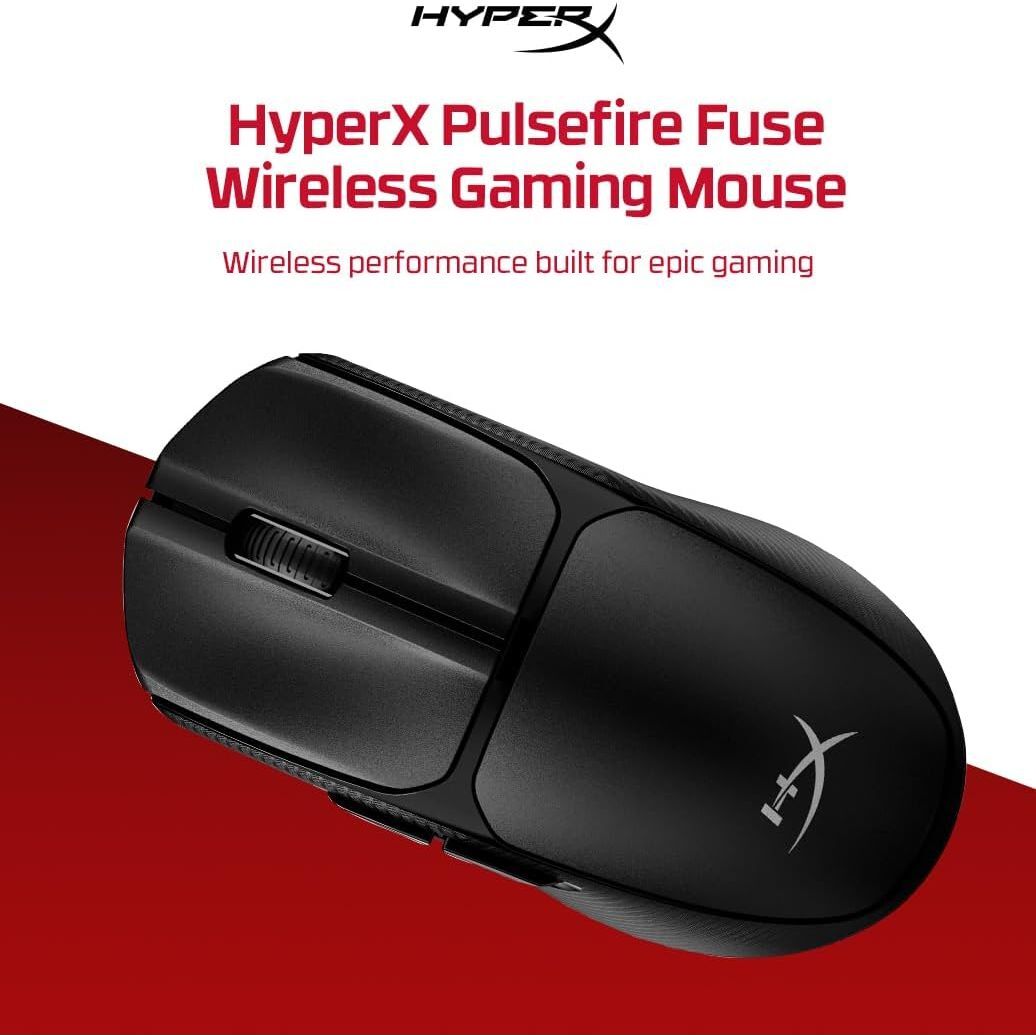
HyperX Pulsefire Fuse Wireless Gaming Mouse – Lightweight RGB Gaming Mouse with Dual Wireless ConnectivityOverview The HyperX Pulsefire Fuse Wireless Gaming Mouse is designed for gamers who want precision, comfort, and wireless freedom. Featuring a lightweight frame and microline grip textured panels, this gaming mouse provides excellent control during fast-paced gameplay. With customisable DPI presets, dual wireless connectivity, and RGB lighting control through HyperX NGENUITY software, the Pulsefire Fuse delivers responsive performance and personalised gaming settings. Its ergonomic design ensures comfortable use for extended gaming sessions while maintaining reliable wireless performance. Key Features Dual Wireless Connectivity – Connect via low-latency 2.4GHz wireless or Bluetooth for flexible gaming setups. Lightweight Gaming Design – Built for fast movement and improved control during gameplay. Microline Grip Textured Panels – Enhanced grip for better accuracy and stability. Customisable DPI Presets – Adjust sensitivity settings to suit different gaming styles. RGB Lighting Effects – Personalise lighting with custom RGB settings. HyperX NGENUITY Software Support – Configure DPI levels, button functions, and RGB lighting. High-Precision Gaming Sensor – Accurate tracking for competitive gameplay. Long Battery Life – Designed to support extended gaming sessions. Ergonomic Shape – Comfortable grip suitable for long hours of use. Benefits The HyperX Pulsefire Fuse Wireless Gaming Mouse provides gamers with responsive control and flexibility thanks to its dual wireless connectivity options. The lightweight build allows for quick movements and improved accuracy, while the textured grip panels ensure the mouse remains stable during intense gaming moments. Customisable DPI presets allow players to adjust sensitivity for different game genres, whether precision aiming in FPS games or fast movement in strategy and action titles. With RGB lighting customisation and HyperX NGENUITY software integration, users can personalise their setup to match their gaming style. Designed for comfort and reliability, the Pulsefire Fuse is an excellent choice for gamers who want wireless performance without compromising control. Specifications Specification Details Brand HyperX Model Pulsefire Fuse Wireless EAN / Barcode [Ean] Type Wireless Gaming Mouse Connectivity 2.4GHz Wireless / Bluetooth Sensor Type High Precision Gaming Sensor DPI Settings Customisable DPI Presets Lighting RGB Customisable Lighting Software HyperX NGENUITY Grip Microline Grip Textured Panels Design Lightweight Gaming Frame Buttons Programmable Buttons Battery Rechargeable / Long Battery Life Compatibility Windows PC34,00 £*Shipping: 0,00 £Secure redirect to the provider
-
Steelplay MetalTech Radian Wireless Gaming Headset - Wireless and Wired Connectivity, Detachable Microphone, Volume ControlsThe Steelplay MetalTech Radian wireless gaming headset offers flexible audio for gaming and everyday entertainment. It's designed for use across consoles, computers, and compatible mobile devices. You can connect wirelessly through the supplied low-latency USB-C dongle or use the detachable 3.5 mm braided cable for a wired connection. The headset features a comfortable, adaptable design with soft ear cushions and an adjustable padded headband for a secure fit during longer gaming, music, and film sessions. The detachable boom microphone supports in-game chat and can be removed when not required. Key features include wireless and wired connectivity, a supplied USB-C dongle for compatible devices, a detachable microphone for flexible voice chat, integrated volume and microphone controls, and a detachable 2 m braided 3.5 mm audio cable. The headset also includes a 1.5 m braided USB-C charging cable and is compatible with PS5, PS4, Nintendo Switch, PC, Mac, and compatible Android or iOS devices using the supplied dongle.26,99 £*Shipping: 3,95 £Secure redirect to the provider
-
What is the cause of a swollen mobile phone battery?
A swollen mobile phone battery is typically caused by a buildup of gas inside the battery. This can occur due to overcharging, exposure to high temperatures, physical damage, or using a low-quality or counterfeit charger. When the battery is overcharged or exposed to extreme conditions, it can lead to the breakdown of internal components and the release of gas, causing the battery to swell. **
-
"Is the mobile phone with a built-in battery swollen?"
To determine if the mobile phone with a built-in battery is swollen, you can visually inspect the phone for any signs of bulging or distortion in the battery area. Additionally, you can gently press on the phone to see if there is any give or sponginess, which could indicate a swollen battery. If you suspect the battery is swollen, it is important to stop using the phone and seek professional assistance to safely remove and replace the battery. Swollen batteries can be a safety hazard and should be addressed promptly. **
-
What does it mean when the mobile phone is swollen?
When a mobile phone is swollen, it typically means that the battery inside the phone has expanded or is malfunctioning. This can be caused by overcharging, exposure to high temperatures, or physical damage to the battery. A swollen phone can be dangerous as it may pose a risk of overheating, catching fire, or exploding. It is important to stop using the phone immediately and seek professional help to safely remove and replace the battery. **
-
Is my throat swollen?
I'm sorry, but as an AI text-based assistant, I am unable to physically examine you. If you are experiencing symptoms such as difficulty swallowing, pain, or a feeling of tightness in your throat, it may be an indication of swelling. It is recommended to consult a healthcare professional for a proper diagnosis and treatment. **
* All prices are inclusive of VAT and, if applicable, plus shipping costs. The offer information is based on the details provided by the respective shop and is updated through automated processes. Real-time updates do not occur, so deviations can occur in individual cases. ** Note: Parts of this content were created by AI.