Buy allphone.eu ?
We are moving the project
allphone.eu .
Are you interested in purchasing the domain
allphone.eu ?
domain@kv-gmbh.de · 0541-91531010
Buy allphone.eu ?
How could a presentation about engine technology look?
A presentation about engine technology could include a detailed overview of different types of engines, such as internal combustion engines, electric motors, and hybrid systems. It could also cover the latest advancements in engine technology, such as fuel efficiency improvements, emissions reduction, and alternative fuel sources. The presentation could include visual aids, such as diagrams and animations, to help illustrate the inner workings of engines and how they have evolved over time. Additionally, the presenter could discuss the future of engine technology, including potential developments in autonomous vehicles and alternative propulsion systems. **
What is digital communication?
Digital communication refers to the exchange of information through electronic devices such as computers, smartphones, and tablets. It involves sending and receiving data in the form of text, images, videos, or audio over digital channels like email, social media, messaging apps, and websites. Digital communication allows for instant and efficient communication between individuals or groups regardless of geographical location, making it a vital aspect of modern-day interactions and business operations. **

Similar search terms for Presentation
Top-Angebote
Products related to Presentation:
-
Kensington Wireless USB Presentation Clicker - Compatible with Windows & macOS, 20m Range (K33373EU), NewThe Kensington Wireless Presenter (Model 33373EU) is a plug-and-play presentation clicker designed for seamless use with Windows and macOS. This laser-free device is perfect for environments where laser pointers are prohibited. With a wireless range of up to 20 meters, you can control your presentations effortlessly. Its ergonomic design features forward, back, and screen blackout buttons for easy navigation, while the internal receiver storage keeps your USB dongle safe and secure. Brand: Kensington Model: Wireless Presenter 33373EU Special Feature: Plug and Play Wireless Technology: 2.4 GHz Radio Frequency Compatible Devices: Windows & macOS Range: Up to 20 meters Recommended Uses: Business presentations Included Components: Wireless Presenter (K33373EU) Plug and Play: Ready to use right out of the box—no software or drivers needed. Laser-Free Design: Ideal for settings where laser devices are not permitted. Compatibility: Works with PowerPoint, KeyNote, and Google Slides on both Windows and macOS. Extended Wireless Range: Control your presentations from up to 20 meters away without interference. Ergonomic Design: Features forward, back, and screen blackout buttons for comfortable operation. Internal Receiver Storage: Conveniently stores the wireless USB receiver to prevent loss.30,99 £*Shipping: 0,00 £Secure redirect to the provider
-
Uplifted Finds Premium Wood Tea Bag Organizer & Multi Compartment Presentation Box Premium Wood Tea Bag Organizer & Multi Compartment Presentation BoxBring the refined aesthetic of a highend tea room into your home and establish absolute order over your beverage station with this premium wood tea bag organizer box. Masterfully engineered with a spacious, multicompartment interior grid, this...195,97 $*Shipping: 0,00 $Secure redirect to the provider
-
Tala Giant Lacquered Hevea Presentation / Display Paddle BoardThe Tala Giant Lacquered Hevea Presentation / Display Paddle Board is ideal for serving cold meats and cheese and bringing rustic charm with a touch of elegance to any home and environment. The board is made from acacia wood which is naturally antibiotic providing durability and is also water resistant. The shaped handle of this board makes it easy to carry and the hanging hole means the board can be hung on a hook for easy storage. Dimensions: 2(H) x 76(W) x 22(L)cm.51,30 £*Shipping: 0,00 £Secure redirect to the provider
-
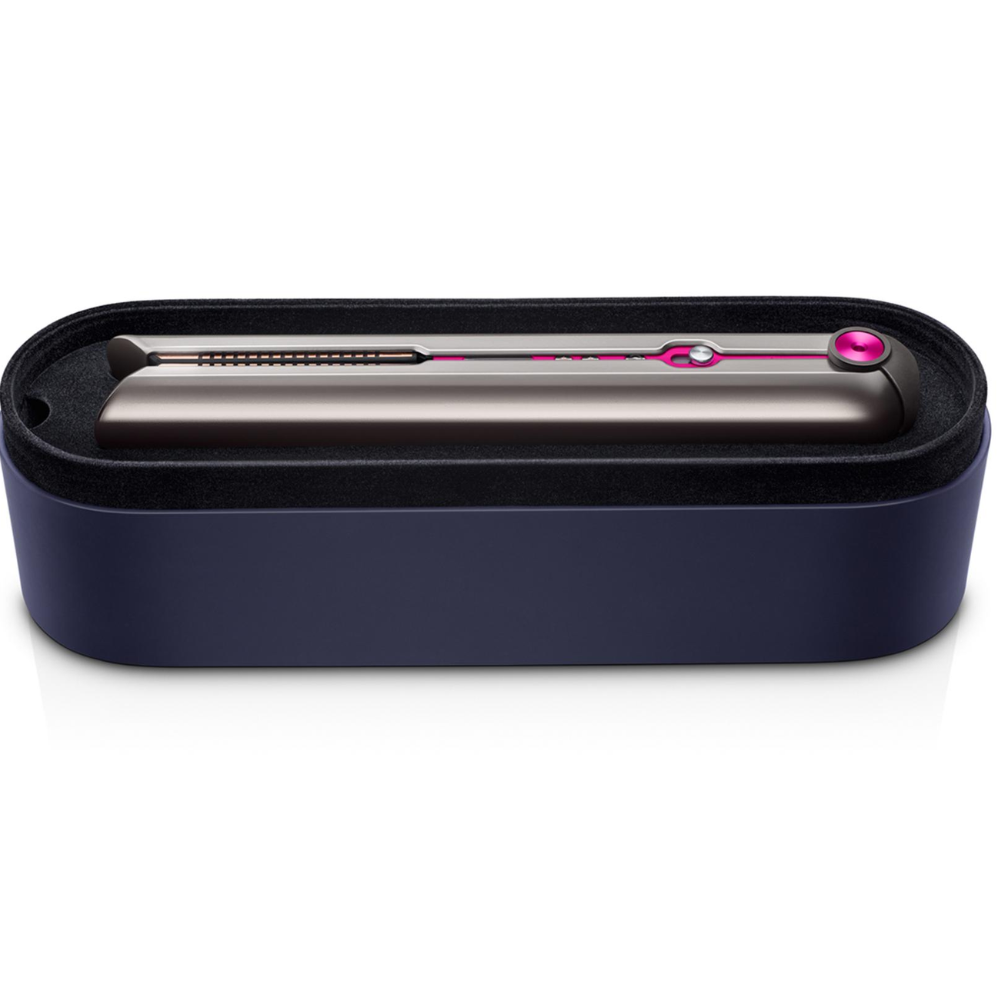
Dyson Corrale Presentation Case 1 un. Prussian BlueA skin-care product. Protect and showcase your Corrale with 's stylish Presentation Case*. Keep your tool safe from dents, dust, and scratches while adding elegance to your beauty setup. Safely stores Corrale. Soft, padded interior prevents dents and scratches. Durable PU leather finish resists dust and easy to clean.43,02 £*Shipping: 15,29 £Secure redirect to the provider



-
How do I activate wireless connectivity in Windows 7?
To activate wireless connectivity in Windows 7, you can follow these steps: 1. Click on the Start button and then select Control Panel. 2. In the Control Panel, click on Network and Sharing Center. 3. In the Network and Sharing Center, click on the "Change adapter settings" option on the left-hand side. 4. Right-click on the wireless network connection and select "Enable" from the drop-down menu. Once you have completed these steps, your wireless connectivity should be activated and you should be able to connect to available wireless networks. **
-
How could a presentation about analog and digital be designed?
A presentation about analog and digital could be designed by first providing a clear definition and explanation of both concepts. This could be followed by examples of analog and digital technologies in various fields such as audio, video, and communication. The presentation could also include a comparison of the advantages and disadvantages of analog and digital technologies, as well as their impact on society and the future. Visual aids such as charts, graphs, and multimedia content could be used to enhance understanding and engagement. Finally, the presentation could conclude with a discussion on the future trends and potential developments in analog and digital technologies. **
-
Is the wireless communication WLAN disabled?
To determine if the wireless communication WLAN is disabled, you can check the settings on your device. Look for the WLAN or Wi-Fi settings and see if the option is turned off or disabled. Additionally, you can also check the physical hardware of your device to see if there is a manual switch or button to enable or disable the WLAN. If the WLAN is disabled, you can enable it through the settings or by using the physical switch or button. **
-
What is Digital Technology 2?
Digital Technology 2 is a course that builds upon the foundational concepts introduced in Digital Technology 1. It delves deeper into topics such as programming, web development, data analysis, and cybersecurity. Students will further develop their skills in using digital tools and technologies to solve real-world problems and gain a more advanced understanding of how technology impacts society. The course aims to prepare students for a career in the rapidly evolving field of digital technology. **


Does a Mac PowerPoint presentation work on a Windows device?
Yes, a Mac PowerPoint presentation can work on a Windows device. PowerPoint presentations created on a Mac can be opened and viewed on a Windows device without any issues. However, some formatting or font differences may occur due to the different operating systems, so it's always a good idea to double-check the presentation on a Windows device before a big presentation. **
What are the connectivity issues of the Logitech G Pro Wireless?
The Logitech G Pro Wireless mouse has been known to have occasional connectivity issues such as intermittent disconnections or lag spikes. Some users have reported issues with the wireless signal dropping out, especially in crowded wireless environments. These problems can be frustrating during gaming sessions where a stable connection is crucial. However, firmware updates and ensuring there is no interference from other wireless devices can help mitigate these connectivity issues. **
Top-Angebote
Products related to Presentation:
-
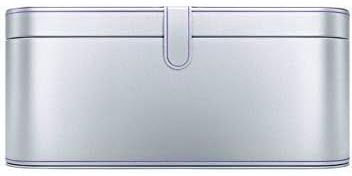
Dyson Supersonic Presentation Case (Platinum), NewProtect and display your Dyson Supersonic hair dryer in style with the Dyson Supersonic Presentation Case – Platinum. Crafted with premium materials and elegant detailing, this case is designed to store, protect, and showcase your Supersonic and its attachments in a sophisticated, durable form. The luxurious Platinum finish with soft, cushioned interior lining prevents scratches and keeps your styling tools neatly organized. A magnetic clasp ensures secure closure, while the minimalist design complements any dressing table or salon setup. Perfect for travel, professional use, or as a stylish storage solution at home, the Dyson Supersonic Presentation Case adds a touch of refinement to your beauty routine. ✔️ Elegant Platinum design – Stylish and sophisticated finish to complement your Dyson Supersonic ✔️ Custom-fit interior – Holds your Supersonic hair dryer and attachments securely in place ✔️ Soft cushioned lining – Protects from scratches, dust, and accidental damage ✔️ Magnetic closure – Keeps your dryer safely stored while allowing easy access ✔️ Durable and lightweight – Designed for everyday use at home or on the go ✔️ Premium craftsmanship – High-quality materials for a luxurious look and feel ✔️ Compact and portable – Ideal for travel, salon professionals, or home organization ✔️ Compatible with Dyson Supersonic hair dryer – Tailored fit for all standard Supersonic models ✔️ Keeps accessories organised – Dedicated compartments for attachments and cords ✔️ Perfect gift choice – A premium accessory for Dyson owners and beauty enthusiasts The Dyson Supersonic Presentation Case – Platinum combines luxury, practicality, and protection, making it the ideal companion for keeping your Supersonic hair dryer safe, stylish, and ready for use anytime57,99 £*Shipping: 0,00 £Secure redirect to the provider
-
Kensington Wireless USB Presentation Clicker - Compatible with Windows & macOS, 20m Range (K33373EU), NewThe Kensington Wireless Presenter (Model 33373EU) is a plug-and-play presentation clicker designed for seamless use with Windows and macOS. This laser-free device is perfect for environments where laser pointers are prohibited. With a wireless range of up to 20 meters, you can control your presentations effortlessly. Its ergonomic design features forward, back, and screen blackout buttons for easy navigation, while the internal receiver storage keeps your USB dongle safe and secure. Brand: Kensington Model: Wireless Presenter 33373EU Special Feature: Plug and Play Wireless Technology: 2.4 GHz Radio Frequency Compatible Devices: Windows & macOS Range: Up to 20 meters Recommended Uses: Business presentations Included Components: Wireless Presenter (K33373EU) Plug and Play: Ready to use right out of the box—no software or drivers needed. Laser-Free Design: Ideal for settings where laser devices are not permitted. Compatibility: Works with PowerPoint, KeyNote, and Google Slides on both Windows and macOS. Extended Wireless Range: Control your presentations from up to 20 meters away without interference. Ergonomic Design: Features forward, back, and screen blackout buttons for comfortable operation. Internal Receiver Storage: Conveniently stores the wireless USB receiver to prevent loss.30,99 £*Shipping: 0,00 £Secure redirect to the provider
-
Uplifted Finds Premium Wood Tea Bag Organizer & Multi Compartment Presentation Box Premium Wood Tea Bag Organizer & Multi Compartment Presentation BoxBring the refined aesthetic of a highend tea room into your home and establish absolute order over your beverage station with this premium wood tea bag organizer box. Masterfully engineered with a spacious, multicompartment interior grid, this...195,97 $*Shipping: 0,00 $Secure redirect to the provider
-
How could a presentation about engine technology look?
A presentation about engine technology could include a detailed overview of different types of engines, such as internal combustion engines, electric motors, and hybrid systems. It could also cover the latest advancements in engine technology, such as fuel efficiency improvements, emissions reduction, and alternative fuel sources. The presentation could include visual aids, such as diagrams and animations, to help illustrate the inner workings of engines and how they have evolved over time. Additionally, the presenter could discuss the future of engine technology, including potential developments in autonomous vehicles and alternative propulsion systems. **
-
What is digital communication?
Digital communication refers to the exchange of information through electronic devices such as computers, smartphones, and tablets. It involves sending and receiving data in the form of text, images, videos, or audio over digital channels like email, social media, messaging apps, and websites. Digital communication allows for instant and efficient communication between individuals or groups regardless of geographical location, making it a vital aspect of modern-day interactions and business operations. **
-
How do I activate wireless connectivity in Windows 7?
To activate wireless connectivity in Windows 7, you can follow these steps: 1. Click on the Start button and then select Control Panel. 2. In the Control Panel, click on Network and Sharing Center. 3. In the Network and Sharing Center, click on the "Change adapter settings" option on the left-hand side. 4. Right-click on the wireless network connection and select "Enable" from the drop-down menu. Once you have completed these steps, your wireless connectivity should be activated and you should be able to connect to available wireless networks. **
-
How could a presentation about analog and digital be designed?
A presentation about analog and digital could be designed by first providing a clear definition and explanation of both concepts. This could be followed by examples of analog and digital technologies in various fields such as audio, video, and communication. The presentation could also include a comparison of the advantages and disadvantages of analog and digital technologies, as well as their impact on society and the future. Visual aids such as charts, graphs, and multimedia content could be used to enhance understanding and engagement. Finally, the presentation could conclude with a discussion on the future trends and potential developments in analog and digital technologies. **
Similar search terms for Presentation
-
Tala Giant Lacquered Hevea Presentation / Display Paddle BoardThe Tala Giant Lacquered Hevea Presentation / Display Paddle Board is ideal for serving cold meats and cheese and bringing rustic charm with a touch of elegance to any home and environment. The board is made from acacia wood which is naturally antibiotic providing durability and is also water resistant. The shaped handle of this board makes it easy to carry and the hanging hole means the board can be hung on a hook for easy storage. Dimensions: 2(H) x 76(W) x 22(L)cm.51,30 £*Shipping: 0,00 £Secure redirect to the provider
-
Dyson Corrale Presentation Case 1 un. Prussian BlueA skin-care product. Protect and showcase your Corrale with 's stylish Presentation Case*. Keep your tool safe from dents, dust, and scratches while adding elegance to your beauty setup. Safely stores Corrale. Soft, padded interior prevents dents and scratches. Durable PU leather finish resists dust and easy to clean.43,02 £*Shipping: 15,29 £Secure redirect to the provider
-
Batsford Professional Fashion Portfolio Design And Presentation Guide - Non Fiction - PaperbackTitle:. Fashion Portfolio: Design and Presentation Overview:. In the highly competitive world of fashion design, your portfolio is the primary currency of entry. Securing places at prestigious universities, landing internships, and winning roles at established fashion houses all hinge on the ability to present your creative vision with clarity, professionalism, and impact. Fashion Portfolio: Design and Presentation is a comprehensive non-fiction paperback guide dedicated to demystifying this crucial process. The book provides a structured roadmap for transforming raw creative ideas into cohesive, persuasive bodies of work that resonate with industry experts and recruiters.. More than just a collection of pretty images, this guide treats the portfolio as a strategic marketing tool. Readers learn how to curate their best pieces, sequence projects to tell a compelling story, and apply rigorous design principles to page layouts and digital formats. Whether preparing for a final year review or a job interview, the content equips aspiring designers with the knowledge to bridge the gap between studio experimentation and professional expectation. The paperback format ensures durability and portability, making it an ideal companion for studios, critiques, and coursework throughout a design education journey. What Makes This Book Stand Out:. Unlike general art handbooks that lack industry-specific context, this resource focuses intensely on the criteria by which fashion work is evaluated. It distinguishes itself by offering pragmatic frameworks for self-critique and project refinement long before work reaches a reviewer. The text delves into the mechanics of professional presentation, covering essential topics such as typographic hierarchy, grid systems, and the balance between visual appetite and narrative flow. It addresses common pitfalls that plague student and graduate portfolios, including cluttered spreads, inconsistent editing, and a failure to demonstrate conceptual depth. By emphasizing both aesthetic beauty and functional clarity, the book helps designers create work that feels intentional and gallery-ready. Additionally, it explores the evolving landscape of digital portfolios, offering insights relevant to current submission standards across traditional print reviews and online application portals. Who This Book Is Perfect For:. Fashion Students at All Levels: Essential reading for undergraduates and postgraduates in fashion design, textiles, menswear, womenswear, and accessories programs who need to elevate their final year presentations to a professional standard.. Emerging Designers and Graduates: Ideal recently graduated creatives looking to build their first professional pitch deck, launch their own label, or apply for junior designer positions where a polished portfolio is non-negotiable.. Self-Taught Creatives: Valuable for independent designers seeking to formalize their style and understand industry norms to increase their chances of...19,99 £*Shipping: 2,99 £Secure redirect to the provider
-
Is the wireless communication WLAN disabled?
To determine if the wireless communication WLAN is disabled, you can check the settings on your device. Look for the WLAN or Wi-Fi settings and see if the option is turned off or disabled. Additionally, you can also check the physical hardware of your device to see if there is a manual switch or button to enable or disable the WLAN. If the WLAN is disabled, you can enable it through the settings or by using the physical switch or button. **
-
What is Digital Technology 2?
Digital Technology 2 is a course that builds upon the foundational concepts introduced in Digital Technology 1. It delves deeper into topics such as programming, web development, data analysis, and cybersecurity. Students will further develop their skills in using digital tools and technologies to solve real-world problems and gain a more advanced understanding of how technology impacts society. The course aims to prepare students for a career in the rapidly evolving field of digital technology. **
-
Does a Mac PowerPoint presentation work on a Windows device?
Yes, a Mac PowerPoint presentation can work on a Windows device. PowerPoint presentations created on a Mac can be opened and viewed on a Windows device without any issues. However, some formatting or font differences may occur due to the different operating systems, so it's always a good idea to double-check the presentation on a Windows device before a big presentation. **
-
What are the connectivity issues of the Logitech G Pro Wireless?
The Logitech G Pro Wireless mouse has been known to have occasional connectivity issues such as intermittent disconnections or lag spikes. Some users have reported issues with the wireless signal dropping out, especially in crowded wireless environments. These problems can be frustrating during gaming sessions where a stable connection is crucial. However, firmware updates and ensuring there is no interference from other wireless devices can help mitigate these connectivity issues. **
* All prices are inclusive of VAT and, if applicable, plus shipping costs. The offer information is based on the details provided by the respective shop and is updated through automated processes. Real-time updates do not occur, so deviations can occur in individual cases. ** Note: Parts of this content were created by AI.