Buy allphone.eu ?
We are moving the project
allphone.eu .
Are you interested in purchasing the domain
allphone.eu ?
domain@kv-gmbh.de · 0541-91531010
Buy allphone.eu ?
What is overexposure in Forza Horizon 5?
Overexposure in Forza Horizon 5 refers to the excessive brightness or light in certain areas of the game, causing the image to appear washed out or lacking detail. This can make it difficult to see important details on the screen, affecting gameplay and overall visual experience. Adjusting the brightness settings or using in-game filters can help reduce overexposure and improve the overall visual quality of the game. **
What is overexposure on the Mavic 2 Pro?
Overexposure on the Mavic 2 Pro occurs when the camera sensor captures too much light, resulting in a bright or washed-out image. This can happen when the camera settings, such as aperture, shutter speed, and ISO, are not properly adjusted for the lighting conditions. Overexposure can lead to loss of detail in the highlights of the image and reduce overall image quality. Adjusting the camera settings or using ND filters can help prevent overexposure and ensure a well-exposed photograph. **


Similar search terms for Overexposure
Top-Angebote
Products related to Overexposure:
-
SWISSTEN 22071510 Charger Device, mobile communicationPlug Type: Schuko; Connectors/Plugs: USB type-C, USB; Charge Mode: GaN, PD; Overcharging protection: Yes; Overheating protection: Yes; Short Circuit Protection: Yes; Colour: black; Number of inlets/outlets: 2; Power [W]: 126,59 £*Shipping: 8,45 £Secure redirect to the provider
-
HyperX Pulsefire Fuse Wireless Gaming Mouse – Lightweight RGB Gaming Mouse with Dual Wireless ConnectivityOverview The HyperX Pulsefire Fuse Wireless Gaming Mouse is designed for gamers who want precision, comfort, and wireless freedom. Featuring a lightweight frame and microline grip textured panels, this gaming mouse provides excellent control during fast-paced gameplay. With customisable DPI presets, dual wireless connectivity, and RGB lighting control through HyperX NGENUITY software, the Pulsefire Fuse delivers responsive performance and personalised gaming settings. Its ergonomic design ensures comfortable use for extended gaming sessions while maintaining reliable wireless performance. Key Features Dual Wireless Connectivity – Connect via low-latency 2.4GHz wireless or Bluetooth for flexible gaming setups. Lightweight Gaming Design – Built for fast movement and improved control during gameplay. Microline Grip Textured Panels – Enhanced grip for better accuracy and stability. Customisable DPI Presets – Adjust sensitivity settings to suit different gaming styles. RGB Lighting Effects – Personalise lighting with custom RGB settings. HyperX NGENUITY Software Support – Configure DPI levels, button functions, and RGB lighting. High-Precision Gaming Sensor – Accurate tracking for competitive gameplay. Long Battery Life – Designed to support extended gaming sessions. Ergonomic Shape – Comfortable grip suitable for long hours of use. Benefits The HyperX Pulsefire Fuse Wireless Gaming Mouse provides gamers with responsive control and flexibility thanks to its dual wireless connectivity options. The lightweight build allows for quick movements and improved accuracy, while the textured grip panels ensure the mouse remains stable during intense gaming moments. Customisable DPI presets allow players to adjust sensitivity for different game genres, whether precision aiming in FPS games or fast movement in strategy and action titles. With RGB lighting customisation and HyperX NGENUITY software integration, users can personalise their setup to match their gaming style. Designed for comfort and reliability, the Pulsefire Fuse is an excellent choice for gamers who want wireless performance without compromising control. Specifications Specification Details Brand HyperX Model Pulsefire Fuse Wireless EAN / Barcode [Ean] Type Wireless Gaming Mouse Connectivity 2.4GHz Wireless / Bluetooth Sensor Type High Precision Gaming Sensor DPI Settings Customisable DPI Presets Lighting RGB Customisable Lighting Software HyperX NGENUITY Grip Microline Grip Textured Panels Design Lightweight Gaming Frame Buttons Programmable Buttons Battery Rechargeable / Long Battery Life Compatibility Windows PC34,00 £*Shipping: 0,00 £Secure redirect to the provider




-
What is overexposure in the Mavic 2 Pro?
Overexposure in the Mavic 2 Pro refers to a situation where too much light enters the camera sensor, resulting in a bright, washed-out image with loss of detail in the highlights. This can happen when the camera settings, such as aperture, shutter speed, and ISO, are not properly adjusted to the lighting conditions. Overexposure can be corrected by adjusting these settings or using ND filters to reduce the amount of light entering the sensor. **
-
How can overexposure in the background be removed?
Overexposure in the background can be removed by adjusting the exposure settings on the camera or in post-processing software. In the camera, you can try using a smaller aperture, faster shutter speed, or lower ISO to reduce the amount of light entering the lens. In post-processing, you can use tools like exposure adjustment, highlight recovery, or tone mapping to bring down the brightness in the overexposed areas. Additionally, using graduated neutral density filters while shooting can help to balance the exposure between the foreground and background. **
-
What is the overexposure problem with the Nikon D750?
The overexposure problem with the Nikon D750 occurs when shooting in certain lighting conditions, such as bright sunlight or high-contrast scenes. Users have reported that the camera tends to overexpose images, resulting in loss of detail in highlights and washed-out colors. This issue can be particularly problematic when shooting in situations where precise exposure control is crucial, leading to the need for manual adjustments or exposure compensation to correct the problem. **
-
What is the overexposure issue with the Nikon D750?
The overexposure issue with the Nikon D750 occurs when shooting in certain lighting conditions, particularly when using the camera's matrix metering mode. This problem can lead to images being overexposed, resulting in loss of detail in highlights and washed-out colors. Nikon released a firmware update to address this issue, so it is recommended to ensure that your camera has the latest firmware installed to minimize the risk of overexposure. **

What can I do to fix the overexposure of my monitor?
To fix the overexposure of your monitor, you can try adjusting the brightness and contrast settings. Start by lowering the brightness to reduce the overexposure and then adjust the contrast to improve the overall picture quality. You can also try using a screen calibration tool to fine-tune the color and brightness settings for more accurate display. If these adjustments don't work, it may be a sign that your monitor is aging and needs to be replaced. **
What causes extreme overexposure in the Canon EOS 5D Mark II?
Extreme overexposure in the Canon EOS 5D Mark II can be caused by a few different factors. One common cause is setting the camera's exposure settings too high, such as using a very high ISO or a wide aperture in bright lighting conditions. Additionally, using the camera's automatic exposure settings in very bright or high-contrast scenes can also lead to overexposure. Finally, a malfunctioning light meter or exposure sensor in the camera can also cause extreme overexposure in the Canon EOS 5D Mark II. **
Top-Angebote
Products related to Overexposure:
-
What is overexposure in Forza Horizon 5?
Overexposure in Forza Horizon 5 refers to the excessive brightness or light in certain areas of the game, causing the image to appear washed out or lacking detail. This can make it difficult to see important details on the screen, affecting gameplay and overall visual experience. Adjusting the brightness settings or using in-game filters can help reduce overexposure and improve the overall visual quality of the game. **
-
What is overexposure on the Mavic 2 Pro?
Overexposure on the Mavic 2 Pro occurs when the camera sensor captures too much light, resulting in a bright or washed-out image. This can happen when the camera settings, such as aperture, shutter speed, and ISO, are not properly adjusted for the lighting conditions. Overexposure can lead to loss of detail in the highlights of the image and reduce overall image quality. Adjusting the camera settings or using ND filters can help prevent overexposure and ensure a well-exposed photograph. **
-
What is overexposure in the Mavic 2 Pro?
Overexposure in the Mavic 2 Pro refers to a situation where too much light enters the camera sensor, resulting in a bright, washed-out image with loss of detail in the highlights. This can happen when the camera settings, such as aperture, shutter speed, and ISO, are not properly adjusted to the lighting conditions. Overexposure can be corrected by adjusting these settings or using ND filters to reduce the amount of light entering the sensor. **
-
How can overexposure in the background be removed?
Overexposure in the background can be removed by adjusting the exposure settings on the camera or in post-processing software. In the camera, you can try using a smaller aperture, faster shutter speed, or lower ISO to reduce the amount of light entering the lens. In post-processing, you can use tools like exposure adjustment, highlight recovery, or tone mapping to bring down the brightness in the overexposed areas. Additionally, using graduated neutral density filters while shooting can help to balance the exposure between the foreground and background. **
Similar search terms for Overexposure
-
SWISSTEN 22071510 Charger Device, mobile communicationPlug Type: Schuko; Connectors/Plugs: USB type-C, USB; Charge Mode: GaN, PD; Overcharging protection: Yes; Overheating protection: Yes; Short Circuit Protection: Yes; Colour: black; Number of inlets/outlets: 2; Power [W]: 126,59 £*Shipping: 8,45 £Secure redirect to the provider
-
HyperX Pulsefire Fuse Wireless Gaming Mouse – Lightweight RGB Gaming Mouse with Dual Wireless ConnectivityOverview The HyperX Pulsefire Fuse Wireless Gaming Mouse is designed for gamers who want precision, comfort, and wireless freedom. Featuring a lightweight frame and microline grip textured panels, this gaming mouse provides excellent control during fast-paced gameplay. With customisable DPI presets, dual wireless connectivity, and RGB lighting control through HyperX NGENUITY software, the Pulsefire Fuse delivers responsive performance and personalised gaming settings. Its ergonomic design ensures comfortable use for extended gaming sessions while maintaining reliable wireless performance. Key Features Dual Wireless Connectivity – Connect via low-latency 2.4GHz wireless or Bluetooth for flexible gaming setups. Lightweight Gaming Design – Built for fast movement and improved control during gameplay. Microline Grip Textured Panels – Enhanced grip for better accuracy and stability. Customisable DPI Presets – Adjust sensitivity settings to suit different gaming styles. RGB Lighting Effects – Personalise lighting with custom RGB settings. HyperX NGENUITY Software Support – Configure DPI levels, button functions, and RGB lighting. High-Precision Gaming Sensor – Accurate tracking for competitive gameplay. Long Battery Life – Designed to support extended gaming sessions. Ergonomic Shape – Comfortable grip suitable for long hours of use. Benefits The HyperX Pulsefire Fuse Wireless Gaming Mouse provides gamers with responsive control and flexibility thanks to its dual wireless connectivity options. The lightweight build allows for quick movements and improved accuracy, while the textured grip panels ensure the mouse remains stable during intense gaming moments. Customisable DPI presets allow players to adjust sensitivity for different game genres, whether precision aiming in FPS games or fast movement in strategy and action titles. With RGB lighting customisation and HyperX NGENUITY software integration, users can personalise their setup to match their gaming style. Designed for comfort and reliability, the Pulsefire Fuse is an excellent choice for gamers who want wireless performance without compromising control. Specifications Specification Details Brand HyperX Model Pulsefire Fuse Wireless EAN / Barcode [Ean] Type Wireless Gaming Mouse Connectivity 2.4GHz Wireless / Bluetooth Sensor Type High Precision Gaming Sensor DPI Settings Customisable DPI Presets Lighting RGB Customisable Lighting Software HyperX NGENUITY Grip Microline Grip Textured Panels Design Lightweight Gaming Frame Buttons Programmable Buttons Battery Rechargeable / Long Battery Life Compatibility Windows PC34,00 £*Shipping: 0,00 £Secure redirect to the provider
-
Steelplay MetalTech Radian Wireless Gaming Headset - Wireless and Wired Connectivity, Detachable Microphone, Volume ControlsThe Steelplay MetalTech Radian wireless gaming headset offers flexible audio for gaming and everyday entertainment. It's designed for use across consoles, computers, and compatible mobile devices. You can connect wirelessly through the supplied low-latency USB-C dongle or use the detachable 3.5 mm braided cable for a wired connection. The headset features a comfortable, adaptable design with soft ear cushions and an adjustable padded headband for a secure fit during longer gaming, music, and film sessions. The detachable boom microphone supports in-game chat and can be removed when not required. Key features include wireless and wired connectivity, a supplied USB-C dongle for compatible devices, a detachable microphone for flexible voice chat, integrated volume and microphone controls, and a detachable 2 m braided 3.5 mm audio cable. The headset also includes a 1.5 m braided USB-C charging cable and is compatible with PS5, PS4, Nintendo Switch, PC, Mac, and compatible Android or iOS devices using the supplied dongle.26,99 £*Shipping: 3,95 £Secure redirect to the provider
-
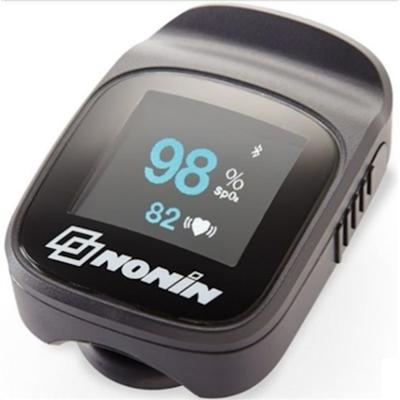
Nonin Medical NoninConnect™ Finger Pulse Oximeter with Bluetooth® Smart Wireless Technology""" NoninConnect™ Finger Pulse Oximeter with Bluetooth® Smart Wireless Technology for Clinicians and Patients — Nonin TruO2® OTC 3250 (OTC, No Prescription Required) The NoninConnect™ finger pulse oximeter is an over-the-counter (OTC) device , made..."299,00 $*Shipping: 0,00 $Secure redirect to the provider
-
What is the overexposure problem with the Nikon D750?
The overexposure problem with the Nikon D750 occurs when shooting in certain lighting conditions, such as bright sunlight or high-contrast scenes. Users have reported that the camera tends to overexpose images, resulting in loss of detail in highlights and washed-out colors. This issue can be particularly problematic when shooting in situations where precise exposure control is crucial, leading to the need for manual adjustments or exposure compensation to correct the problem. **
-
What is the overexposure issue with the Nikon D750?
The overexposure issue with the Nikon D750 occurs when shooting in certain lighting conditions, particularly when using the camera's matrix metering mode. This problem can lead to images being overexposed, resulting in loss of detail in highlights and washed-out colors. Nikon released a firmware update to address this issue, so it is recommended to ensure that your camera has the latest firmware installed to minimize the risk of overexposure. **
-
What can I do to fix the overexposure of my monitor?
To fix the overexposure of your monitor, you can try adjusting the brightness and contrast settings. Start by lowering the brightness to reduce the overexposure and then adjust the contrast to improve the overall picture quality. You can also try using a screen calibration tool to fine-tune the color and brightness settings for more accurate display. If these adjustments don't work, it may be a sign that your monitor is aging and needs to be replaced. **
-
What causes extreme overexposure in the Canon EOS 5D Mark II?
Extreme overexposure in the Canon EOS 5D Mark II can be caused by a few different factors. One common cause is setting the camera's exposure settings too high, such as using a very high ISO or a wide aperture in bright lighting conditions. Additionally, using the camera's automatic exposure settings in very bright or high-contrast scenes can also lead to overexposure. Finally, a malfunctioning light meter or exposure sensor in the camera can also cause extreme overexposure in the Canon EOS 5D Mark II. **
* All prices are inclusive of VAT and, if applicable, plus shipping costs. The offer information is based on the details provided by the respective shop and is updated through automated processes. Real-time updates do not occur, so deviations can occur in individual cases. ** Note: Parts of this content were created by AI.