Buy allphone.eu ?
We are moving the project
allphone.eu .
Are you interested in purchasing the domain
allphone.eu ?
domain@kv-gmbh.de · 0541-91531010
Buy allphone.eu ?
How do automatic emoticons work in Skype?
Automatic emoticons in Skype work by using a combination of characters that represent a specific emotion or expression. When these characters are typed into a chat message, Skype recognizes them and automatically converts them into a corresponding emoticon. For example, typing :) will automatically be converted into a smiling face emoticon. This feature allows users to easily convey emotions and expressions in their messages without having to manually select and insert emoticons from a menu. **
What do these emoticons not mean in context?
These emoticons do not mean happiness or joy in context. Instead, they convey a sense of confusion, surprise, or disbelief. The combination of the raised eyebrows and open mouth suggests a reaction of astonishment or bewilderment rather than a positive emotion. **


Similar search terms for Emoticons
Top-Angebote
Products related to Emoticons:
-
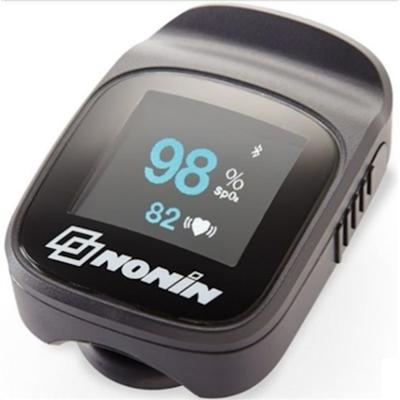
Nonin Medical NoninConnect™ Finger Pulse Oximeter with Bluetooth® Smart Wireless Technology""" NoninConnect™ Finger Pulse Oximeter with Bluetooth® Smart Wireless Technology for Clinicians and Patients — Nonin TruO2® OTC 3250 (OTC, No Prescription Required) The NoninConnect™ finger pulse oximeter is an over-the-counter (OTC) device , made..."299,00 $*Shipping: 0,00 $Secure redirect to the provider
-
Steelplay MetalTech Radian Wireless Gaming Headset - Wireless and Wired Connectivity, Detachable Microphone, Volume ControlsThe Steelplay MetalTech Radian wireless gaming headset offers flexible audio for gaming and everyday entertainment. It's designed for use across consoles, computers, and compatible mobile devices. You can connect wirelessly through the supplied low-latency USB-C dongle or use the detachable 3.5 mm braided cable for a wired connection. The headset features a comfortable, adaptable design with soft ear cushions and an adjustable padded headband for a secure fit during longer gaming, music, and film sessions. The detachable boom microphone supports in-game chat and can be removed when not required. Key features include wireless and wired connectivity, a supplied USB-C dongle for compatible devices, a detachable microphone for flexible voice chat, integrated volume and microphone controls, and a detachable 2 m braided 3.5 mm audio cable. The headset also includes a 1.5 m braided USB-C charging cable and is compatible with PS5, PS4, Nintendo Switch, PC, Mac, and compatible Android or iOS devices using the supplied dongle.26,99 £*Shipping: 3,95 £Secure redirect to the provider
-
On Spot Shop DC Wireless Remote Control Switch With Relay Output, RF Transmitter And Receiver For LED Lighting & Smart Device device With 1 RemoteReliable Control for Lighting & Automation Experience seamless control with the DC12V 8CH 8 Channel Wireless Remote Control LED Light Switch Relay Output Radio RF Transmitter and 315433 MHz Receiver. Designed for convenience, this system allows you...39,97 $*Shipping: 0,00 $Secure redirect to the provider
-
The Handy Homestead DIY Wooden Walkie Talkie Kit For Kids STEM Building Wireless Communication Toy DIY Wooden Walkie Talkie Kit For Kids STEM Building Wireless Communication ToySpark your childs I built this! moment with a handson project that turns curiosity into real play. This 2pcs DIY wooden walkie talkie kit lets kids assemble two working communication toys while exploring basic electronics, sound, and signal...54,97 $*Shipping: 0,00 $Secure redirect to the provider


-
How can one use emoticons on a smartphone?
To use emoticons on a smartphone, you can simply open the keyboard while typing a message and look for the emoji button, usually located next to the space bar. Tapping on the emoji button will bring up a selection of emoticons and emojis that you can choose from to insert into your message. You can also download third-party keyboard apps that offer a wider range of emoticons and customization options. Additionally, some messaging apps have their own built-in emoticon options that you can access while composing a message. **
-
How can I display emoticons in Google Chrome?
To display emoticons in Google Chrome, you can use the built-in emoji keyboard. Simply right-click on any text input field, select "Emoji" from the context menu, and then choose the emoticon you want to use. Alternatively, you can also use keyboard shortcuts to type emoticons directly into the text input field. For example, you can use the Windows key + period (.) or semicolon (;) to open the emoji keyboard and select an emoticon. **
-
How can one add emoticons behind contact names on Android?
To add emoticons behind contact names on Android, you can use third-party apps like "Emoji Contacts Manager" or "Emoticon Contacts." These apps allow you to customize contact names with emoticons and emojis. Simply download the app from the Google Play Store, select the contact you want to add an emoticon to, and choose the emoticon you want to use. This will help you personalize your contacts list with fun and expressive emoticons. **
-
How can you add emoticons behind contact names on Android?
To add emoticons behind contact names on Android, you can use third-party apps like "Emoji Keyboard" or "Emoticon Keyboard." These apps allow you to customize your contact names with emoticons and symbols. Simply download the app, select the contact you want to add an emoticon to, and choose the emoticon you want to use. This will add a fun and personalized touch to your contacts list. **


Why are some chat emoticons, trading cards, badges, etc. on Steam no longer available?
Some chat emoticons, trading cards, badges, etc. on Steam are no longer available because they may have been part of limited-time events or promotions. Once these events end, the items associated with them are no longer obtainable. This scarcity can make them more valuable to collectors and add a sense of exclusivity to those who were able to acquire them during the event. Additionally, removing certain items can help maintain the overall balance and integrity of the Steam marketplace. **
What is digital communication?
Digital communication refers to the exchange of information through electronic devices such as computers, smartphones, and tablets. It involves sending and receiving data in the form of text, images, videos, or audio over digital channels like email, social media, messaging apps, and websites. Digital communication allows for instant and efficient communication between individuals or groups regardless of geographical location, making it a vital aspect of modern-day interactions and business operations. **
Top-Angebote
Products related to Emoticons:
-
Nonin Medical NoninConnect™ Finger Pulse Oximeter with Bluetooth® Smart Wireless Technology""" NoninConnect™ Finger Pulse Oximeter with Bluetooth® Smart Wireless Technology for Clinicians and Patients — Nonin TruO2® OTC 3250 (OTC, No Prescription Required) The NoninConnect™ finger pulse oximeter is an over-the-counter (OTC) device , made..."299,00 $*Shipping: 0,00 $Secure redirect to the provider
-
Steelplay MetalTech Radian Wireless Gaming Headset - Wireless and Wired Connectivity, Detachable Microphone, Volume ControlsThe Steelplay MetalTech Radian wireless gaming headset offers flexible audio for gaming and everyday entertainment. It's designed for use across consoles, computers, and compatible mobile devices. You can connect wirelessly through the supplied low-latency USB-C dongle or use the detachable 3.5 mm braided cable for a wired connection. The headset features a comfortable, adaptable design with soft ear cushions and an adjustable padded headband for a secure fit during longer gaming, music, and film sessions. The detachable boom microphone supports in-game chat and can be removed when not required. Key features include wireless and wired connectivity, a supplied USB-C dongle for compatible devices, a detachable microphone for flexible voice chat, integrated volume and microphone controls, and a detachable 2 m braided 3.5 mm audio cable. The headset also includes a 1.5 m braided USB-C charging cable and is compatible with PS5, PS4, Nintendo Switch, PC, Mac, and compatible Android or iOS devices using the supplied dongle.26,99 £*Shipping: 3,95 £Secure redirect to the provider
-
How do automatic emoticons work in Skype?
Automatic emoticons in Skype work by using a combination of characters that represent a specific emotion or expression. When these characters are typed into a chat message, Skype recognizes them and automatically converts them into a corresponding emoticon. For example, typing :) will automatically be converted into a smiling face emoticon. This feature allows users to easily convey emotions and expressions in their messages without having to manually select and insert emoticons from a menu. **
-
What do these emoticons not mean in context?
These emoticons do not mean happiness or joy in context. Instead, they convey a sense of confusion, surprise, or disbelief. The combination of the raised eyebrows and open mouth suggests a reaction of astonishment or bewilderment rather than a positive emotion. **
-
How can one use emoticons on a smartphone?
To use emoticons on a smartphone, you can simply open the keyboard while typing a message and look for the emoji button, usually located next to the space bar. Tapping on the emoji button will bring up a selection of emoticons and emojis that you can choose from to insert into your message. You can also download third-party keyboard apps that offer a wider range of emoticons and customization options. Additionally, some messaging apps have their own built-in emoticon options that you can access while composing a message. **
-
How can I display emoticons in Google Chrome?
To display emoticons in Google Chrome, you can use the built-in emoji keyboard. Simply right-click on any text input field, select "Emoji" from the context menu, and then choose the emoticon you want to use. Alternatively, you can also use keyboard shortcuts to type emoticons directly into the text input field. For example, you can use the Windows key + period (.) or semicolon (;) to open the emoji keyboard and select an emoticon. **
Similar search terms for Emoticons
-
On Spot Shop DC Wireless Remote Control Switch With Relay Output, RF Transmitter And Receiver For LED Lighting & Smart Device device With 1 RemoteReliable Control for Lighting & Automation Experience seamless control with the DC12V 8CH 8 Channel Wireless Remote Control LED Light Switch Relay Output Radio RF Transmitter and 315433 MHz Receiver. Designed for convenience, this system allows you...39,97 $*Shipping: 0,00 $Secure redirect to the provider
-
The Handy Homestead DIY Wooden Walkie Talkie Kit For Kids STEM Building Wireless Communication Toy DIY Wooden Walkie Talkie Kit For Kids STEM Building Wireless Communication ToySpark your childs I built this! moment with a handson project that turns curiosity into real play. This 2pcs DIY wooden walkie talkie kit lets kids assemble two working communication toys while exploring basic electronics, sound, and signal...54,97 $*Shipping: 0,00 $Secure redirect to the provider
-
Tools, Home & Hobby Automatic Pasta Maker Machine With Shapes & Smart Kneading Technology Automatic Pasta Maker Machine With Shapes & Smart Kneading TechnologyBring the joy of fresh, restaurantstyle pasta into your kitchen with this automatic pasta maker designed for busy families, home cooks, and pasta lovers alike. With intelligent onetouch operation and authentic kneading technology, this electric...174,97 $*Shipping: 0,00 $Secure redirect to the provider
-
Drop Dash Deals Phone Repair Tool Kit Precision Screwdriver Set For Smart Device Phone Repair Tool Kit Precision Screwdriver Set For Smart DeviceLooking for a reliable toolset to repair your iPhone or iPad The 14Piece iPhone Repair Tool Kit is designed to give you everything you need to safely and efficiently repair your Apple devices. Whether you're tackling screen replacements, battery...47,97 $*Shipping: 0,00 $Secure redirect to the provider
-
How can one add emoticons behind contact names on Android?
To add emoticons behind contact names on Android, you can use third-party apps like "Emoji Contacts Manager" or "Emoticon Contacts." These apps allow you to customize contact names with emoticons and emojis. Simply download the app from the Google Play Store, select the contact you want to add an emoticon to, and choose the emoticon you want to use. This will help you personalize your contacts list with fun and expressive emoticons. **
-
How can you add emoticons behind contact names on Android?
To add emoticons behind contact names on Android, you can use third-party apps like "Emoji Keyboard" or "Emoticon Keyboard." These apps allow you to customize your contact names with emoticons and symbols. Simply download the app, select the contact you want to add an emoticon to, and choose the emoticon you want to use. This will add a fun and personalized touch to your contacts list. **
-
Why are some chat emoticons, trading cards, badges, etc. on Steam no longer available?
Some chat emoticons, trading cards, badges, etc. on Steam are no longer available because they may have been part of limited-time events or promotions. Once these events end, the items associated with them are no longer obtainable. This scarcity can make them more valuable to collectors and add a sense of exclusivity to those who were able to acquire them during the event. Additionally, removing certain items can help maintain the overall balance and integrity of the Steam marketplace. **
-
What is digital communication?
Digital communication refers to the exchange of information through electronic devices such as computers, smartphones, and tablets. It involves sending and receiving data in the form of text, images, videos, or audio over digital channels like email, social media, messaging apps, and websites. Digital communication allows for instant and efficient communication between individuals or groups regardless of geographical location, making it a vital aspect of modern-day interactions and business operations. **
* All prices are inclusive of VAT and, if applicable, plus shipping costs. The offer information is based on the details provided by the respective shop and is updated through automated processes. Real-time updates do not occur, so deviations can occur in individual cases. ** Note: Parts of this content were created by AI.