Buy allphone.eu ?
We are moving the project
allphone.eu .
Are you interested in purchasing the domain
allphone.eu ?
domain@kv-gmbh.de · 0541-91531010
Buy allphone.eu ?
What is digital communication?
Digital communication refers to the exchange of information through electronic devices such as computers, smartphones, and tablets. It involves sending and receiving data in the form of text, images, videos, or audio over digital channels like email, social media, messaging apps, and websites. Digital communication allows for instant and efficient communication between individuals or groups regardless of geographical location, making it a vital aspect of modern-day interactions and business operations. **
How do I activate wireless connectivity in Windows 7?
To activate wireless connectivity in Windows 7, you can follow these steps: 1. Click on the Start button and then select Control Panel. 2. In the Control Panel, click on Network and Sharing Center. 3. In the Network and Sharing Center, click on the "Change adapter settings" option on the left-hand side. 4. Right-click on the wireless network connection and select "Enable" from the drop-down menu. Once you have completed these steps, your wireless connectivity should be activated and you should be able to connect to available wireless networks. **


Similar search terms for Ceiling
Top-Angebote
Products related to Ceiling:
-
SWISSTEN 22071510 Charger Device, mobile communicationPlug Type: Schuko; Connectors/Plugs: USB type-C, USB; Charge Mode: GaN, PD; Overcharging protection: Yes; Overheating protection: Yes; Short Circuit Protection: Yes; Colour: black; Number of inlets/outlets: 2; Power [W]: 126,59 £*Shipping: 8,45 £Secure redirect to the provider
-
All Categories Goods Electric Garage Heater Digital Ceiling Mount Heater With Remote Control Electric Garage Heater Digital Ceiling Mount Heater With Remote ControlA cold garage can slow down projects, workouts, or long workdays. The electric garage heater from Uimoso is designed to quickly transform chilly spaces into warm, comfortable environments. Built with powerful heating performance and smart digital...549,97 $*Shipping: 0,00 $Secure redirect to the provider




-
Is it possible to connect a regular ceiling light with Smart Home?
Yes, it is possible to connect a regular ceiling light with a Smart Home system. You can achieve this by installing a smart light switch or a smart light bulb. A smart light switch can replace the existing switch and allow you to control the ceiling light using a smartphone app or voice commands. Alternatively, you can use a smart light bulb that can be installed directly into the existing light fixture and controlled through a Smart Home hub or app. Both options allow you to integrate your regular ceiling light into your Smart Home system for added convenience and control. **
-
Can I install ceiling spotlights in a plasterboard ceiling afterwards?
Yes, it is possible to install ceiling spotlights in a plasterboard ceiling afterwards. You will need to cut holes in the plasterboard ceiling to accommodate the spotlights and then wire them properly. It is recommended to consult with a professional electrician to ensure the installation is done safely and correctly. Additionally, consider the placement and spacing of the spotlights to achieve the desired lighting effect. **
-
How can a ceiling attachment be installed on any ceiling?
A ceiling attachment can be installed on any ceiling by using a few simple steps. First, locate the ceiling joists using a stud finder. Once the joists are located, mark the spots where the attachment will be installed. Next, drill pilot holes into the joists and then screw in the attachment securely. Finally, attach the desired equipment to the ceiling attachment and ensure that it is properly secured. This process can be repeated for multiple attachments if needed. **
-
How do I install a ceiling fan under a drywall ceiling?
To install a ceiling fan under a drywall ceiling, you will first need to locate the ceiling joists using a stud finder. Once you have located the joists, mark their positions on the ceiling. Then, use a ceiling fan mounting bracket to attach the fan to the ceiling joists. After securing the mounting bracket, you can then wire the fan according to the manufacturer's instructions and attach the fan blades. Finally, turn on the power and test the fan to ensure it is working properly. If you are unsure about any part of the installation process, it is recommended to consult a professional electrician. **

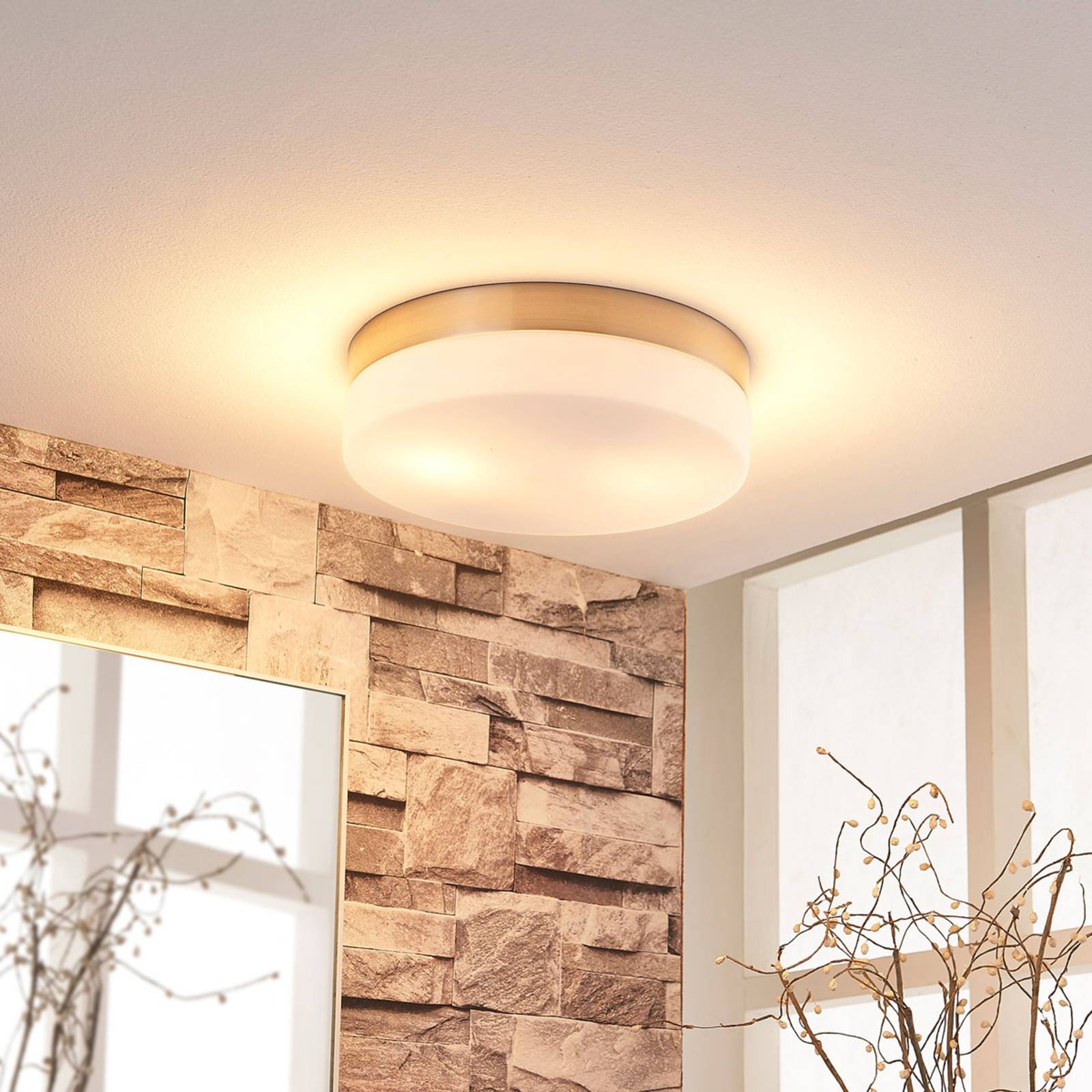
Wooden ceiling or drywall?
The choice between a wooden ceiling and drywall depends on the desired aesthetic, budget, and maintenance preferences. A wooden ceiling can add warmth and character to a space, but it may require more maintenance and be more expensive than drywall. Drywall is a more cost-effective and low-maintenance option, but it may lack the natural beauty and texture of wood. Ultimately, the decision should be based on the specific needs and style of the space. **
Is the ceiling dangerous?
The danger of a ceiling depends on its condition. If the ceiling is structurally compromised, such as having water damage, cracks, or sagging, it could pose a danger of collapsing. Additionally, if there are loose or damaged ceiling materials, such as plaster or tiles, there is a risk of them falling and causing injury. It's important to regularly inspect and maintain ceilings to ensure they are safe. **
Top-Angebote
Products related to Ceiling:
-
What is digital communication?
Digital communication refers to the exchange of information through electronic devices such as computers, smartphones, and tablets. It involves sending and receiving data in the form of text, images, videos, or audio over digital channels like email, social media, messaging apps, and websites. Digital communication allows for instant and efficient communication between individuals or groups regardless of geographical location, making it a vital aspect of modern-day interactions and business operations. **
-
How do I activate wireless connectivity in Windows 7?
To activate wireless connectivity in Windows 7, you can follow these steps: 1. Click on the Start button and then select Control Panel. 2. In the Control Panel, click on Network and Sharing Center. 3. In the Network and Sharing Center, click on the "Change adapter settings" option on the left-hand side. 4. Right-click on the wireless network connection and select "Enable" from the drop-down menu. Once you have completed these steps, your wireless connectivity should be activated and you should be able to connect to available wireless networks. **
-
Is it possible to connect a regular ceiling light with Smart Home?
Yes, it is possible to connect a regular ceiling light with a Smart Home system. You can achieve this by installing a smart light switch or a smart light bulb. A smart light switch can replace the existing switch and allow you to control the ceiling light using a smartphone app or voice commands. Alternatively, you can use a smart light bulb that can be installed directly into the existing light fixture and controlled through a Smart Home hub or app. Both options allow you to integrate your regular ceiling light into your Smart Home system for added convenience and control. **
-
Can I install ceiling spotlights in a plasterboard ceiling afterwards?
Yes, it is possible to install ceiling spotlights in a plasterboard ceiling afterwards. You will need to cut holes in the plasterboard ceiling to accommodate the spotlights and then wire them properly. It is recommended to consult with a professional electrician to ensure the installation is done safely and correctly. Additionally, consider the placement and spacing of the spotlights to achieve the desired lighting effect. **
Similar search terms for Ceiling
-
SWISSTEN 22071510 Charger Device, mobile communicationPlug Type: Schuko; Connectors/Plugs: USB type-C, USB; Charge Mode: GaN, PD; Overcharging protection: Yes; Overheating protection: Yes; Short Circuit Protection: Yes; Colour: black; Number of inlets/outlets: 2; Power [W]: 126,59 £*Shipping: 8,45 £Secure redirect to the provider
-
All Categories Goods Electric Garage Heater Digital Ceiling Mount Heater With Remote Control Electric Garage Heater Digital Ceiling Mount Heater With Remote ControlA cold garage can slow down projects, workouts, or long workdays. The electric garage heater from Uimoso is designed to quickly transform chilly spaces into warm, comfortable environments. Built with powerful heating performance and smart digital...549,97 $*Shipping: 0,00 $Secure redirect to the provider
-
Daily Deals Depot USB Rechargeable Ceiling & Neck Fan With Digital Display greenStay cool and comfortable wherever life takes you with the BreezeGo USB Rechargeable Ceiling & Neck Fan with Digital Display. Designed for students, office workers, travelers, and outdoor enthusiasts, this versatile USB rechargeable fan delivers...43,97 $*Shipping: 0,00 $Secure redirect to the provider
-
How can a ceiling attachment be installed on any ceiling?
A ceiling attachment can be installed on any ceiling by using a few simple steps. First, locate the ceiling joists using a stud finder. Once the joists are located, mark the spots where the attachment will be installed. Next, drill pilot holes into the joists and then screw in the attachment securely. Finally, attach the desired equipment to the ceiling attachment and ensure that it is properly secured. This process can be repeated for multiple attachments if needed. **
-
How do I install a ceiling fan under a drywall ceiling?
To install a ceiling fan under a drywall ceiling, you will first need to locate the ceiling joists using a stud finder. Once you have located the joists, mark their positions on the ceiling. Then, use a ceiling fan mounting bracket to attach the fan to the ceiling joists. After securing the mounting bracket, you can then wire the fan according to the manufacturer's instructions and attach the fan blades. Finally, turn on the power and test the fan to ensure it is working properly. If you are unsure about any part of the installation process, it is recommended to consult a professional electrician. **
-
Wooden ceiling or drywall?
The choice between a wooden ceiling and drywall depends on the desired aesthetic, budget, and maintenance preferences. A wooden ceiling can add warmth and character to a space, but it may require more maintenance and be more expensive than drywall. Drywall is a more cost-effective and low-maintenance option, but it may lack the natural beauty and texture of wood. Ultimately, the decision should be based on the specific needs and style of the space. **
-
Is the ceiling dangerous?
The danger of a ceiling depends on its condition. If the ceiling is structurally compromised, such as having water damage, cracks, or sagging, it could pose a danger of collapsing. Additionally, if there are loose or damaged ceiling materials, such as plaster or tiles, there is a risk of them falling and causing injury. It's important to regularly inspect and maintain ceilings to ensure they are safe. **
* All prices are inclusive of VAT and, if applicable, plus shipping costs. The offer information is based on the details provided by the respective shop and is updated through automated processes. Real-time updates do not occur, so deviations can occur in individual cases. ** Note: Parts of this content were created by AI.