Buy allphone.eu ?
We are moving the project
allphone.eu .
Are you interested in purchasing the domain
allphone.eu ?
domain@kv-gmbh.de · 0541-91531010
Buy allphone.eu ?
Can you pair a Bluetooth headset to a car radio with Bluetooth phone connectivity?
Yes, you can pair a Bluetooth headset to a car radio with Bluetooth phone connectivity. However, it is important to note that some car radios may not support the simultaneous connection of multiple Bluetooth devices. In such cases, you may need to disconnect the phone connection in order to pair the Bluetooth headset. Additionally, the process of pairing a Bluetooth headset to a car radio may vary depending on the make and model of the car radio, so it is recommended to refer to the car radio's user manual for specific instructions. **
Should I change the Bluetooth kit or the speakers?
If you are experiencing issues with the sound quality or connectivity of your audio system, it is recommended to first assess the condition of your speakers. If the speakers are old, damaged, or not functioning properly, replacing them may improve the overall audio experience. However, if the speakers are in good condition and the issue lies with the Bluetooth kit, then replacing the kit may be the more cost-effective solution. It is important to identify the root cause of the problem before deciding whether to change the Bluetooth kit or the speakers. **

Similar search terms for Bluetooth-Handsfree-Car-Kit
Top-Angebote
Products related to Bluetooth-Handsfree-Car-Kit:
-
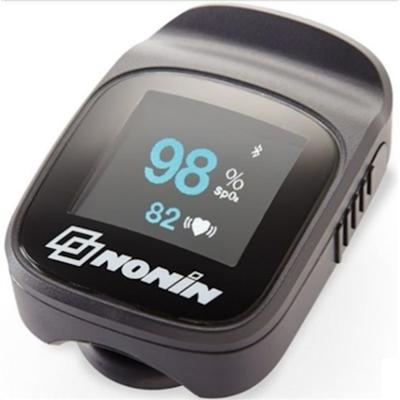
Nonin Medical NoninConnect™ Finger Pulse Oximeter with Bluetooth® Smart Wireless Technology""" NoninConnect™ Finger Pulse Oximeter with Bluetooth® Smart Wireless Technology for Clinicians and Patients — Nonin TruO2® OTC 3250 (OTC, No Prescription Required) The NoninConnect™ finger pulse oximeter is an over-the-counter (OTC) device , made..."299,00 $*Shipping: 0,00 $Secure redirect to the provider
-
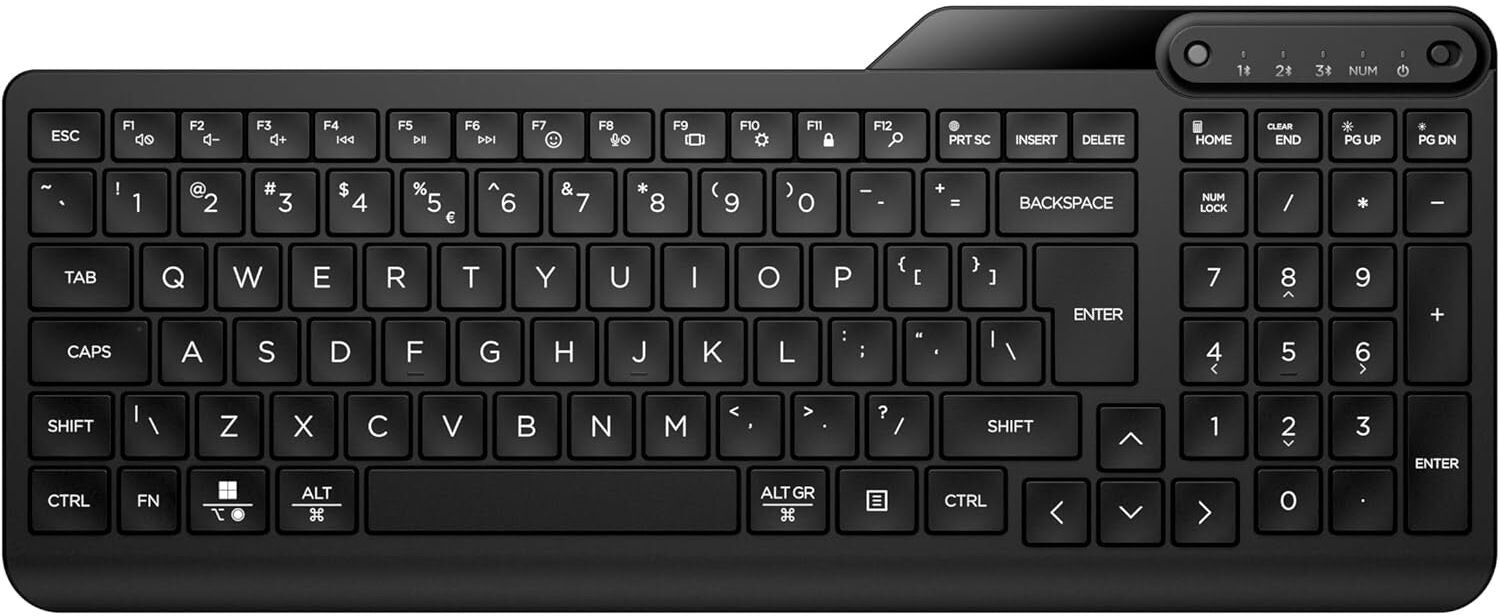
HP 460 Multi-Device Wireless Bluetooth Keyboard - Black, NewOverview Work seamlessly across your laptop, tablet and desktop with the HP 460 Multi-Device Wireless Bluetooth Keyboard - Black. Designed for modern multitasking, this compact keyboard gives you the comfort of a full typing layout with the freedom of wireless Bluetooth connectivity. With multi-device switching, programmable keys, quiet typing and a full numeric keypad, it helps you stay productive at home, in the office or on the move. Key Features & Benefits Switch Between Devices Effortlessly – Connect up to three devices and move between them using quick device switching, making it easier to work across your PC, Mac, tablet or mobile setup without constantly reconnecting. Full Productivity in a Compact Design – Enjoy the convenience of a full keyboard experience, including a numeric keypad, in a slim layout that fits neatly on your desk and is easier to carry between workspaces. Custom Shortcuts for Faster Workflow – The 12 programmable keys let you create personalised shortcuts, helping you launch tools, control functions and complete repeated tasks with fewer clicks. Comfortable, Quiet Typing – Concave keycaps and quiet typing make long work sessions feel smoother and less distracting, ideal for shared offices, home working and study environments. Long Battery Life for Less Hassle – Get up to 24 months of battery life from 2 x AAA batteries, reducing the need for frequent replacements and keeping your keyboard ready when you need it. Practical Spill-Resistant Design – The spill-resistant build adds everyday reassurance, helping protect the keyboard from minor accidents around busy desks and home offices. Adjustable Typing Angle – Tiltable keyboard legs allow you to find a more comfortable working position, helping support better typing comfort throughout the day. Easy Wireless Setup with Bluetooth – Bluetooth connectivity keeps your workspace cleaner and cable-free, while Swift Pair support makes compatible device pairing faster and more convenient. Wide Multi-OS Compatibility – Designed for flexible use across popular platforms, including Windows, macOS, ChromeOS, iOS/iPadOS and Android, depending on device support. Why Choose This Product The HP 460 Multi-Device Wireless Bluetooth Keyboard - Black is built for people who work across more than one screen, device or location. Instead of juggling separate keyboards or wasting time reconnecting accessories, you can type comfortably, switch quickly and keep your workspace organised. Its slim black design looks professional, while the full numpad, programmable shortcuts and long battery life make it a practical upgrade for everyday productivity. For home workers, office users and students, it delivers the right balance of comfort, portability and control. Specifications Table Specification Details Model HP 460 Multi-Device Wireless Bluetooth Keyboard Colour Black Product Type Wireless Bluetooth keyboard Connectivity Bluetooth Multi-Device Support Connect up to 3 devices Keyboard Layout Compact...35,00 £*Shipping: 0,00 £Secure redirect to the provider
-
Tools, Home & Hobby Smart Waterless Essential Oil Diffuser With Bluetooth Cold Air Scent Technology Smart Waterless Essential Oil Diffuser With Bluetooth Cold Air Scent TechnologyTransform everyday spaces into a fresh, inviting retreat with this waterless essential oil diffuser. Designed for homes, offices, spas, hotels, and other larger spaces, it distributes fragrance across areas up to 1,000 sq. ft. using efficient cold...129,97 $*Shipping: 0,00 $Secure redirect to the provider


-
What is a kit car in Switzerland?
In Switzerland, a kit car refers to a type of vehicle that is assembled by the owner using components and parts from various sources. These cars are often built from kits purchased from manufacturers and then assembled by the owner, allowing for customization and personalization. Kit cars in Switzerland must meet certain safety and emissions standards in order to be registered and driven on the roads. **
-
How do I connect my iPhone to my smart car via Bluetooth?
To connect your iPhone to your smart car via Bluetooth, first, make sure that your car's Bluetooth is turned on. Then, go to the Bluetooth settings on your iPhone and turn on Bluetooth. Your car should appear in the list of available devices, so select it to pair the two devices. Follow any on-screen prompts to complete the pairing process. Once connected, you should be able to make calls, play music, and use other features through your car's audio system. **
-
How do I transfer mobile contacts to the car via Bluetooth?
To transfer mobile contacts to the car via Bluetooth, you first need to ensure that both your mobile device and the car's Bluetooth system are paired and connected. Once connected, navigate to the Bluetooth settings on your mobile device and look for an option to share contacts or enable contact sharing. Select this option and choose the car's Bluetooth device as the recipient. Follow any on-screen prompts to complete the transfer process. Finally, check the car's display or infotainment system to confirm that the contacts have been successfully transferred. **
-
Why is the Bluetooth car speaker quiet?
The Bluetooth car speaker may be quiet due to several reasons. It could be a result of low volume settings on either the speaker or the connected device. Additionally, interference from other electronic devices or a weak Bluetooth connection can also cause the speaker to be quiet. Lastly, the speaker itself may be malfunctioning or damaged, leading to reduced sound output. **


Does this car have a Bluetooth connection?
I'm sorry, I cannot provide real-time information about specific cars. To determine if a car has a Bluetooth connection, you can check the car's specifications or features list provided by the manufacturer. Additionally, you can look for a Bluetooth symbol on the car's audio system or consult the owner's manual for more information. **
Search for a Bluetooth driver for a Bluetooth peripheral device.
To search for a Bluetooth driver for a Bluetooth peripheral device, you can start by visiting the official website of the device manufacturer and looking for driver downloads or support sections. You can also use the Windows Device Manager to search for and update the driver for the Bluetooth peripheral device. Additionally, you can use third-party driver update software to automatically search for and install the appropriate driver for your Bluetooth peripheral device. Always ensure that you are downloading drivers from trusted sources to avoid potential security risks. **
Top-Angebote
Products related to Bluetooth-Handsfree-Car-Kit:
-
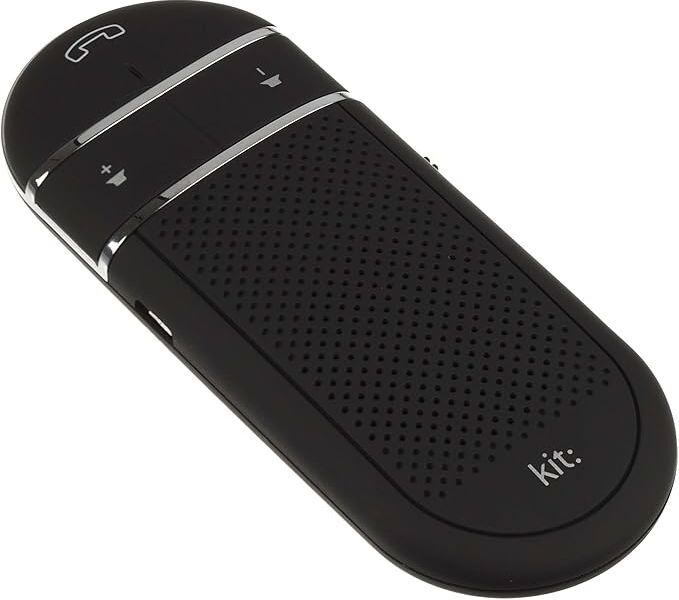
Uplifted Goods Bluetooth Five Point Zero Handsfree Car Kit With HiFi Speaker bluetooth 5.0Stay connected safely while driving with this Bluetooth handsfree car kit featuring a clear high fidelity speaker and easy visor clip mount. Enjoy wireless calls, music playback and voice assistant support without taking your hands off the wheel....49,97 $*Shipping: 0,00 $Secure redirect to the provider
-
Bluetooth Handsfree Car Kit – Sun Visor Speakerphone, Universal Phone Compatibility, Easy Setup, NewStay connected and drive safely with the Bluetooth Handsfree Car Kit – Sun Visor Speakerphone. Designed for effortless communication on the go, this wireless car speakerphone clips easily onto your sun visor and pairs seamlessly with any Bluetooth-enabled smartphone. With crystal-clear audio, voice control support, and an easy-to-use interface, it’s the ideal hands-free solution for making calls, listening to GPS directions, and enjoying music — all without taking your hands off the wheel. Perfect for commuters, road trippers, and anyone who values convenience and safety while driving. 🔶 ( Hands-Free Calling ) – Enjoy clear, wireless calls without touching your phone. 🔶 ( Sun Visor Clip Design ) – Securely attaches to your car’s sun visor for optimal mic and speaker placement. 🔶 ( Universal Phone Compatibility ) – Works with all Bluetooth-enabled smartphones, including iPhone and Android. 🔶 ( Easy One-Touch Setup ) – Pair your device in seconds with simple, user-friendly controls. 🔶 ( HD Audio & Noise Cancellation ) – Clear sound quality even on noisy roads or highways. 🔶 ( Voice Assistant Support ) – Compatible with Siri, Google Assistant, and other voice control systems. 🔶 ( Auto Power On/Off ) – Automatically powers on when you enter the car and off when you leave. 🔶 ( Long Battery Life ) – Up to 20 hours of talk time and 1000 hours of standby on a single charge. 🔶 ( Multipoint Connection ) – Connect two devices simultaneously for work and personal use. 🔶 ( Built-In Speaker & Mic ) – Loud and clear audio with no need for external accessories. The Bluetooth Handsfree Car Kit – Sun Visor Speakerphone is your perfect in-car companion for safer, smarter driving. Whether you're making important calls, following GPS directions, or just staying connected hands-free, this compact and powerful device ensures a seamless driving experience with zero distractions. A must-have accessory for modern drivers who prioritize safety and convenience on the road.34,94 £*Shipping: 0,00 £Secure redirect to the provider
-
Nonin Medical NoninConnect™ Finger Pulse Oximeter with Bluetooth® Smart Wireless Technology""" NoninConnect™ Finger Pulse Oximeter with Bluetooth® Smart Wireless Technology for Clinicians and Patients — Nonin TruO2® OTC 3250 (OTC, No Prescription Required) The NoninConnect™ finger pulse oximeter is an over-the-counter (OTC) device , made..."299,00 $*Shipping: 0,00 $Secure redirect to the provider
-
Can you pair a Bluetooth headset to a car radio with Bluetooth phone connectivity?
Yes, you can pair a Bluetooth headset to a car radio with Bluetooth phone connectivity. However, it is important to note that some car radios may not support the simultaneous connection of multiple Bluetooth devices. In such cases, you may need to disconnect the phone connection in order to pair the Bluetooth headset. Additionally, the process of pairing a Bluetooth headset to a car radio may vary depending on the make and model of the car radio, so it is recommended to refer to the car radio's user manual for specific instructions. **
-
Should I change the Bluetooth kit or the speakers?
If you are experiencing issues with the sound quality or connectivity of your audio system, it is recommended to first assess the condition of your speakers. If the speakers are old, damaged, or not functioning properly, replacing them may improve the overall audio experience. However, if the speakers are in good condition and the issue lies with the Bluetooth kit, then replacing the kit may be the more cost-effective solution. It is important to identify the root cause of the problem before deciding whether to change the Bluetooth kit or the speakers. **
-
What is a kit car in Switzerland?
In Switzerland, a kit car refers to a type of vehicle that is assembled by the owner using components and parts from various sources. These cars are often built from kits purchased from manufacturers and then assembled by the owner, allowing for customization and personalization. Kit cars in Switzerland must meet certain safety and emissions standards in order to be registered and driven on the roads. **
-
How do I connect my iPhone to my smart car via Bluetooth?
To connect your iPhone to your smart car via Bluetooth, first, make sure that your car's Bluetooth is turned on. Then, go to the Bluetooth settings on your iPhone and turn on Bluetooth. Your car should appear in the list of available devices, so select it to pair the two devices. Follow any on-screen prompts to complete the pairing process. Once connected, you should be able to make calls, play music, and use other features through your car's audio system. **
Similar search terms for Bluetooth-Handsfree-Car-Kit
-
HP 460 Multi-Device Wireless Bluetooth Keyboard - Black, NewOverview Work seamlessly across your laptop, tablet and desktop with the HP 460 Multi-Device Wireless Bluetooth Keyboard - Black. Designed for modern multitasking, this compact keyboard gives you the comfort of a full typing layout with the freedom of wireless Bluetooth connectivity. With multi-device switching, programmable keys, quiet typing and a full numeric keypad, it helps you stay productive at home, in the office or on the move. Key Features & Benefits Switch Between Devices Effortlessly – Connect up to three devices and move between them using quick device switching, making it easier to work across your PC, Mac, tablet or mobile setup without constantly reconnecting. Full Productivity in a Compact Design – Enjoy the convenience of a full keyboard experience, including a numeric keypad, in a slim layout that fits neatly on your desk and is easier to carry between workspaces. Custom Shortcuts for Faster Workflow – The 12 programmable keys let you create personalised shortcuts, helping you launch tools, control functions and complete repeated tasks with fewer clicks. Comfortable, Quiet Typing – Concave keycaps and quiet typing make long work sessions feel smoother and less distracting, ideal for shared offices, home working and study environments. Long Battery Life for Less Hassle – Get up to 24 months of battery life from 2 x AAA batteries, reducing the need for frequent replacements and keeping your keyboard ready when you need it. Practical Spill-Resistant Design – The spill-resistant build adds everyday reassurance, helping protect the keyboard from minor accidents around busy desks and home offices. Adjustable Typing Angle – Tiltable keyboard legs allow you to find a more comfortable working position, helping support better typing comfort throughout the day. Easy Wireless Setup with Bluetooth – Bluetooth connectivity keeps your workspace cleaner and cable-free, while Swift Pair support makes compatible device pairing faster and more convenient. Wide Multi-OS Compatibility – Designed for flexible use across popular platforms, including Windows, macOS, ChromeOS, iOS/iPadOS and Android, depending on device support. Why Choose This Product The HP 460 Multi-Device Wireless Bluetooth Keyboard - Black is built for people who work across more than one screen, device or location. Instead of juggling separate keyboards or wasting time reconnecting accessories, you can type comfortably, switch quickly and keep your workspace organised. Its slim black design looks professional, while the full numpad, programmable shortcuts and long battery life make it a practical upgrade for everyday productivity. For home workers, office users and students, it delivers the right balance of comfort, portability and control. Specifications Table Specification Details Model HP 460 Multi-Device Wireless Bluetooth Keyboard Colour Black Product Type Wireless Bluetooth keyboard Connectivity Bluetooth Multi-Device Support Connect up to 3 devices Keyboard Layout Compact...35,00 £*Shipping: 0,00 £Secure redirect to the provider
-
Tools, Home & Hobby Smart Waterless Essential Oil Diffuser With Bluetooth Cold Air Scent Technology Smart Waterless Essential Oil Diffuser With Bluetooth Cold Air Scent TechnologyTransform everyday spaces into a fresh, inviting retreat with this waterless essential oil diffuser. Designed for homes, offices, spas, hotels, and other larger spaces, it distributes fragrance across areas up to 1,000 sq. ft. using efficient cold...129,97 $*Shipping: 0,00 $Secure redirect to the provider
-
Tools, Home & Hobby Smart HVAC Scent Diffuser With Waterless Cold Air Technology And Bluetooth Control Smart HVAC Scent Diffuser With Waterless Cold Air Technology And Bluetooth ControlTransform large spaces into inviting, beautifully scented environments with a HVAC scent diffuser designed for effortless wholespace fragrance. Its 850ml capacity and cold air diffusion technology distribute essential oils efficiently across areas...199,97 $*Shipping: 0,00 $Secure redirect to the provider
-
Uplifted Trends Apex Audio Elite TWS Bluetooth Earbuds With Smart Digital Charging Display Apex Audio Elite TWS Bluetooth Earbuds With Smart Digital Charging DisplayCut the cords and immerse yourself in pure, uninterrupted sound designed to move with you. Built for music lovers and active gogetters, these high fidelity wireless headphones deliver crisp highs and deep bass that bring your favorite playlists to...34,97 $*Shipping: 0,00 $Secure redirect to the provider
-
How do I transfer mobile contacts to the car via Bluetooth?
To transfer mobile contacts to the car via Bluetooth, you first need to ensure that both your mobile device and the car's Bluetooth system are paired and connected. Once connected, navigate to the Bluetooth settings on your mobile device and look for an option to share contacts or enable contact sharing. Select this option and choose the car's Bluetooth device as the recipient. Follow any on-screen prompts to complete the transfer process. Finally, check the car's display or infotainment system to confirm that the contacts have been successfully transferred. **
-
Why is the Bluetooth car speaker quiet?
The Bluetooth car speaker may be quiet due to several reasons. It could be a result of low volume settings on either the speaker or the connected device. Additionally, interference from other electronic devices or a weak Bluetooth connection can also cause the speaker to be quiet. Lastly, the speaker itself may be malfunctioning or damaged, leading to reduced sound output. **
-
Does this car have a Bluetooth connection?
I'm sorry, I cannot provide real-time information about specific cars. To determine if a car has a Bluetooth connection, you can check the car's specifications or features list provided by the manufacturer. Additionally, you can look for a Bluetooth symbol on the car's audio system or consult the owner's manual for more information. **
-
Search for a Bluetooth driver for a Bluetooth peripheral device.
To search for a Bluetooth driver for a Bluetooth peripheral device, you can start by visiting the official website of the device manufacturer and looking for driver downloads or support sections. You can also use the Windows Device Manager to search for and update the driver for the Bluetooth peripheral device. Additionally, you can use third-party driver update software to automatically search for and install the appropriate driver for your Bluetooth peripheral device. Always ensure that you are downloading drivers from trusted sources to avoid potential security risks. **
* All prices are inclusive of VAT and, if applicable, plus shipping costs. The offer information is based on the details provided by the respective shop and is updated through automated processes. Real-time updates do not occur, so deviations can occur in individual cases. ** Note: Parts of this content were created by AI.