Buy allphone.eu ?
We are moving the project
allphone.eu .
Are you interested in purchasing the domain
allphone.eu ?
domain@kv-gmbh.de · 0541-91531010
Buy allphone.eu ?
Why can't the BIOS find a bootable device?
The BIOS may not be able to find a bootable device due to several reasons. It could be because the boot order is not set correctly in the BIOS settings, the bootable device is not properly connected or recognized by the system, the boot sector of the device is corrupted, or the device itself is malfunctioning. Additionally, if the BIOS is outdated or not functioning properly, it may also have difficulty finding a bootable device. Troubleshooting these issues may involve checking the BIOS settings, ensuring the device is properly connected, and potentially updating the BIOS firmware. **
Does a mobile phone have a BIOS?
Yes, a mobile phone does have a BIOS (Basic Input/Output System), although it is often referred to as the firmware or boot loader. The BIOS on a mobile phone is responsible for initializing the hardware components and starting the operating system. It also provides low-level control over the device's hardware, such as the processor, memory, and input/output systems. While the BIOS on a mobile phone may not be as accessible or customizable as on a computer, it still plays a crucial role in the device's functionality. **

Similar search terms for BIOS
Top-Angebote
Products related to BIOS:
-
The Handy Homestead DIY Wooden Walkie Talkie Kit For Kids STEM Building Wireless Communication Toy DIY Wooden Walkie Talkie Kit For Kids STEM Building Wireless Communication ToySpark your childs I built this! moment with a handson project that turns curiosity into real play. This 2pcs DIY wooden walkie talkie kit lets kids assemble two working communication toys while exploring basic electronics, sound, and signal...54,97 $*Shipping: 0,00 $Secure redirect to the provider
-
Steelplay MetalTech Radian Wireless Gaming Headset - Wireless and Wired Connectivity, Detachable Microphone, Volume ControlsThe Steelplay MetalTech Radian wireless gaming headset offers flexible audio for gaming and everyday entertainment. It's designed for use across consoles, computers, and compatible mobile devices. You can connect wirelessly through the supplied low-latency USB-C dongle or use the detachable 3.5 mm braided cable for a wired connection. The headset features a comfortable, adaptable design with soft ear cushions and an adjustable padded headband for a secure fit during longer gaming, music, and film sessions. The detachable boom microphone supports in-game chat and can be removed when not required. Key features include wireless and wired connectivity, a supplied USB-C dongle for compatible devices, a detachable microphone for flexible voice chat, integrated volume and microphone controls, and a detachable 2 m braided 3.5 mm audio cable. The headset also includes a 1.5 m braided USB-C charging cable and is compatible with PS5, PS4, Nintendo Switch, PC, Mac, and compatible Android or iOS devices using the supplied dongle.26,99 £*Shipping: 3,95 £Secure redirect to the provider
-
On Spot Shop DC Wireless Remote Control Switch With Relay Output, RF Transmitter And Receiver For LED Lighting & Smart Device device With 1 RemoteReliable Control for Lighting & Automation Experience seamless control with the DC12V 8CH 8 Channel Wireless Remote Control LED Light Switch Relay Output Radio RF Transmitter and 315433 MHz Receiver. Designed for convenience, this system allows you...39,97 $*Shipping: 0,00 $Secure redirect to the provider
-
NENO Beauty Algo device for facial firming and contouring using EMS and RF technology 1 pcNENO Beauty Algo, 1 pc, Facial lifting devices for Women, Do you want to take your regular skincare routine to the next level? You don’t have to go to a beauty salon immediately; the NENO Beauty Algo device enables you to get a professional facial as if it had been done by a beauty therapist, in the comfort of your home. It helps improve the appearance of your skin, boosting its vitality and natural beauty. Use it to create a little personal beauty ritual of your own to look forward to every day. Characteristics: massages the face gently promotes the absorption of beauty products enhances blood circulation in the skin improves skin quality promotes collagen production effectively smooths wrinkles and fine lines a non-invasive skincare method restores skin elasticity USB charging cable included suitable for everyday use visibly rejuvenates skin smooths wrinkles and tightens the skin in general gently tightens skin restores skin firmness and leaves it tight stimulates elastin production the ergonomic design ensures a comfortable grip and full control of the device low noise level lightweight design revitalises revitalises and slows down the skin ageing process How to use: Follow the instructions for use included.150,45 £*Shipping: 3,99 £Secure redirect to the provider


-
How can I disable the virtualization technology in the BIOS?
To disable virtualization technology in the BIOS, you will need to access the BIOS settings during the computer's startup process. This is typically done by pressing a specific key (such as F2, F10, or Del) as the computer boots up. Once in the BIOS settings, look for an option related to virtualization technology (often labeled as Intel VT-x or AMD-V) and disable it. Save the changes and exit the BIOS settings to apply the changes. Keep in mind that the exact steps may vary depending on the manufacturer and model of your computer. **
-
Does the BIOS recognize the BIOS file?
Yes, the BIOS recognizes the BIOS file as it is responsible for initializing and managing hardware components during the boot process. The BIOS file contains the necessary instructions and settings for the motherboard to communicate with the hardware components. If the BIOS file is corrupted or missing, the system may fail to boot properly. Regular updates to the BIOS file can improve system stability and compatibility with new hardware. **
-
Does the BIOS not recognize the BIOS file?
If the BIOS does not recognize the BIOS file, it could be due to several reasons. The file may be corrupted or incompatible with the BIOS version. Ensure that you have downloaded the correct BIOS file for your specific motherboard model. Additionally, check if the file format is supported by the BIOS. If the issue persists, you may need to consult the motherboard manufacturer's support or consider updating the BIOS using a different method. **
-
What does "no bootable device" mean after a BIOS update?
When you see the message "no bootable device" after a BIOS update, it typically means that the computer is unable to find a valid operating system to start up. This can happen if the BIOS update caused changes to the boot order or if the update was not successful. To resolve this issue, you may need to enter the BIOS settings and adjust the boot order to prioritize the correct drive or reinstall the operating system. **


What is a 2x16MB Dual-BIOS? What is a 16MB-BIOS and a 32MB-BIOS?
A 2x16MB Dual-BIOS refers to a motherboard feature that includes two separate 16MB BIOS chips, allowing for a backup BIOS in case the primary one fails. A 16MB-BIOS is a BIOS chip with a capacity of 16 megabytes, which stores the firmware needed to boot up the computer and initialize hardware components. A 32MB-BIOS, on the other hand, is a BIOS chip with a capacity of 32 megabytes, providing more space for additional features, updates, and customization options. **
Are the system BIOS and the video BIOS shadowed?
The system BIOS and the video BIOS are typically shadowed in modern computers. Shadowing refers to the process of copying the BIOS code from slow ROM (Read-Only Memory) chips to faster RAM (Random Access Memory) chips, which can improve the performance of the system. By shadowing the BIOS, the computer can access the BIOS code more quickly, leading to faster boot times and overall system performance. However, some newer systems may not shadow the BIOS due to advancements in hardware and firmware technology. **
Top-Angebote
Products related to BIOS:
-
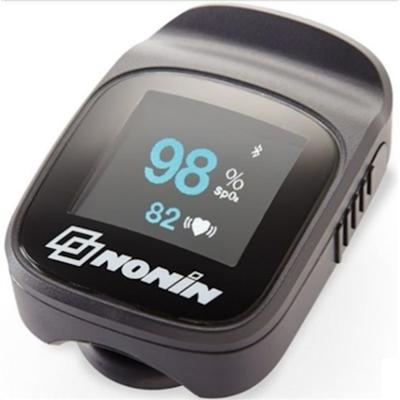
Nonin Medical NoninConnect™ Finger Pulse Oximeter with Bluetooth® Smart Wireless Technology""" NoninConnect™ Finger Pulse Oximeter with Bluetooth® Smart Wireless Technology for Clinicians and Patients — Nonin TruO2® OTC 3250 (OTC, No Prescription Required) The NoninConnect™ finger pulse oximeter is an over-the-counter (OTC) device , made..."299,00 $*Shipping: 0,00 $Secure redirect to the provider
-
The Handy Homestead DIY Wooden Walkie Talkie Kit For Kids STEM Building Wireless Communication Toy DIY Wooden Walkie Talkie Kit For Kids STEM Building Wireless Communication ToySpark your childs I built this! moment with a handson project that turns curiosity into real play. This 2pcs DIY wooden walkie talkie kit lets kids assemble two working communication toys while exploring basic electronics, sound, and signal...54,97 $*Shipping: 0,00 $Secure redirect to the provider
-
Steelplay MetalTech Radian Wireless Gaming Headset - Wireless and Wired Connectivity, Detachable Microphone, Volume ControlsThe Steelplay MetalTech Radian wireless gaming headset offers flexible audio for gaming and everyday entertainment. It's designed for use across consoles, computers, and compatible mobile devices. You can connect wirelessly through the supplied low-latency USB-C dongle or use the detachable 3.5 mm braided cable for a wired connection. The headset features a comfortable, adaptable design with soft ear cushions and an adjustable padded headband for a secure fit during longer gaming, music, and film sessions. The detachable boom microphone supports in-game chat and can be removed when not required. Key features include wireless and wired connectivity, a supplied USB-C dongle for compatible devices, a detachable microphone for flexible voice chat, integrated volume and microphone controls, and a detachable 2 m braided 3.5 mm audio cable. The headset also includes a 1.5 m braided USB-C charging cable and is compatible with PS5, PS4, Nintendo Switch, PC, Mac, and compatible Android or iOS devices using the supplied dongle.26,99 £*Shipping: 3,95 £Secure redirect to the provider
-
Why can't the BIOS find a bootable device?
The BIOS may not be able to find a bootable device due to several reasons. It could be because the boot order is not set correctly in the BIOS settings, the bootable device is not properly connected or recognized by the system, the boot sector of the device is corrupted, or the device itself is malfunctioning. Additionally, if the BIOS is outdated or not functioning properly, it may also have difficulty finding a bootable device. Troubleshooting these issues may involve checking the BIOS settings, ensuring the device is properly connected, and potentially updating the BIOS firmware. **
-
Does a mobile phone have a BIOS?
Yes, a mobile phone does have a BIOS (Basic Input/Output System), although it is often referred to as the firmware or boot loader. The BIOS on a mobile phone is responsible for initializing the hardware components and starting the operating system. It also provides low-level control over the device's hardware, such as the processor, memory, and input/output systems. While the BIOS on a mobile phone may not be as accessible or customizable as on a computer, it still plays a crucial role in the device's functionality. **
-
How can I disable the virtualization technology in the BIOS?
To disable virtualization technology in the BIOS, you will need to access the BIOS settings during the computer's startup process. This is typically done by pressing a specific key (such as F2, F10, or Del) as the computer boots up. Once in the BIOS settings, look for an option related to virtualization technology (often labeled as Intel VT-x or AMD-V) and disable it. Save the changes and exit the BIOS settings to apply the changes. Keep in mind that the exact steps may vary depending on the manufacturer and model of your computer. **
-
Does the BIOS recognize the BIOS file?
Yes, the BIOS recognizes the BIOS file as it is responsible for initializing and managing hardware components during the boot process. The BIOS file contains the necessary instructions and settings for the motherboard to communicate with the hardware components. If the BIOS file is corrupted or missing, the system may fail to boot properly. Regular updates to the BIOS file can improve system stability and compatibility with new hardware. **
Similar search terms for BIOS
-
On Spot Shop DC Wireless Remote Control Switch With Relay Output, RF Transmitter And Receiver For LED Lighting & Smart Device device With 1 RemoteReliable Control for Lighting & Automation Experience seamless control with the DC12V 8CH 8 Channel Wireless Remote Control LED Light Switch Relay Output Radio RF Transmitter and 315433 MHz Receiver. Designed for convenience, this system allows you...39,97 $*Shipping: 0,00 $Secure redirect to the provider
-
NENO Beauty Algo device for facial firming and contouring using EMS and RF technology 1 pcNENO Beauty Algo, 1 pc, Facial lifting devices for Women, Do you want to take your regular skincare routine to the next level? You don’t have to go to a beauty salon immediately; the NENO Beauty Algo device enables you to get a professional facial as if it had been done by a beauty therapist, in the comfort of your home. It helps improve the appearance of your skin, boosting its vitality and natural beauty. Use it to create a little personal beauty ritual of your own to look forward to every day. Characteristics: massages the face gently promotes the absorption of beauty products enhances blood circulation in the skin improves skin quality promotes collagen production effectively smooths wrinkles and fine lines a non-invasive skincare method restores skin elasticity USB charging cable included suitable for everyday use visibly rejuvenates skin smooths wrinkles and tightens the skin in general gently tightens skin restores skin firmness and leaves it tight stimulates elastin production the ergonomic design ensures a comfortable grip and full control of the device low noise level lightweight design revitalises revitalises and slows down the skin ageing process How to use: Follow the instructions for use included.150,45 £*Shipping: 3,99 £Secure redirect to the provider
-
Tools, Home & Hobby Automatic Pasta Maker Machine With Shapes & Smart Kneading Technology Automatic Pasta Maker Machine With Shapes & Smart Kneading TechnologyBring the joy of fresh, restaurantstyle pasta into your kitchen with this automatic pasta maker designed for busy families, home cooks, and pasta lovers alike. With intelligent onetouch operation and authentic kneading technology, this electric...174,97 $*Shipping: 0,00 $Secure redirect to the provider
-
Social Intelligence in a Digital World by Julian Verneaux Navigate Modern Communication with Awareness and Skill - Non FictionTitle :. Social Intelligence in a Digital World. Condition :BRAND NEW. Format :Paperback. ISBN :9789379573384. Stop letting algorithms dictate your relationships. This guide shows you how to bring genuine connection into every screen-based conversation. You will learn to read between the lines of digital messages. You will discover why some texts create distance instead of closeness. The book turns complex psychology into everyday steps. You get clear frameworks for remote work chats and family group codes alike. Real conversations still matter. They just require a new set of skills now.. Why Digital Communication Requires New Skills. Modern messaging strips away familiar physical cues. Tones get flattened. Intentions turn ambiguous. You miss pauses and eye contact forever. This volume maps classic social intelligence directly onto virtual landscapes. You notice timing differences in email replies versus instant notes. You recognize when a screen blurs important boundary signals. The writing avoids academic jargon entirely. Instead it offers actionable routines you practice immediately. You build confidence before sending difficult updates. You learn to preserve warmth during video calls. These tools stop misunderstandings before they spread. Your digital presence becomes more intentional. Connections grow deeper without extra effort.. Practical Application for Daily Life. You flip through chapters designed for quick daily reference. Each section targets a specific friction point online. You see examples that match your actual workflow. The advice respects your need for privacy. You establish healthy separation between work feeds and personal life. You respond to tension without escalating across platforms. The approach suits fast-paced professionals alongside busy students. Every lesson builds toward calmer interactions. You feel less drained after scrolling or typing. The methods reinforce themselves over time. You start recognizing patterns faster. Misaligned expectations fade into clearer conversations. You handle delayed read receipts without panic. You craft responses that honor both sender and receiver.. Who Will Benefit Most From This Resource. Remote workers crave better meeting etiquette. Parents seek healthier text boundaries with teenagers. Content creators want authentic community building. Anyone tired of misread tones deserves this reference. Students entering hybrid classrooms gain ready-made strategies. Teams struggling with workplace chat culture find common ground. The book works equally well as quiet study material and shared team resource. Readers appreciate its calm, direct voice. You finish each chapter feeling prepared. The guidance fits neatly into fragmented schedules. It serves as a steady anchor amid constant digital noise.. Key Benefits for Your Routine. Screen-Specific Empathy: Learn techniques to convey sincerity without physical body language.. Tone Management: Master the art of softening urgent requests in written...3,99 £*Shipping: 2,99 £Secure redirect to the provider
-
Does the BIOS not recognize the BIOS file?
If the BIOS does not recognize the BIOS file, it could be due to several reasons. The file may be corrupted or incompatible with the BIOS version. Ensure that you have downloaded the correct BIOS file for your specific motherboard model. Additionally, check if the file format is supported by the BIOS. If the issue persists, you may need to consult the motherboard manufacturer's support or consider updating the BIOS using a different method. **
-
What does "no bootable device" mean after a BIOS update?
When you see the message "no bootable device" after a BIOS update, it typically means that the computer is unable to find a valid operating system to start up. This can happen if the BIOS update caused changes to the boot order or if the update was not successful. To resolve this issue, you may need to enter the BIOS settings and adjust the boot order to prioritize the correct drive or reinstall the operating system. **
-
What is a 2x16MB Dual-BIOS? What is a 16MB-BIOS and a 32MB-BIOS?
A 2x16MB Dual-BIOS refers to a motherboard feature that includes two separate 16MB BIOS chips, allowing for a backup BIOS in case the primary one fails. A 16MB-BIOS is a BIOS chip with a capacity of 16 megabytes, which stores the firmware needed to boot up the computer and initialize hardware components. A 32MB-BIOS, on the other hand, is a BIOS chip with a capacity of 32 megabytes, providing more space for additional features, updates, and customization options. **
-
Are the system BIOS and the video BIOS shadowed?
The system BIOS and the video BIOS are typically shadowed in modern computers. Shadowing refers to the process of copying the BIOS code from slow ROM (Read-Only Memory) chips to faster RAM (Random Access Memory) chips, which can improve the performance of the system. By shadowing the BIOS, the computer can access the BIOS code more quickly, leading to faster boot times and overall system performance. However, some newer systems may not shadow the BIOS due to advancements in hardware and firmware technology. **
* All prices are inclusive of VAT and, if applicable, plus shipping costs. The offer information is based on the details provided by the respective shop and is updated through automated processes. Real-time updates do not occur, so deviations can occur in individual cases. ** Note: Parts of this content were created by AI.