Buy allphone.eu ?
We are moving the project
allphone.eu .
Are you interested in purchasing the domain
allphone.eu ?
domain@kv-gmbh.de · 0541-91531010
Buy allphone.eu ?
How do I set a Casio digital watch?
To set a Casio digital watch, start by pressing the "mode" button until you reach the time-setting mode. Use the "adjust" button to select the time zone and use the "mode" button to move between hours, minutes, and seconds. Use the "adjust" button to change the values and the "mode" button to move to the next setting. Once you have set the time, press the "mode" button to save your changes. **
How do you set a digital alarm clock?
To set a digital alarm clock, first locate the "set" or "mode" button on the clock. Press and hold this button until the time display starts blinking. Use the arrow buttons to adjust the hours and minutes to the desired time for the alarm. Once the time is set, press the "set" or "mode" button again to confirm the alarm time. Finally, make sure the alarm is turned on by checking for an alarm indicator on the display. **


Similar search terms for Set
Top-Angebote
Products related to Set:
-
Drop Dash Deals Phone Repair Tool Kit Precision Screwdriver Set For Smart Device Phone Repair Tool Kit Precision Screwdriver Set For Smart DeviceLooking for a reliable toolset to repair your iPhone or iPad The 14Piece iPhone Repair Tool Kit is designed to give you everything you need to safely and efficiently repair your Apple devices. Whether you're tackling screen replacements, battery...47,97 $*Shipping: 0,00 $Secure redirect to the provider
-
Steelplay MetalTech Radian Wireless Gaming Headset - Wireless and Wired Connectivity, Detachable Microphone, Volume ControlsThe Steelplay MetalTech Radian wireless gaming headset offers flexible audio for gaming and everyday entertainment. It's designed for use across consoles, computers, and compatible mobile devices. You can connect wirelessly through the supplied low-latency USB-C dongle or use the detachable 3.5 mm braided cable for a wired connection. The headset features a comfortable, adaptable design with soft ear cushions and an adjustable padded headband for a secure fit during longer gaming, music, and film sessions. The detachable boom microphone supports in-game chat and can be removed when not required. Key features include wireless and wired connectivity, a supplied USB-C dongle for compatible devices, a detachable microphone for flexible voice chat, integrated volume and microphone controls, and a detachable 2 m braided 3.5 mm audio cable. The headset also includes a 1.5 m braided USB-C charging cable and is compatible with PS5, PS4, Nintendo Switch, PC, Mac, and compatible Android or iOS devices using the supplied dongle.26,99 £*Shipping: 3,95 £Secure redirect to the provider
-
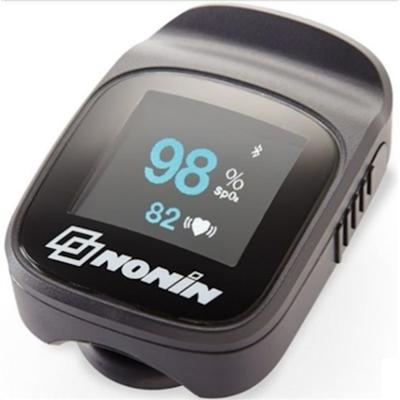
Nonin Medical NoninConnect™ Finger Pulse Oximeter with Bluetooth® Smart Wireless Technology""" NoninConnect™ Finger Pulse Oximeter with Bluetooth® Smart Wireless Technology for Clinicians and Patients — Nonin TruO2® OTC 3250 (OTC, No Prescription Required) The NoninConnect™ finger pulse oximeter is an over-the-counter (OTC) device , made..."299,00 $*Shipping: 0,00 $Secure redirect to the provider
-
Discount Dollar Deals Electric Screwdriver Precision Set, Rechargeable Wireless Cordless Power Tool Kit For Xiaomi Mobile Repair Electric Screwdriver Precision Set, Rechargeable Wireless Cordless Power Tool Kit For Xiaomi Mobile RepairUnlock the full potential of your repair toolkit with the 28 in 1 Electric Screwdriver Precision Set. This versatile, rechargeable wireless cordless power tool kit is designed specifically for Xiaomi mobile cell phone repair, providing precision and...89,97 $*Shipping: 0,00 $Secure redirect to the provider



-
What is digital communication?
Digital communication refers to the exchange of information through electronic devices such as computers, smartphones, and tablets. It involves sending and receiving data in the form of text, images, videos, or audio over digital channels like email, social media, messaging apps, and websites. Digital communication allows for instant and efficient communication between individuals or groups regardless of geographical location, making it a vital aspect of modern-day interactions and business operations. **
-
How do I set up smart home lighting?
To set up smart home lighting, you will need to first choose a smart lighting system such as Philips Hue, LIFX, or TP-Link. Next, you will need to purchase smart light bulbs or switches that are compatible with the chosen system. Install the smart bulbs or switches in your existing light fixtures and connect them to your home's Wi-Fi network using the manufacturer's app. Finally, you can control your smart lighting system using the app on your smartphone or through voice commands if it is compatible with a virtual assistant like Amazon Alexa or Google Assistant. **
-
How do I activate wireless connectivity in Windows 7?
To activate wireless connectivity in Windows 7, you can follow these steps: 1. Click on the Start button and then select Control Panel. 2. In the Control Panel, click on Network and Sharing Center. 3. In the Network and Sharing Center, click on the "Change adapter settings" option on the left-hand side. 4. Right-click on the wireless network connection and select "Enable" from the drop-down menu. Once you have completed these steps, your wireless connectivity should be activated and you should be able to connect to available wireless networks. **
-
How do I set up the HP Deskjet 3520 Wireless?
To set up the HP Deskjet 3520 Wireless, start by making sure your printer is turned on and connected to a power source. Next, press the wireless icon on the printer's control panel. Then, navigate to your computer or mobile device's Wi-Fi settings and select the printer's network. Finally, download and install the necessary drivers and software from the HP website to complete the setup process. **


What learning objectives can be set in relation to communication?
Learning objectives related to communication can include improving active listening skills, developing effective verbal and nonverbal communication, understanding different communication styles, and enhancing interpersonal communication skills. Additionally, objectives can focus on improving written communication, such as crafting clear and concise messages, and developing the ability to adapt communication to different audiences and contexts. Overall, the goal is to help individuals become more effective and confident communicators in both personal and professional settings. **
How can I set up the Smart Hub on the Samsung Smart TV?
To set up the Smart Hub on your Samsung Smart TV, start by pressing the Home button on your remote control. Then, navigate to the Smart Hub using the directional buttons and press Enter. Next, follow the on-screen instructions to connect your TV to the internet and create or sign in to your Samsung account. Once you have completed these steps, the Smart Hub will be set up and you can start enjoying the various apps and features it offers. **
Top-Angebote
Products related to Set:
-
Drop Dash Deals Phone Repair Tool Kit Precision Screwdriver Set For Smart Device Phone Repair Tool Kit Precision Screwdriver Set For Smart DeviceLooking for a reliable toolset to repair your iPhone or iPad The 14Piece iPhone Repair Tool Kit is designed to give you everything you need to safely and efficiently repair your Apple devices. Whether you're tackling screen replacements, battery...47,97 $*Shipping: 0,00 $Secure redirect to the provider
-
Steelplay MetalTech Radian Wireless Gaming Headset - Wireless and Wired Connectivity, Detachable Microphone, Volume ControlsThe Steelplay MetalTech Radian wireless gaming headset offers flexible audio for gaming and everyday entertainment. It's designed for use across consoles, computers, and compatible mobile devices. You can connect wirelessly through the supplied low-latency USB-C dongle or use the detachable 3.5 mm braided cable for a wired connection. The headset features a comfortable, adaptable design with soft ear cushions and an adjustable padded headband for a secure fit during longer gaming, music, and film sessions. The detachable boom microphone supports in-game chat and can be removed when not required. Key features include wireless and wired connectivity, a supplied USB-C dongle for compatible devices, a detachable microphone for flexible voice chat, integrated volume and microphone controls, and a detachable 2 m braided 3.5 mm audio cable. The headset also includes a 1.5 m braided USB-C charging cable and is compatible with PS5, PS4, Nintendo Switch, PC, Mac, and compatible Android or iOS devices using the supplied dongle.26,99 £*Shipping: 3,95 £Secure redirect to the provider
-
How do I set a Casio digital watch?
To set a Casio digital watch, start by pressing the "mode" button until you reach the time-setting mode. Use the "adjust" button to select the time zone and use the "mode" button to move between hours, minutes, and seconds. Use the "adjust" button to change the values and the "mode" button to move to the next setting. Once you have set the time, press the "mode" button to save your changes. **
-
How do you set a digital alarm clock?
To set a digital alarm clock, first locate the "set" or "mode" button on the clock. Press and hold this button until the time display starts blinking. Use the arrow buttons to adjust the hours and minutes to the desired time for the alarm. Once the time is set, press the "set" or "mode" button again to confirm the alarm time. Finally, make sure the alarm is turned on by checking for an alarm indicator on the display. **
-
What is digital communication?
Digital communication refers to the exchange of information through electronic devices such as computers, smartphones, and tablets. It involves sending and receiving data in the form of text, images, videos, or audio over digital channels like email, social media, messaging apps, and websites. Digital communication allows for instant and efficient communication between individuals or groups regardless of geographical location, making it a vital aspect of modern-day interactions and business operations. **
-
How do I set up smart home lighting?
To set up smart home lighting, you will need to first choose a smart lighting system such as Philips Hue, LIFX, or TP-Link. Next, you will need to purchase smart light bulbs or switches that are compatible with the chosen system. Install the smart bulbs or switches in your existing light fixtures and connect them to your home's Wi-Fi network using the manufacturer's app. Finally, you can control your smart lighting system using the app on your smartphone or through voice commands if it is compatible with a virtual assistant like Amazon Alexa or Google Assistant. **
Similar search terms for Set
-
Nonin Medical NoninConnect™ Finger Pulse Oximeter with Bluetooth® Smart Wireless Technology""" NoninConnect™ Finger Pulse Oximeter with Bluetooth® Smart Wireless Technology for Clinicians and Patients — Nonin TruO2® OTC 3250 (OTC, No Prescription Required) The NoninConnect™ finger pulse oximeter is an over-the-counter (OTC) device , made..."299,00 $*Shipping: 0,00 $Secure redirect to the provider
-
Discount Dollar Deals Electric Screwdriver Precision Set, Rechargeable Wireless Cordless Power Tool Kit For Xiaomi Mobile Repair Electric Screwdriver Precision Set, Rechargeable Wireless Cordless Power Tool Kit For Xiaomi Mobile RepairUnlock the full potential of your repair toolkit with the 28 in 1 Electric Screwdriver Precision Set. This versatile, rechargeable wireless cordless power tool kit is designed specifically for Xiaomi mobile cell phone repair, providing precision and...89,97 $*Shipping: 0,00 $Secure redirect to the provider
-
The Handy Homestead DIY Wooden Walkie Talkie Kit For Kids STEM Building Wireless Communication Toy DIY Wooden Walkie Talkie Kit For Kids STEM Building Wireless Communication ToySpark your childs I built this! moment with a handson project that turns curiosity into real play. This 2pcs DIY wooden walkie talkie kit lets kids assemble two working communication toys while exploring basic electronics, sound, and signal...54,97 $*Shipping: 0,00 $Secure redirect to the provider
-
On Spot Shop DC Wireless Remote Control Switch With Relay Output, RF Transmitter And Receiver For LED Lighting & Smart Device device With 1 RemoteReliable Control for Lighting & Automation Experience seamless control with the DC12V 8CH 8 Channel Wireless Remote Control LED Light Switch Relay Output Radio RF Transmitter and 315433 MHz Receiver. Designed for convenience, this system allows you...39,97 $*Shipping: 0,00 $Secure redirect to the provider
-
How do I activate wireless connectivity in Windows 7?
To activate wireless connectivity in Windows 7, you can follow these steps: 1. Click on the Start button and then select Control Panel. 2. In the Control Panel, click on Network and Sharing Center. 3. In the Network and Sharing Center, click on the "Change adapter settings" option on the left-hand side. 4. Right-click on the wireless network connection and select "Enable" from the drop-down menu. Once you have completed these steps, your wireless connectivity should be activated and you should be able to connect to available wireless networks. **
-
How do I set up the HP Deskjet 3520 Wireless?
To set up the HP Deskjet 3520 Wireless, start by making sure your printer is turned on and connected to a power source. Next, press the wireless icon on the printer's control panel. Then, navigate to your computer or mobile device's Wi-Fi settings and select the printer's network. Finally, download and install the necessary drivers and software from the HP website to complete the setup process. **
-
What learning objectives can be set in relation to communication?
Learning objectives related to communication can include improving active listening skills, developing effective verbal and nonverbal communication, understanding different communication styles, and enhancing interpersonal communication skills. Additionally, objectives can focus on improving written communication, such as crafting clear and concise messages, and developing the ability to adapt communication to different audiences and contexts. Overall, the goal is to help individuals become more effective and confident communicators in both personal and professional settings. **
-
How can I set up the Smart Hub on the Samsung Smart TV?
To set up the Smart Hub on your Samsung Smart TV, start by pressing the Home button on your remote control. Then, navigate to the Smart Hub using the directional buttons and press Enter. Next, follow the on-screen instructions to connect your TV to the internet and create or sign in to your Samsung account. Once you have completed these steps, the Smart Hub will be set up and you can start enjoying the various apps and features it offers. **
* All prices are inclusive of VAT and, if applicable, plus shipping costs. The offer information is based on the details provided by the respective shop and is updated through automated processes. Real-time updates do not occur, so deviations can occur in individual cases. ** Note: Parts of this content were created by AI.