Buy allphone.eu ?
We are moving the project
allphone.eu .
Are you interested in purchasing the domain
allphone.eu ?
domain@kv-gmbh.de · 0541-91531010
Buy allphone.eu ?
How can something function without communication?
Something can function without communication if it is designed to operate independently or autonomously. For example, a simple machine or a self-sustaining system can perform its intended tasks without the need for external communication. Additionally, certain processes or functions can be pre-programmed or set up in a way that they do not require ongoing communication to operate effectively. However, in more complex systems or situations, communication is often essential for coordination, problem-solving, and decision-making. **
How do I activate the wireless function?
To activate the wireless function on a device, you typically need to locate the wireless settings in the device's menu or settings. Look for an option such as "Wi-Fi" or "Wireless Network" and toggle the switch to turn it on. Once the wireless function is activated, you can search for available networks and connect to the one you want. Make sure to enter the correct password if the network is secured. **

Similar search terms for Function
Top-Angebote
Products related to Function:
-
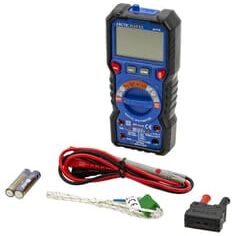
Arctic Hayes Compact Digital Multimeter with Temperature FunctionArctic Hayes Compact Digital Multimeter with Temperature Function – Tough, Accurate & Versatile The Arctic Hayes AH113 is a rugged, auto-ranging multimeter built for electricians, engineers and technicians who need accurate diagnostics on site. It measures voltage, current, resistance, capacitance, frequency and temperature, with 6000 count true RMS accuracy for reliable readings on both linear and non-linear loads. A temperature function covering -20°C to +1000°C is included via a supplied 1m K-Type thermocouple and adaptor, adding thermal measurement to the meter's capabilities without a separate instrument. Non-contact voltage (NCV) detection allows quick identification of live circuits, and Max/Min and Hold functions make it easier to capture and review readings during diagnostic work. A backlit display and built-in flashlight aid visibility in da32,28 £*Shipping: 5,00 £Secure redirect to the provider
-
Arctic Hayes Digital Clamp Meter With Temperature FunctionArctic Hayes Digital Clamp Meter with Temperature Function – 600A AC Professional Accuracy & Safety The Arctic Hayes AH206 is a clamp meter for electricians, engineers and technicians needing current, voltage and temperature measurement in one instrument. It measures AC current up to 600A via the clamp jaw, without needing to disconnect the circuit, and AC/DC voltage up to 600V. A large 25mm trigger jaw and rotary dial make switching between functions straightforward. True RMS accuracy with a 6000 count display gives reliable readings for AC/DC voltage, current and other measurements. A temperature function extends the range to -20°C to +1000°C, using the supplied 1m K-Type thermocouple and adaptor, so temperature checks can be carried out with the same instrument rather than a separate tool. A double colour backlit screen and built46,56 £*Shipping: 5,00 £Secure redirect to the provider
-
Rare Purchases Multi Function Precision Screwdriver Tool Set, Repair Kit, Laptop, Mobile, Computer Disassembly Multi Function Precision Screwdriver Tool Set, Repair Kit, Laptop, Mobile, Computer DisassemblyThe 132 in 1 MultiFunction Precision Screwdriver Tool Set is the ultimate solution for electronic device repairs. Whether you're working on laptops, mobile phones, or computers, this comprehensive set has everything you need for disassembly and...79,97 $*Shipping: 0,00 $Secure redirect to the provider
-
Tower T10087 Mirage Kettle with Digital Control Panel, Variable Temperature Function, Rapid Boil Technology, Viewing Window, Removable Filter, 3kW, White 1.7LTake drink making to the next level with this Digital Kettle from Tower’s Mirage collection. Featuring an innovative digital control panel, you can set the temperature at increments of 5°C with the touch of button, ranging from 40-100°C. The variable temperature function will let you test different temperatures and brewing techniques to discover how to create the perfect drink every time. The temperature display appears on the control panel and is projected onto the worktop below as an optical illusion for an immersive experience. No more waiting for the kettle to boil as rapid boil technology will boil a single cup in under 60 seconds, whilst the 1.7L capacity can boil up to 7 cups from one fill – ideal for hosting friends and family or when one drink just isn’t enough. A helpful viewing window will let you see how much water is in the kettle, whilst the max fill line acts as a guide so you only use the water you need and avoid overfilling the kettle. A 360° swivel base offers seamless use for right and left handed users, whilst the filter can be removed for simple and efficient cleaning so your tea or coffee will always taste perfect Brand Name: Tower. Colour: White48,99 £*Shipping: 4,99 £Secure redirect to the provider


-
Why is the wireless function not activating?
The wireless function may not be activating due to a few possible reasons. It could be due to a hardware issue such as a faulty wireless card or antenna. It could also be a software issue, such as a driver problem or a misconfiguration in the network settings. Additionally, there could be interference from other electronic devices or a problem with the wireless network itself. Troubleshooting steps such as checking the hardware, updating drivers, and adjusting network settings may help to resolve the issue. **
-
How do I activate the wireless function on Medion?
To activate the wireless function on a Medion device, you can typically do so by pressing the wireless function key on the keyboard. This key is usually labeled with an icon that looks like a radio tower or antenna. Pressing this key should toggle the wireless function on or off. Additionally, you can also activate the wireless function by accessing the network settings in the control panel or system settings and enabling the wireless network adapter. **
-
What is digital communication?
Digital communication refers to the exchange of information through electronic devices such as computers, smartphones, and tablets. It involves sending and receiving data in the form of text, images, videos, or audio over digital channels like email, social media, messaging apps, and websites. Digital communication allows for instant and efficient communication between individuals or groups regardless of geographical location, making it a vital aspect of modern-day interactions and business operations. **
-
Do speakers in train stations function as digital voices?
Yes, speakers in train stations can function as digital voices. Many train stations use pre-recorded announcements that are played through speakers to provide information to passengers. These announcements can include train arrival and departure times, platform information, and safety messages. In some cases, these announcements are automated and delivered by digital voice systems, making them a form of digital communication. **

How do I activate wireless connectivity in Windows 7?
To activate wireless connectivity in Windows 7, you can follow these steps: 1. Click on the Start button and then select Control Panel. 2. In the Control Panel, click on Network and Sharing Center. 3. In the Network and Sharing Center, click on the "Change adapter settings" option on the left-hand side. 4. Right-click on the wireless network connection and select "Enable" from the drop-down menu. Once you have completed these steps, your wireless connectivity should be activated and you should be able to connect to available wireless networks. **
What is the function of wireless Bluetooth on the PS3?
The wireless Bluetooth on the PS3 allows users to connect wireless controllers, headsets, and other compatible devices to the console without the need for physical cables. This enables a more convenient and clutter-free gaming experience, as players can move around freely without being restricted by wired connections. Additionally, the Bluetooth functionality allows for seamless communication between the PS3 and compatible devices, enhancing the overall gaming and entertainment experience. **
Top-Angebote
Products related to Function:
-
Arctic Hayes Professional Digital Multimeter with Temp FunctionArctic Hayes Professional Digital Multimeter with Temperature Function – High-Spec, Safe & Reliable The Arctic Hayes AH118 is a rugged, auto-ranging multimeter for professional electricians, engineers and service technicians working with higher-voltage systems. It measures voltage, current, resistance, capacitance, frequency and temperature, with 6000 count true RMS accuracy for reliable readings on non-linear as well as linear loads. An input jack LED indicator adds an extra safety check, confirming test leads are connected to the correct sockets before a measurement is taken. Temperature measurement covers -20°C to +1000°C via a supplied 1m K-Type thermocouple and adaptor, and non-contact voltage (NCV) detection allows quick identification of live circuits. Max/Min and Hold functions make it easier to capture and review readings during diagnostic work.46,56 £*Shipping: 5,00 £Secure redirect to the provider
-
Arctic Hayes Compact Digital Multimeter with Temperature FunctionArctic Hayes Compact Digital Multimeter with Temperature Function – Tough, Accurate & Versatile The Arctic Hayes AH113 is a rugged, auto-ranging multimeter built for electricians, engineers and technicians who need accurate diagnostics on site. It measures voltage, current, resistance, capacitance, frequency and temperature, with 6000 count true RMS accuracy for reliable readings on both linear and non-linear loads. A temperature function covering -20°C to +1000°C is included via a supplied 1m K-Type thermocouple and adaptor, adding thermal measurement to the meter's capabilities without a separate instrument. Non-contact voltage (NCV) detection allows quick identification of live circuits, and Max/Min and Hold functions make it easier to capture and review readings during diagnostic work. A backlit display and built-in flashlight aid visibility in da32,28 £*Shipping: 5,00 £Secure redirect to the provider
-
Arctic Hayes Digital Clamp Meter With Temperature FunctionArctic Hayes Digital Clamp Meter with Temperature Function – 600A AC Professional Accuracy & Safety The Arctic Hayes AH206 is a clamp meter for electricians, engineers and technicians needing current, voltage and temperature measurement in one instrument. It measures AC current up to 600A via the clamp jaw, without needing to disconnect the circuit, and AC/DC voltage up to 600V. A large 25mm trigger jaw and rotary dial make switching between functions straightforward. True RMS accuracy with a 6000 count display gives reliable readings for AC/DC voltage, current and other measurements. A temperature function extends the range to -20°C to +1000°C, using the supplied 1m K-Type thermocouple and adaptor, so temperature checks can be carried out with the same instrument rather than a separate tool. A double colour backlit screen and built46,56 £*Shipping: 5,00 £Secure redirect to the provider
-
How can something function without communication?
Something can function without communication if it is designed to operate independently or autonomously. For example, a simple machine or a self-sustaining system can perform its intended tasks without the need for external communication. Additionally, certain processes or functions can be pre-programmed or set up in a way that they do not require ongoing communication to operate effectively. However, in more complex systems or situations, communication is often essential for coordination, problem-solving, and decision-making. **
-
How do I activate the wireless function?
To activate the wireless function on a device, you typically need to locate the wireless settings in the device's menu or settings. Look for an option such as "Wi-Fi" or "Wireless Network" and toggle the switch to turn it on. Once the wireless function is activated, you can search for available networks and connect to the one you want. Make sure to enter the correct password if the network is secured. **
-
Why is the wireless function not activating?
The wireless function may not be activating due to a few possible reasons. It could be due to a hardware issue such as a faulty wireless card or antenna. It could also be a software issue, such as a driver problem or a misconfiguration in the network settings. Additionally, there could be interference from other electronic devices or a problem with the wireless network itself. Troubleshooting steps such as checking the hardware, updating drivers, and adjusting network settings may help to resolve the issue. **
-
How do I activate the wireless function on Medion?
To activate the wireless function on a Medion device, you can typically do so by pressing the wireless function key on the keyboard. This key is usually labeled with an icon that looks like a radio tower or antenna. Pressing this key should toggle the wireless function on or off. Additionally, you can also activate the wireless function by accessing the network settings in the control panel or system settings and enabling the wireless network adapter. **
Similar search terms for Function
-
Rare Purchases Multi Function Precision Screwdriver Tool Set, Repair Kit, Laptop, Mobile, Computer Disassembly Multi Function Precision Screwdriver Tool Set, Repair Kit, Laptop, Mobile, Computer DisassemblyThe 132 in 1 MultiFunction Precision Screwdriver Tool Set is the ultimate solution for electronic device repairs. Whether you're working on laptops, mobile phones, or computers, this comprehensive set has everything you need for disassembly and...79,97 $*Shipping: 0,00 $Secure redirect to the provider
-
Tower T10087 Mirage Kettle with Digital Control Panel, Variable Temperature Function, Rapid Boil Technology, Viewing Window, Removable Filter, 3kW, White 1.7LTake drink making to the next level with this Digital Kettle from Tower’s Mirage collection. Featuring an innovative digital control panel, you can set the temperature at increments of 5°C with the touch of button, ranging from 40-100°C. The variable temperature function will let you test different temperatures and brewing techniques to discover how to create the perfect drink every time. The temperature display appears on the control panel and is projected onto the worktop below as an optical illusion for an immersive experience. No more waiting for the kettle to boil as rapid boil technology will boil a single cup in under 60 seconds, whilst the 1.7L capacity can boil up to 7 cups from one fill – ideal for hosting friends and family or when one drink just isn’t enough. A helpful viewing window will let you see how much water is in the kettle, whilst the max fill line acts as a guide so you only use the water you need and avoid overfilling the kettle. A 360° swivel base offers seamless use for right and left handed users, whilst the filter can be removed for simple and efficient cleaning so your tea or coffee will always taste perfect Brand Name: Tower. Colour: White48,99 £*Shipping: 4,99 £Secure redirect to the provider
-
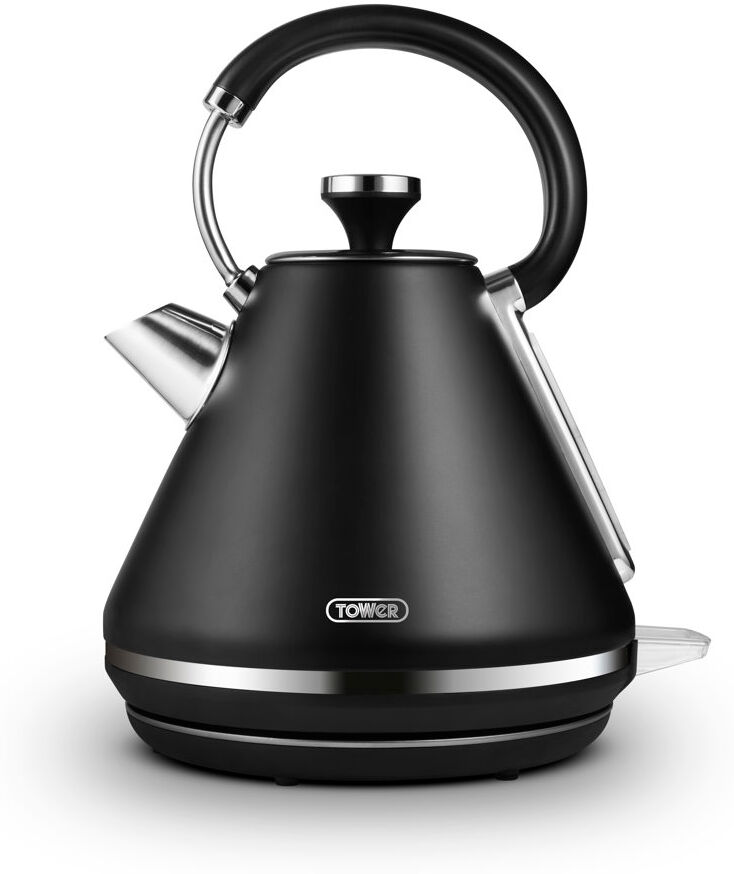
Tower T10087 Mirage Kettle with Digital Control Panel, Variable Temperature Function, Rapid Boil Technology, Viewing Window, Removable Filter, 3kW, Black 1.7LTake drink making to the next level with this Digital Kettle from Tower’s Mirage collection. Featuring an innovative digital control panel, you can set the temperature at increments of 5°C with the touch of button, ranging from 40-100°C. The variable temperature function will let you test different temperatures and brewing techniques to discover how to create the perfect drink every time. The temperature display appears on the control panel and is projected onto the worktop below as an optical illusion for an immersive experience. No more waiting for the kettle to boil as rapid boil technology will boil a single cup in under 60 seconds, whilst the 1.7L capacity can boil up to 7 cups from one fill – ideal for hosting friends and family or when one drink just isn’t enough. A helpful viewing window will let you see how much water is in the kettle, whilst the max fill line acts as a guide so you only use the water you need and avoid overfilling the kettle. A 360° swivel base offers seamless use for right and left handed users, whilst the filter can be removed for simple and efficient cleaning so your tea or coffee will always taste perfect INNOVATIVE DIGITAL TECHNOLOGY:This kettle features an innovative digital control panel that turns the kettle on/off and shows the live temperature of the water inside the kettle. It acts as an optical illusion, appearing on the control panel and is also projected on the surface.. VARIABLE TEMPERATURE FUNCTION:The temperature can be adjusted at the touch of a button, increasing at increments of 5°C from 40-100°C. This lets you customise the temperature based on what drink you are making, so you can ensure each cup of tea or coffee is packed with flavour. You can also experiment with different brewing techniques to create the perfect drink every time. LARGE CAPACITY & RAPID BOIL TECNOLOGY:Its large 1.7 litre capacity can make up to 7 drinks from a single fill, perfect for families and busy households or when one drink just isn’t enough. Rapid boil technology can quickly boil 1 cup in under 60 seconds so you can enjoy delicious hot drinks with less time spent waiting. VIEWING WINDOW & MAX FILL LINE:Easily view how much water is in the kettle with the viewing window, whilst the max fill line will prevent overfilling and help you gauge how much water you need for a typical cup. 3 YEAR GUARANTEE:Trusted Tower quality with a standard 1 year manufacturer’s guarantee and a 2 year extension, subject to product registration online. Brand Name: Tower. Colour: Black49,99 £*Shipping: 4,99 £Secure redirect to the provider
-
Inspire Curations Smart Wireless Vacuum Food Sealer With USB Charging & Multi Function Air System greenKeep your food fresher, longerwithout bulky machines or complicated setups. This wireless vacuum sealer is designed for modern kitchens, combining portability with powerful suction to lock in freshness anytime, anywhere. Whether youre meal prepping,...125,50 $*Shipping: 0,00 $Secure redirect to the provider
-
What is digital communication?
Digital communication refers to the exchange of information through electronic devices such as computers, smartphones, and tablets. It involves sending and receiving data in the form of text, images, videos, or audio over digital channels like email, social media, messaging apps, and websites. Digital communication allows for instant and efficient communication between individuals or groups regardless of geographical location, making it a vital aspect of modern-day interactions and business operations. **
-
Do speakers in train stations function as digital voices?
Yes, speakers in train stations can function as digital voices. Many train stations use pre-recorded announcements that are played through speakers to provide information to passengers. These announcements can include train arrival and departure times, platform information, and safety messages. In some cases, these announcements are automated and delivered by digital voice systems, making them a form of digital communication. **
-
How do I activate wireless connectivity in Windows 7?
To activate wireless connectivity in Windows 7, you can follow these steps: 1. Click on the Start button and then select Control Panel. 2. In the Control Panel, click on Network and Sharing Center. 3. In the Network and Sharing Center, click on the "Change adapter settings" option on the left-hand side. 4. Right-click on the wireless network connection and select "Enable" from the drop-down menu. Once you have completed these steps, your wireless connectivity should be activated and you should be able to connect to available wireless networks. **
-
What is the function of wireless Bluetooth on the PS3?
The wireless Bluetooth on the PS3 allows users to connect wireless controllers, headsets, and other compatible devices to the console without the need for physical cables. This enables a more convenient and clutter-free gaming experience, as players can move around freely without being restricted by wired connections. Additionally, the Bluetooth functionality allows for seamless communication between the PS3 and compatible devices, enhancing the overall gaming and entertainment experience. **
* All prices are inclusive of VAT and, if applicable, plus shipping costs. The offer information is based on the details provided by the respective shop and is updated through automated processes. Real-time updates do not occur, so deviations can occur in individual cases. ** Note: Parts of this content were created by AI.