Buy allphone.eu ?
We are moving the project
allphone.eu .
Are you interested in purchasing the domain
allphone.eu ?
domain@kv-gmbh.de · 0541-91531010
Buy allphone.eu ?
Why is the DMZ not working?
The DMZ may not be working due to several reasons. It could be a misconfiguration in the network settings, firewall rules, or routing issues. Additionally, there could be a problem with the server or device that is supposed to be in the DMZ. It is also possible that there are security vulnerabilities or outdated software on the DMZ device, leading to it not functioning as intended. Troubleshooting these potential issues and ensuring proper network and security configurations can help in resolving the problem with the DMZ. **
What is the meaning of Warzone DMZ 2?
Warzone DMZ 2 refers to a demilitarized zone in the popular video game Warzone. In the game, it is a location where players can engage in intense combat and battle against each other. The term "DMZ" stands for demilitarized zone, which is a buffer area between two opposing forces. In the context of the game, Warzone DMZ 2 represents a high-risk, high-reward area where players can test their skills and compete against each other. **


Similar search terms for DMZ
Top-Angebote
Products related to DMZ:
-
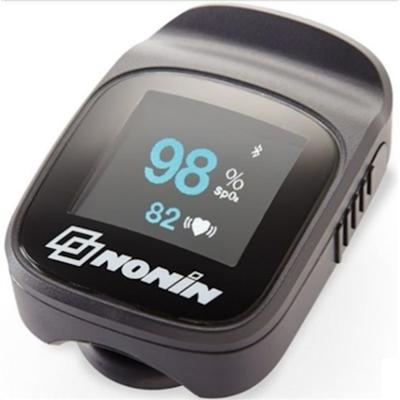
Nonin Medical NoninConnect™ Finger Pulse Oximeter with Bluetooth® Smart Wireless Technology""" NoninConnect™ Finger Pulse Oximeter with Bluetooth® Smart Wireless Technology for Clinicians and Patients — Nonin TruO2® OTC 3250 (OTC, No Prescription Required) The NoninConnect™ finger pulse oximeter is an over-the-counter (OTC) device , made..."299,00 $*Shipping: 0,00 $Secure redirect to the provider
-
On Spot Shop DC Wireless Remote Control Switch With Relay Output, RF Transmitter And Receiver For LED Lighting & Smart Device device With 1 RemoteReliable Control for Lighting & Automation Experience seamless control with the DC12V 8CH 8 Channel Wireless Remote Control LED Light Switch Relay Output Radio RF Transmitter and 315433 MHz Receiver. Designed for convenience, this system allows you...39,97 $*Shipping: 0,00 $Secure redirect to the provider
-
The Handy Homestead DIY Wooden Walkie Talkie Kit For Kids STEM Building Wireless Communication Toy DIY Wooden Walkie Talkie Kit For Kids STEM Building Wireless Communication ToySpark your childs I built this! moment with a handson project that turns curiosity into real play. This 2pcs DIY wooden walkie talkie kit lets kids assemble two working communication toys while exploring basic electronics, sound, and signal...54,97 $*Shipping: 0,00 $Secure redirect to the provider
-
Tools, Home & Hobby Automatic Pasta Maker Machine With Shapes & Smart Kneading Technology Automatic Pasta Maker Machine With Shapes & Smart Kneading TechnologyBring the joy of fresh, restaurantstyle pasta into your kitchen with this automatic pasta maker designed for busy families, home cooks, and pasta lovers alike. With intelligent onetouch operation and authentic kneading technology, this electric...174,97 $*Shipping: 0,00 $Secure redirect to the provider


-
What peripherals are there in the demilitarized zone (DMZ)?
In a demilitarized zone (DMZ), there are various peripherals that are used to enhance security and functionality. Some common peripherals found in a DMZ include firewalls, intrusion detection systems (IDS), intrusion prevention systems (IPS), load balancers, and proxy servers. These peripherals help to protect the internal network from external threats, manage network traffic, and provide secure access to external resources. Additionally, there may be other specialized peripherals depending on the specific security and networking requirements of the organization. **
-
How do I set up a DMZ with pfSense?
To set up a DMZ with pfSense, you will need to create a separate network segment for your DMZ. This can be done by adding a new interface to your pfSense firewall and connecting it to a separate physical network or VLAN. Once the interface is added, you can configure firewall rules to allow traffic to and from the DMZ while still protecting your internal network. You will also need to configure NAT (Network Address Translation) rules to allow external traffic to reach the DMZ servers. Finally, you can configure any necessary services or servers in the DMZ, such as web servers or email servers. **
-
How can you set up a DMZ on the Gigacube?
To set up a DMZ on the Gigacube, you will need to access the device's settings through a web browser. Once logged in, navigate to the advanced settings and look for the DMZ option. Enable the DMZ and enter the IP address of the device you want to place in the DMZ. This will allow all incoming traffic to be directed to that specific device, providing an extra layer of security for your network. Make sure to only place trusted devices in the DMZ to minimize security risks. **
-
How do I create a DMZ in the FreeBSD firewall?
To create a DMZ in the FreeBSD firewall, you can use the pf (Packet Filter) firewall, which is included in FreeBSD. First, you need to define the DMZ network in the pf configuration file by adding a new network interface and assigning it to the DMZ subnet. Then, you can create rules to allow traffic from the internal network to the DMZ and from the DMZ to the internet, while restricting traffic from the DMZ to the internal network. Finally, you need to configure NAT (Network Address Translation) to allow the DMZ hosts to access the internet using the firewall's public IP address. By following these steps, you can effectively create a DMZ in the FreeBSD firewall to isolate and secure your DMZ network. **


How can one access a Proxmox container in the DMZ?
To access a Proxmox container in the DMZ, you can do so by first ensuring that the container has a public IP address or is accessible through port forwarding on the DMZ firewall. Once this is set up, you can use SSH or a remote desktop protocol to access the container from a remote location. It's important to ensure that proper security measures are in place, such as strong authentication and encryption, to protect the container from unauthorized access. Additionally, you may need to configure the Proxmox firewall to allow incoming connections to the container. **
Which song is played in the special episode of DMZ series?
The special episode of the DMZ series features the song "This Land is Your Land" by Woody Guthrie. This iconic folk song is a fitting choice for the series, as it reflects themes of unity, belonging, and the struggle for justice. The song's powerful message resonates with the themes explored in the DMZ series, making it a poignant addition to the special episode. **
Top-Angebote
Products related to DMZ:
-
Activision Blizzard Call of Duty: Modern Warfare 4 - First-Person Shooter - Xbox Series X S Physical Edition - Multiplayer - Campaign - DMZCall of Duty: Modern Warfare 4 is a first-person shooter from Activision for Xbox Series X S. This physical edition follows a young squad of South Korean soldiers fighting on the collapsing front lines, while Captain Price pursues a personal mission from the shadows. Key features: Campaign: Fight through Korea, New York, Paris, and Mumbai in a cinematic single-player story. Multiplayer: Take part in precise, fast-paced combat across new 6v6 maps and larger battlefields. DMZ: Deploy behind enemy lines, collect valuable equipment, and decide when to extract. Note: This game is designed for current-generation Xbox consoles and is not for Xbox One. An internet connection is required for online features, multiplayer, and DMZ. The physical game requires installation and may require content updates and additional storage. The game is scheduled for release on 23 October 2026.67,99 £*Shipping: 0,00 £Secure redirect to the provider
-
Nonin Medical NoninConnect™ Finger Pulse Oximeter with Bluetooth® Smart Wireless Technology""" NoninConnect™ Finger Pulse Oximeter with Bluetooth® Smart Wireless Technology for Clinicians and Patients — Nonin TruO2® OTC 3250 (OTC, No Prescription Required) The NoninConnect™ finger pulse oximeter is an over-the-counter (OTC) device , made..."299,00 $*Shipping: 0,00 $Secure redirect to the provider
-
On Spot Shop DC Wireless Remote Control Switch With Relay Output, RF Transmitter And Receiver For LED Lighting & Smart Device device With 1 RemoteReliable Control for Lighting & Automation Experience seamless control with the DC12V 8CH 8 Channel Wireless Remote Control LED Light Switch Relay Output Radio RF Transmitter and 315433 MHz Receiver. Designed for convenience, this system allows you...39,97 $*Shipping: 0,00 $Secure redirect to the provider
-
Why is the DMZ not working?
The DMZ may not be working due to several reasons. It could be a misconfiguration in the network settings, firewall rules, or routing issues. Additionally, there could be a problem with the server or device that is supposed to be in the DMZ. It is also possible that there are security vulnerabilities or outdated software on the DMZ device, leading to it not functioning as intended. Troubleshooting these potential issues and ensuring proper network and security configurations can help in resolving the problem with the DMZ. **
-
What is the meaning of Warzone DMZ 2?
Warzone DMZ 2 refers to a demilitarized zone in the popular video game Warzone. In the game, it is a location where players can engage in intense combat and battle against each other. The term "DMZ" stands for demilitarized zone, which is a buffer area between two opposing forces. In the context of the game, Warzone DMZ 2 represents a high-risk, high-reward area where players can test their skills and compete against each other. **
-
What peripherals are there in the demilitarized zone (DMZ)?
In a demilitarized zone (DMZ), there are various peripherals that are used to enhance security and functionality. Some common peripherals found in a DMZ include firewalls, intrusion detection systems (IDS), intrusion prevention systems (IPS), load balancers, and proxy servers. These peripherals help to protect the internal network from external threats, manage network traffic, and provide secure access to external resources. Additionally, there may be other specialized peripherals depending on the specific security and networking requirements of the organization. **
-
How do I set up a DMZ with pfSense?
To set up a DMZ with pfSense, you will need to create a separate network segment for your DMZ. This can be done by adding a new interface to your pfSense firewall and connecting it to a separate physical network or VLAN. Once the interface is added, you can configure firewall rules to allow traffic to and from the DMZ while still protecting your internal network. You will also need to configure NAT (Network Address Translation) rules to allow external traffic to reach the DMZ servers. Finally, you can configure any necessary services or servers in the DMZ, such as web servers or email servers. **
Similar search terms for DMZ
-
The Handy Homestead DIY Wooden Walkie Talkie Kit For Kids STEM Building Wireless Communication Toy DIY Wooden Walkie Talkie Kit For Kids STEM Building Wireless Communication ToySpark your childs I built this! moment with a handson project that turns curiosity into real play. This 2pcs DIY wooden walkie talkie kit lets kids assemble two working communication toys while exploring basic electronics, sound, and signal...54,97 $*Shipping: 0,00 $Secure redirect to the provider
-
Tools, Home & Hobby Automatic Pasta Maker Machine With Shapes & Smart Kneading Technology Automatic Pasta Maker Machine With Shapes & Smart Kneading TechnologyBring the joy of fresh, restaurantstyle pasta into your kitchen with this automatic pasta maker designed for busy families, home cooks, and pasta lovers alike. With intelligent onetouch operation and authentic kneading technology, this electric...174,97 $*Shipping: 0,00 $Secure redirect to the provider
-
Drop Dash Deals Phone Repair Tool Kit Precision Screwdriver Set For Smart Device Phone Repair Tool Kit Precision Screwdriver Set For Smart DeviceLooking for a reliable toolset to repair your iPhone or iPad The 14Piece iPhone Repair Tool Kit is designed to give you everything you need to safely and efficiently repair your Apple devices. Whether you're tackling screen replacements, battery...47,97 $*Shipping: 0,00 $Secure redirect to the provider
-
NENO Beauty Algo device for facial firming and contouring using EMS and RF technology 1 pcNENO Beauty Algo, 1 pc, Facial lifting devices for Women, Do you want to take your regular skincare routine to the next level? You don’t have to go to a beauty salon immediately; the NENO Beauty Algo device enables you to get a professional facial as if it had been done by a beauty therapist, in the comfort of your home. It helps improve the appearance of your skin, boosting its vitality and natural beauty. Use it to create a little personal beauty ritual of your own to look forward to every day. Characteristics: massages the face gently promotes the absorption of beauty products enhances blood circulation in the skin improves skin quality promotes collagen production effectively smooths wrinkles and fine lines a non-invasive skincare method restores skin elasticity USB charging cable included suitable for everyday use visibly rejuvenates skin smooths wrinkles and tightens the skin in general gently tightens skin restores skin firmness and leaves it tight stimulates elastin production the ergonomic design ensures a comfortable grip and full control of the device low noise level lightweight design revitalises revitalises and slows down the skin ageing process How to use: Follow the instructions for use included.150,45 £*Shipping: 3,99 £Secure redirect to the provider
-
How can you set up a DMZ on the Gigacube?
To set up a DMZ on the Gigacube, you will need to access the device's settings through a web browser. Once logged in, navigate to the advanced settings and look for the DMZ option. Enable the DMZ and enter the IP address of the device you want to place in the DMZ. This will allow all incoming traffic to be directed to that specific device, providing an extra layer of security for your network. Make sure to only place trusted devices in the DMZ to minimize security risks. **
-
How do I create a DMZ in the FreeBSD firewall?
To create a DMZ in the FreeBSD firewall, you can use the pf (Packet Filter) firewall, which is included in FreeBSD. First, you need to define the DMZ network in the pf configuration file by adding a new network interface and assigning it to the DMZ subnet. Then, you can create rules to allow traffic from the internal network to the DMZ and from the DMZ to the internet, while restricting traffic from the DMZ to the internal network. Finally, you need to configure NAT (Network Address Translation) to allow the DMZ hosts to access the internet using the firewall's public IP address. By following these steps, you can effectively create a DMZ in the FreeBSD firewall to isolate and secure your DMZ network. **
-
How can one access a Proxmox container in the DMZ?
To access a Proxmox container in the DMZ, you can do so by first ensuring that the container has a public IP address or is accessible through port forwarding on the DMZ firewall. Once this is set up, you can use SSH or a remote desktop protocol to access the container from a remote location. It's important to ensure that proper security measures are in place, such as strong authentication and encryption, to protect the container from unauthorized access. Additionally, you may need to configure the Proxmox firewall to allow incoming connections to the container. **
-
Which song is played in the special episode of DMZ series?
The special episode of the DMZ series features the song "This Land is Your Land" by Woody Guthrie. This iconic folk song is a fitting choice for the series, as it reflects themes of unity, belonging, and the struggle for justice. The song's powerful message resonates with the themes explored in the DMZ series, making it a poignant addition to the special episode. **
* All prices are inclusive of VAT and, if applicable, plus shipping costs. The offer information is based on the details provided by the respective shop and is updated through automated processes. Real-time updates do not occur, so deviations can occur in individual cases. ** Note: Parts of this content were created by AI.